
Deploy WordPress
Publish on your own WordPress
Deploy WordPress with managed MariaDB and a public HTTPS URL. You own the instance. You pay for compute — not per site.
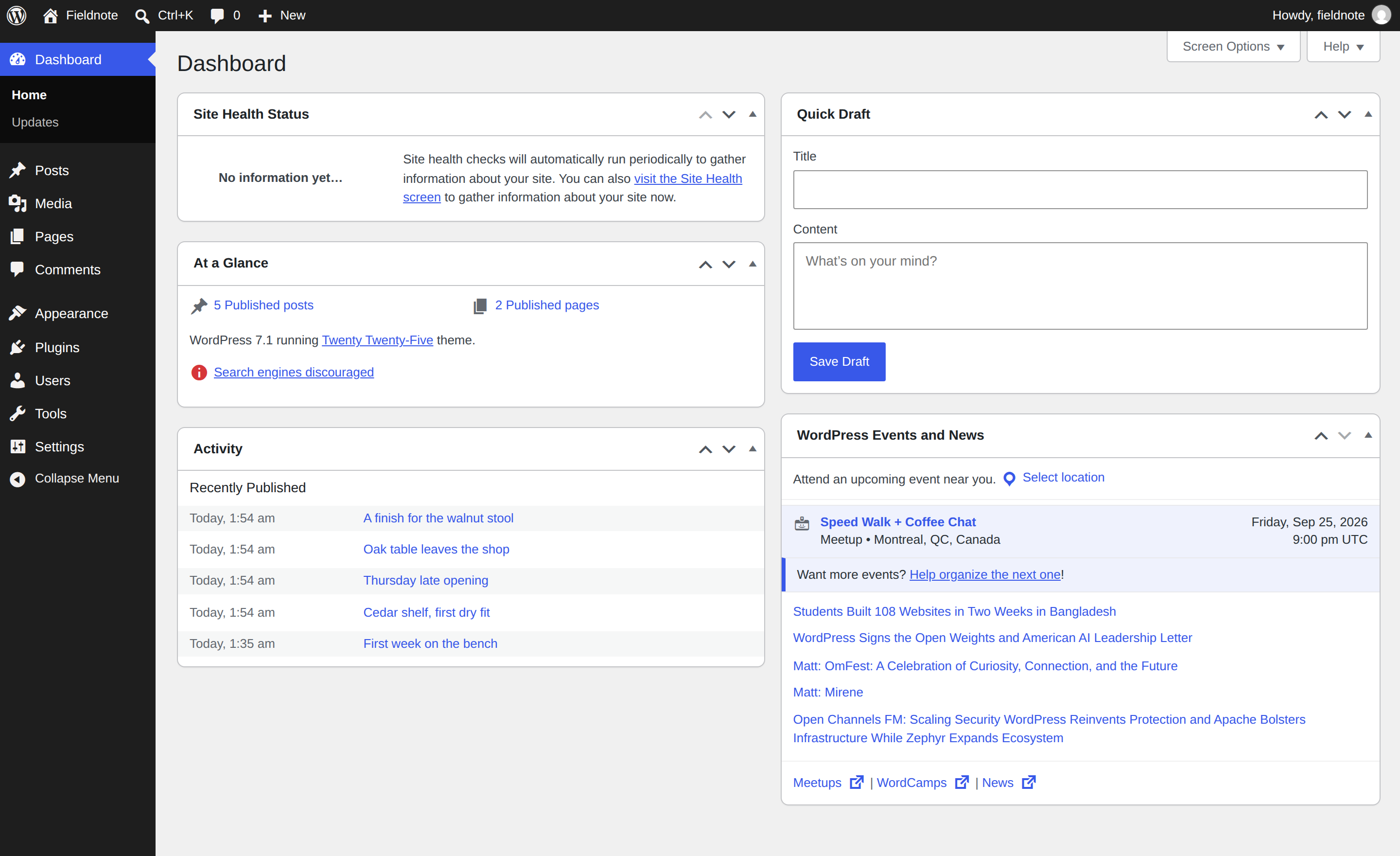
What you get with WordPress
- Posts and pagesWrite in the block editor. Drafts, revisions, and the media library stay on this instance.
- Themes and pluginsInstall from wordpress.org or upload your own. Nothing is locked to a host marketplace.
- Public HTTPS URLWP_HOME and WP_SITEURL follow the public HTTPS hostname, so links and wp-admin resolve.
- Dedicated instancePosts, users, and uploads stay on this instance — not on a shared vendor account.
- Managed MariaDBContent lives in MariaDB — not a file inside the container. Restart the app and the site is still there.
- Five-minute installerFirst open is the WordPress installer. That account is the admin.
After you deploy WordPress
- 1Open the public URLThe hostname is on the app page after deploy. First load is the language step, then the installer — not a login form.
- 2Create the adminSite title, username, password, and email. That account owns the site until you invite others.
- 3PublishPick a theme, add plugins if you need them, and write the first post. Media lands on the volume.
How WordPress is wired
WordPress and MariaDB ship together. The public hostname is the site and wp-admin. Uploads live on a volume.
- MariaDB holds the site
- Posts, users, and options live in the attached database. Restart the app and the site is still there.
- Uploads sit on a volume
- wp-content (uploads, plugins, themes, languages) is mounted. Media survives a restart.
- Site URL is already set
- WP_HOME and WP_SITEURL follow the public HTTPS hostname so permalinks and admin stay on this instance. Attach a custom domain from the dashboard when you want a branded site.
- Mail uses the platform add-on
- A must-use plugin sends wp_mail() through the Email add-on when the project has it. Without the add-on, the plugin does nothing.
Why run WordPress on StackBlaze
- Scale your appChange CPU, RAM, and replicas without a rebuild, or let autoscaling add replicas when CPU climbs.
- Git-based CI/CDPush to GitHub and it builds and ships. Pull requests get their own preview URL on Pro and Business.
- One-click rollbackA deploy went wrong? Go back to any previous successful deploy.
- Environments built inProduction, staging, and dev as separate environments in one project, each with its own URL.
- Built-in observabilityCPU, memory, and response time per app, live logs with search, and alerts to Slack, Discord, or a webhook.
- Developer-first toolsA CLI and Stack MCP: deploy, read logs, and wire services from your terminal or your AI assistant.
- Built for teamsInvite teammates with roles. An audit log records who changed what.
- Managed Postgres with HAPostgres is run for you. Turn on high availability for a three-node cluster when the app needs it.
Common questions about WordPress
How do I sign in after deploy?
Open the public URL. Finish the five-minute installer (language, then site title, username, password, email). After that, sign in at /wp-login.php with that username.
Where are posts and uploads stored?
Posts and users are in MariaDB. Uploads, plugins, and themes live on the wp-content volume. Auth keys and salts are generated at deploy. Back up the database if the site matters.
Can I use my own domain?
Yes. Attach a custom domain from the dashboard. WP_HOME and WP_SITEURL follow the public hostname. Custom domains
Will WordPress send email?
Yes, once the project has the Email add-on. A must-use plugin routes wp_mail() through it. Without the add-on, mail is skipped.
Is this different from WordPress Multisite?
Yes. This template is a single site. WordPress Multisite ships WP_ALLOW_MULTISITE so you can create a network after install. WordPress Multisite
Which plugins come installed?
None. You get a clean WordPress and add the SEO, forms, or page-builder plugins you prefer. Email and HTTPS come from the platform, so you do not need plugins for those.
Can I install WooCommerce or other plugins?
Yes. Use Plugins → Add New in wp-admin, or upload a zip. The plugin files live on the volume.
What does it cost?
You pay for WordPress and MariaDB — compute, storage, and bandwidth — not per site. Developer is $10/mo with $10 of included usage; a small instance usually stays in that range. Pricing