
Communication
Team chat on your own instance
Channels, threads, files, and ChatOps in one workspace — on your instance. You pay for compute, not per seat.
TemplatesMattermost
What you get
A private Mattermost, packaged to ship
Team messaging on your instance — Postgres, a data volume, and the public URL are wired at deploy.
Channels and DMs
Public channels, private channels, and direct messages so the team has one place to talk.
Threads and history
Keep replies in threads. Search the history instead of losing context in a scrollback.
Files and ChatOps
Share files in-channel. Incoming webhooks and slash commands hook deploys and alerts into the same room.
HTTPS web access
Open Mattermost on a public HTTPS hostname. Attach your own domain when you want a branded URL.
Dedicated instance
Messages and files stay on this instance — not in a shared vendor-managed account.
Team Edition
This template ships the MIT Team Edition. First visitor creates the admin and the first team.
See Mattermost in action
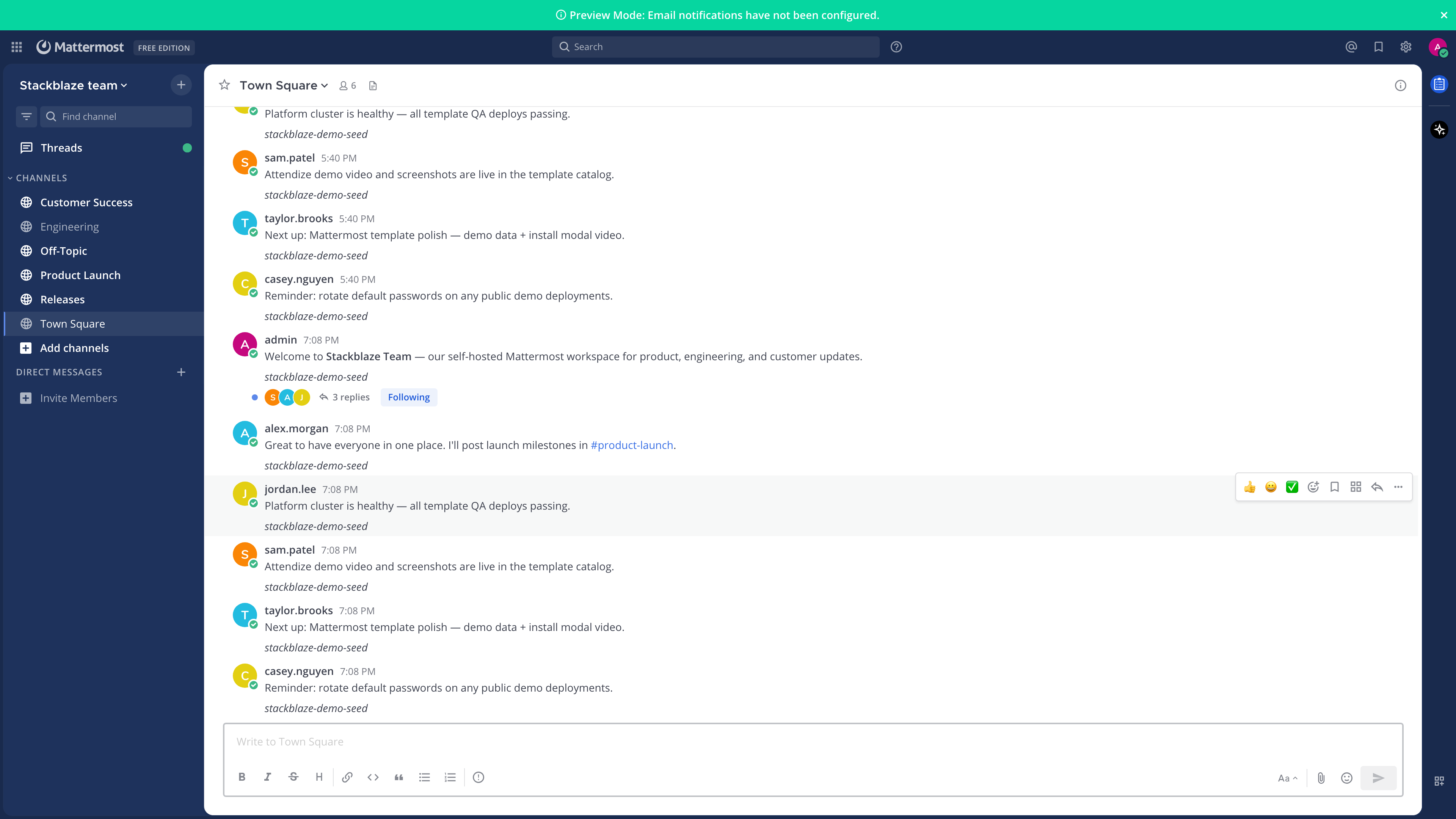
Deploy in seconds
One click. Postgres pre-wired.
Pick the Mattermost template. StackBlaze creates the server, Postgres, a data volume, sets the site URL, and gives you a hostname.
This stack
Web
Mattermost server
PostgreSQL
managed database · TCP:5432
managed other · TCP:587
- Stack
- Mattermost Team Edition + PostgreSQL
- First login
- Open the URL. The first person creates the admin and the first team.
- Files
- Uploads sit on a shared volume
After you deploy
- 1
Open the public URL
The hostname is on the app page after deploy. First load is account creation — not a login form.
- 2
Create the admin
Email, username, and password at /signup_user_complete. That account owns the instance until you invite others.
- 3
Create a team
Name the team, then add channels. Invite people from the sidebar when you are ready.
Running Mattermost on StackBlaze
How the instance is wired
Mattermost and Postgres ship together. The public hostname is the app. Uploads live on a volume.
Postgres holds the workspace
Users, teams, channels, and messages live in the attached database. Restart the app and the workspace is still there.
Files sit on a volume
Uploads mount at /mattermost/data. Media survives a restart.
Site URL is already set
MM_SERVICESETTINGS_SITEURL is your public HTTPS hostname so links and invites point here. Attach a custom domain from the dashboard when you want a branded URL.
Add CPU when the room is busy
Raise RAM and CPU on the web app from the dashboard. Postgres scales on its own.
Compare
Mattermost on StackBlaze vs hosted team chat
| Feature | Mattermost on StackBlaze | Hosted team chat |
|---|---|---|
| Data location | Messages, files, and users live on your StackBlaze instance. | Chat data lives in vendor-operated infrastructure. |
| Install model | One-click template. Admin account on first open. | Create a vendor account and use their shared platform. |
| Customization | Your hostname, your incoming webhooks, and your own domain if you add one. | Limited to the host’s workspace rules and their apps. |
| Operations | You control updates, scale, backups, and the instance lifecycle. | The vendor operates the platform and the limits. |
| Billing | Compute, storage, and bandwidth. No per-seat fee. | Usually priced per seat. |
This template is Mattermost Team Edition plus Postgres. The first account is created on the public URL.
FAQ
Common questions
Open the public URL. The first visitor creates the admin at /signup_user_complete, then creates a team. After that, sign in with that username.
Ready to deploy Mattermost?
One click. Dependencies pre-wired. No infrastructure to manage.