
CRM
The CRM your team works in
People, companies, opportunities, tasks, and notes in one workspace — on your instance. You pay for compute, not per seat.
TemplatesTwenty CRM
What you get
Core CRM work in one place
Organize customer records and sales activity in a modern open-source CRM.
People and companies
Keep people and company records together so the team works from shared customer context.
Opportunity tracking
Track opportunities through the sales process, with the company and contact on the same record.
Tasks and notes
Record follow-ups and notes next to the CRM records they support.
Flexible workspace
Configure fields and views around how your team works, instead of a fixed spreadsheet.
Dedicated instance
Run Twenty on your instance. Records stay here — not in a shared vendor-managed account.
HTTPS web access
Open Twenty on a public HTTPS hostname. Attach your own domain when you want a branded URL.
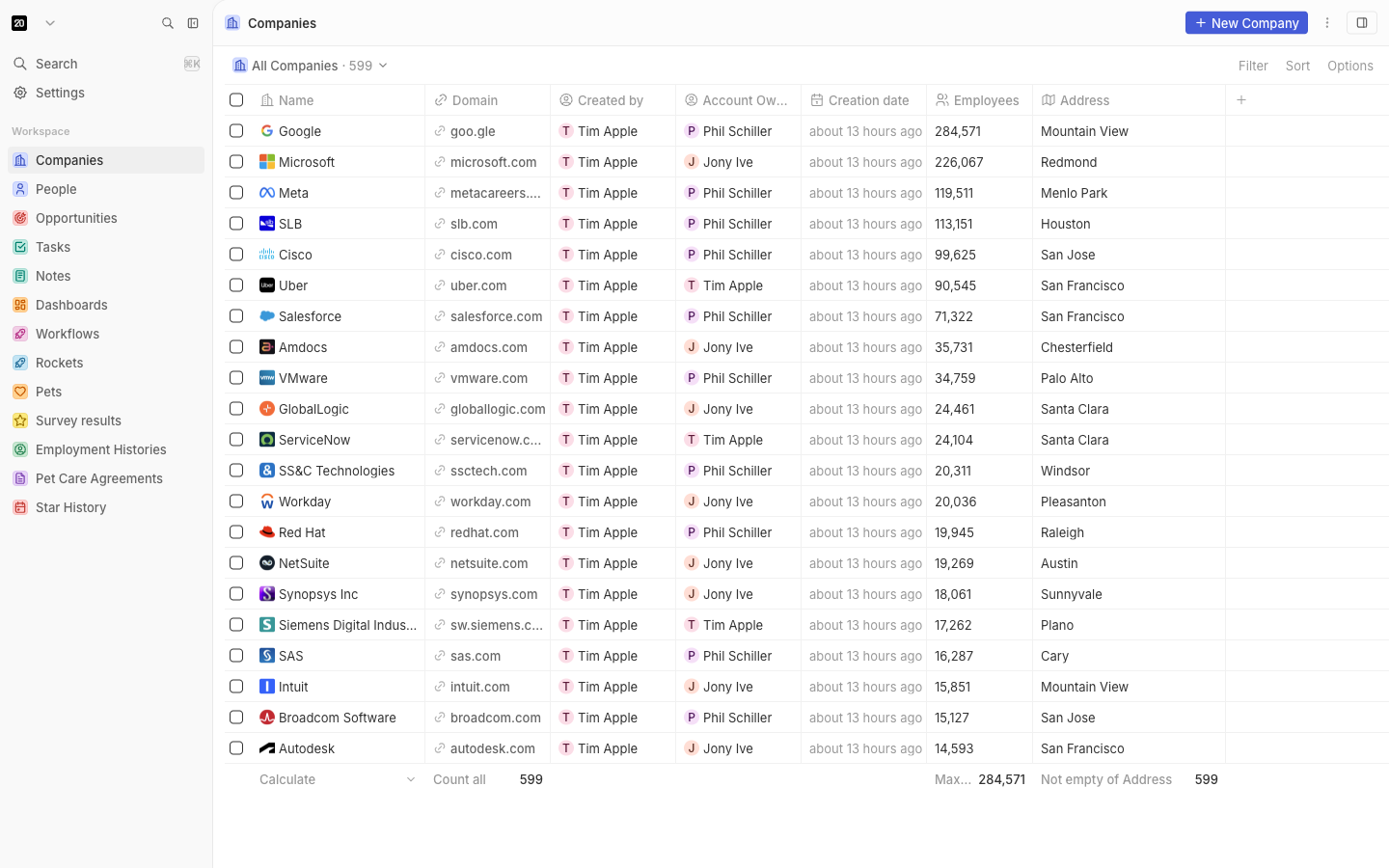
See Twenty in action
Deploy in seconds
One click. Postgres and Redis pre-wired.
Pick the Twenty template. StackBlaze creates the web app, a worker, Postgres, and Valkey, sets the public URL, and gives you a hostname.
This stack
Web
Twenty CRM server
Worker
Background worker
PostgreSQL
managed database · TCP:5432
Valkey
managed cache · TCP:6379
managed other · TCP:587
- Stack
- Twenty web + worker + PostgreSQL + Valkey
- First login
- Open the URL. The first person creates the workspace and becomes admin.
- Files
- Uploads sit on a shared volume
After you deploy
- 1
Open the public URL
The hostname is on the app page after deploy. First boot runs migrations — that can take up to 15 minutes, not a login form.
- 2
Create the workspace
Email, password, and a workspace name. That account owns the instance until you invite others.
- 3
Use the records
Companies, people, deals, tasks, and notes are in the sidebar. Dashboards and workflows are there too.
Running Twenty on StackBlaze
How the instance is wired
Twenty, Postgres, and Valkey ship together. The public hostname is the app; the worker runs background jobs.
Postgres holds the records
Companies, people, deals, and notes live in the attached database. Restart the app and the workspace is still there.
Valkey is the cache
The app reads cache from Valkey. It speaks the Redis protocol. You do not add a second cache. Jobs use Postgres (pg-boss), not the cache.
A worker sits beside the web app
Background jobs run on the worker so a heavy run does not stall the UI. Scale the worker when jobs back up.
Add CPU when first boot is slow
Migrations run on first start and need headroom. Raise RAM and CPU on the web app from the dashboard. Postgres and Valkey scale on their own.
Compare
Twenty on StackBlaze vs hosted CRM
| Feature | Twenty on StackBlaze | Hosted CRM |
|---|---|---|
| Data location | Companies, people, and deals live on your StackBlaze instance. | Records stay on the host platform. |
| Install model | One-click template. Workspace on first open. | Create a vendor account and use their shared platform. |
| Customization | Your hostname, your fields, and your own domain if you add one. | Limited to the host’s workspace rules and their apps. |
| Operations | You control updates, scale, backups, and the instance lifecycle. | The vendor operates the platform and the limits. |
| Billing | Compute, storage, and bandwidth. No per-seat fee. | Usually priced per seat. |
This template is Twenty plus Postgres, Valkey, and a worker. The first account is created on the public URL.
FAQ
Common questions
Open the public URL. First boot can take up to 15 minutes while migrations run. The first person to open it creates the workspace and becomes the admin. If the page stays blank, wait for the web pod to pass its startup probe, then reload.
Ready to deploy Twenty CRM?
One click. Dependencies pre-wired. No infrastructure to manage.