
Install and sign in
Install the StackBlaze CLI and sign in with one click in your browser.
Install
curl -fsSL https://www.stackblaze.com/install.sh | shThe script installs the newest release to ~/.local/bin (or /usr/local/bin when run as root) and checks it runs. If that folder is not on your PATH, it tells you the line to add. To install somewhere else, set STACKBLAZE_INSTALL_DIR; to pin a version, set STACKBLAZE_VERSION (for example 1.1.18). STACKBLAZE_CHANNEL=dev installs prereleases instead of the stable channel.
Check it:
stackblaze --versionLater, stackblaze upgrade installs the newest release.
Sign in
stackblaze loginThe CLI opens a sign-in page in your browser. On a machine without a browser (over SSH, for example), use stackblaze login --browserless: it prints the link and a code instead.
  → Sign in with one click:
    https://…/activate?user_code=XXXX-XXXX

  → Or go to https://…/activate and enter this code:
    XXXX-XXXX

Waiting for sign-in...
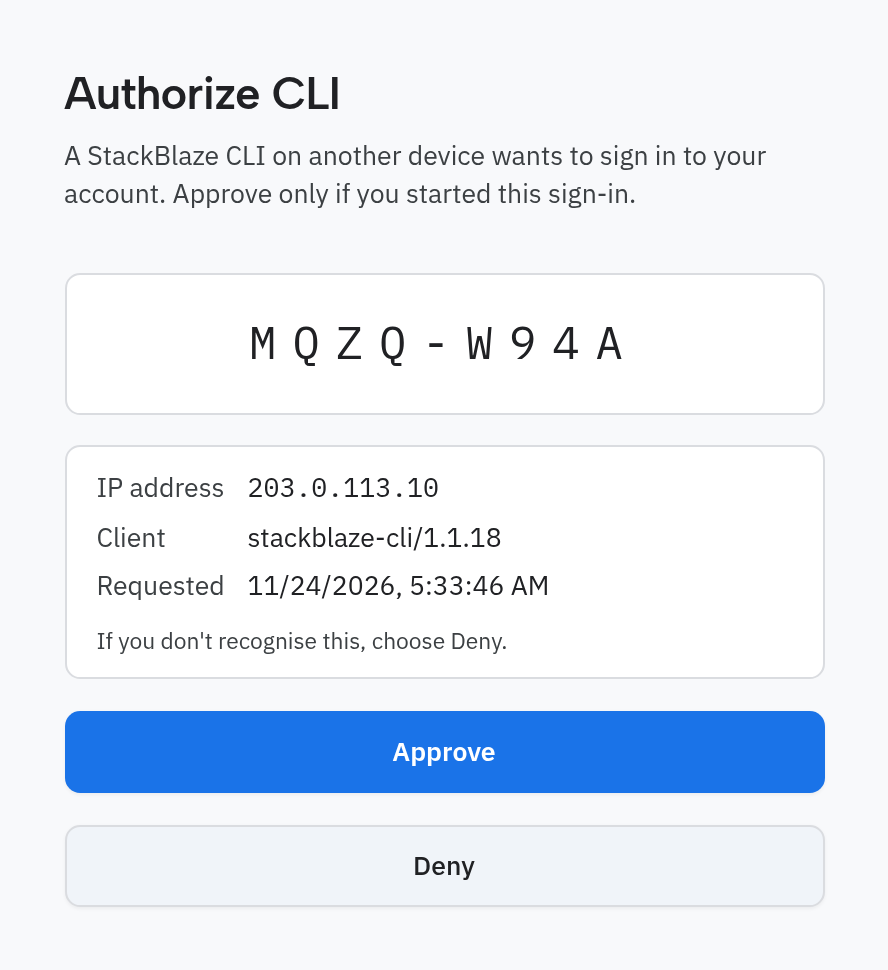
The page shows the code, the IP address the request came from, the CLI version and when it was requested. Check that the code matches the one in your terminal, then click Approve.
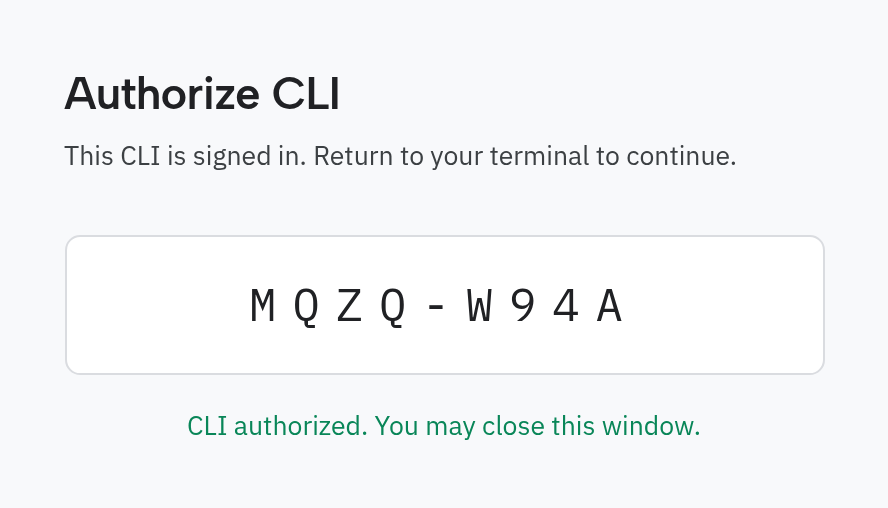
Back in the terminal, the CLI confirms and saves its credentials in ~/.config/stackblaze/config.json. Treat that file as a secret.
OK Logged in to https://api.stackblaze.cloudstackblaze whoami shows who you are signed in as.
Other ways to install
The CLI is a single program; it doesn't need Node.js.
Homebrew
On macOS or Linux:
brew install stackblaze/tap/stackblazeIf Homebrew stops with Refusing to load formula ... from untrusted tap, trust the tap once and install again:
brew tap stackblaze/tap && brew trust --tap stackblaze/tapUpgrade with brew upgrade stackblaze. stackblaze upgrade refuses to replace a Homebrew install and tells you to use brew.
Windows
In PowerShell:
irm https://www.stackblaze.com/install.ps1 | iexIt installs stackblaze.exe to %LOCALAPPDATA%\StackBlaze\bin and adds that folder to your user PATH, with no administrator rights. Open a new terminal to pick up the PATH. It reads the same STACKBLAZE_VERSION, STACKBLAZE_CHANNEL and STACKBLAZE_INSTALL_DIR as the shell script. On Windows on ARM it installs the x64 build.
Upgrade
stackblaze upgrade replaces the running binary with the newest release. --version <version> installs a given one, and --channel dev installs prereleases. On macOS and Linux it keeps the old binary next to the new one as stackblaze.bak. On Windows it renames the running stackblaze.exe to stackblaze.old.exe, moves the new one in, and removes the old file the next time the CLI starts.
Other ways to sign in
- A token.
stackblaze login --token sb_pat_…saves an API token as your login. To use a token for a single shell or job without saving it, setSTACKBLAZE_TOKENinstead; it wins over the saved login.stackblaze tokens create <name>makes a token and prints it once;--expiressets its lifetime (30dby default;12h,2w,1yor a date). See Deploy from CI. - Email and password.
stackblaze login --passwordasks for your email and password, then your two-factor code if you use one. It needs a terminal.
Organizations
The CLI acts in one organization at a time. stackblaze orgs list lists yours, with * on the current one. stackblaze orgs switch <slug> moves your saved login to another organization. To run one command in another organization without switching, add --org <slug>.
Where the login is saved
| System | File |
|---|---|
| macOS and Linux | ~/.config/stackblaze/config.json (or $XDG_CONFIG_HOME/stackblaze/config.json) |
| Windows | %APPDATA%\StackBlaze\config.json |
STACKBLAZE_CONFIG points the CLI at another file.
stackblaze logout deletes that file. It doesn't revoke the token on the server: to end a CLI login everywhere, sign it out in Personal settings → General → Sessions (see Account security), or revoke the token under API tokens.