
Service settings
What the Settings tab of a service holds, and which sections each kind of service has.
Open a service (click its name on the canvas card), then Settings. The settings are one long page; the rail on the right jumps to each section.
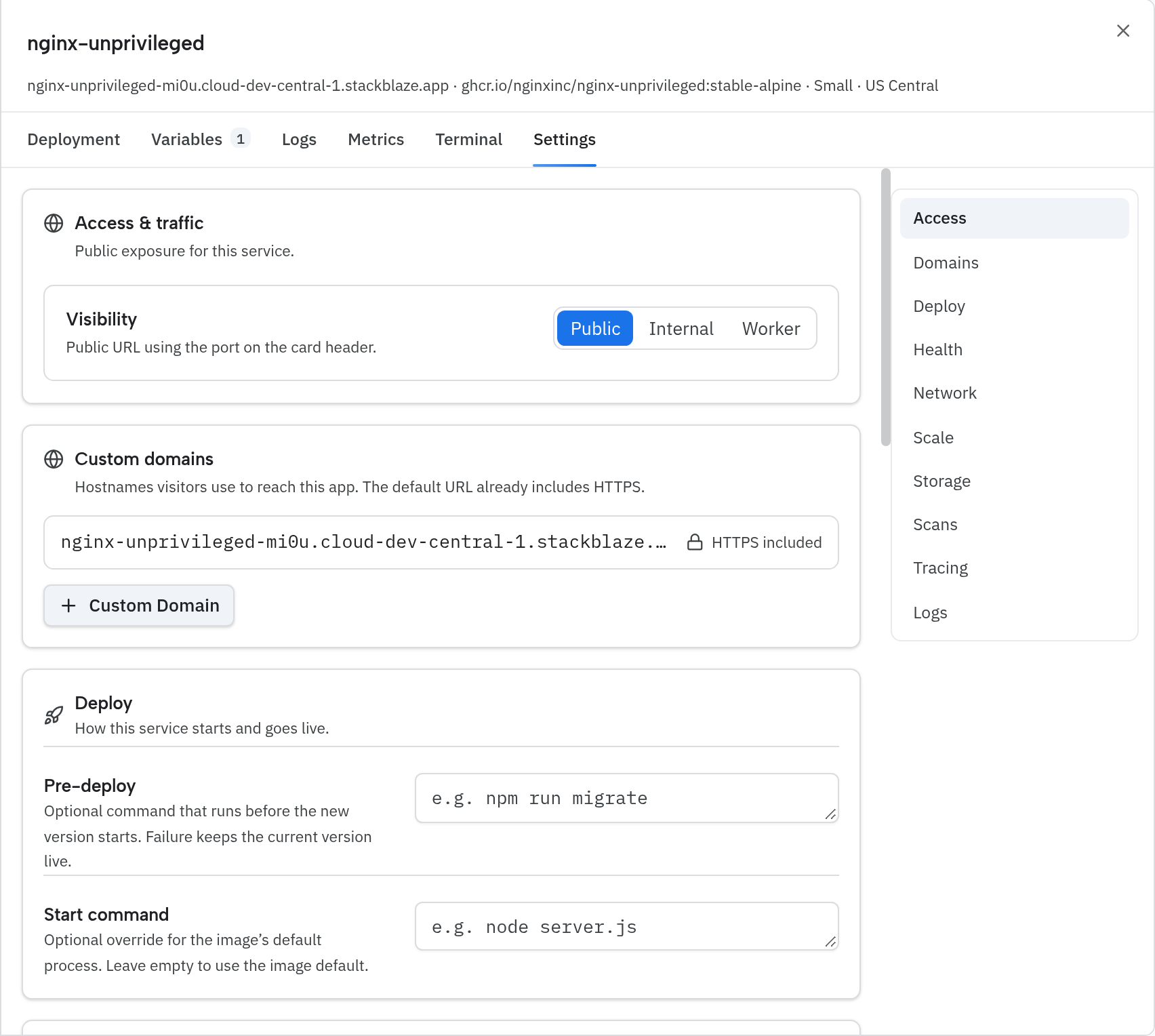
Every change here is staged, like a variable: nothing reaches the running service until you click Commit N changes in the canvas toolbar and then Deploy N changes. Discard all in the same dialog drops what you staged.
Which sections a service has
The rail depends on the kind of service:
| Section | Public | Internal | Worker |
|---|---|---|---|
| Access | Yes | Yes | Yes |
| Domains | Yes | No (no Custom domains card) | No |
| Deploy | Yes | Yes | Yes |
| Health | Yes | Yes | No |
| Network | Yes | Yes | Yes |
| Scale | Yes | Yes | Yes |
| Storage | Yes | Yes | Yes |
| Scans | Yes | Yes | Yes |
| Tracing | Yes | Yes | Yes |
| Logs | Yes | Yes | Yes |
A service built from a git repository also has Source and Build at the top of the rail. See Source and build.
A function has a much shorter Settings tab: Schedule, Custom domains (only while it has no schedule) and Log retention.
The sections
- Access: Public, Internal or Worker. See Visibility and access.
- Domains: the default
stackblaze.appURL and your own hostnames. See Custom domains. - Deploy: the pre-deploy command and the start command. See Start command.
- Health: the HTTP check a new version must pass before it gets traffic. See Health checks.
- Network: Basic Auth (a username and password in front of the site) and Advanced networking (CORS and inbound IP rules). See Basic Auth and Advanced networking.
- Scale: instances, autoscale and sleep mode. Scaling covers instances and autoscale. See Scaling.
- Storage: Volumes, a shared (RWX) filesystem that every instance mounts. See Volumes and Browse volume files.
- Scans: Vulnerability scans of the service's image after every deploy; see Vulnerability scans. Tracing: OpenTelemetry traces. Logs: Log retention, how far back the logs can be searched (read-only; it comes from your plan). See Tracing and log retention.
In this section
Environment variablesAdd a variable to a service, commit the change and deploy it.Shared variablesKeep variables that several services need in one group, and link the group to each service.Start commandOverride the command a Docker image service starts with, and go back to the image default.Source and buildFor a service built from a git repository, pick its repository and branch, how it's built, and a custom build command.Health checksThe HTTP check a new version of a web service must pass before it gets traffic.ScalingSet how many instances of a service run, let it autoscale on CPU or memory.Service actionsRestart, pause, resume, rename or delete a running service from its card menu.Terminal and SSHOpen a shell in a running service from the dashboard, the CLI, or your own ssh client.