
Advanced networking
Answer cross-origin requests with CORS, and allow or block visitor IP ranges before they reach a service.
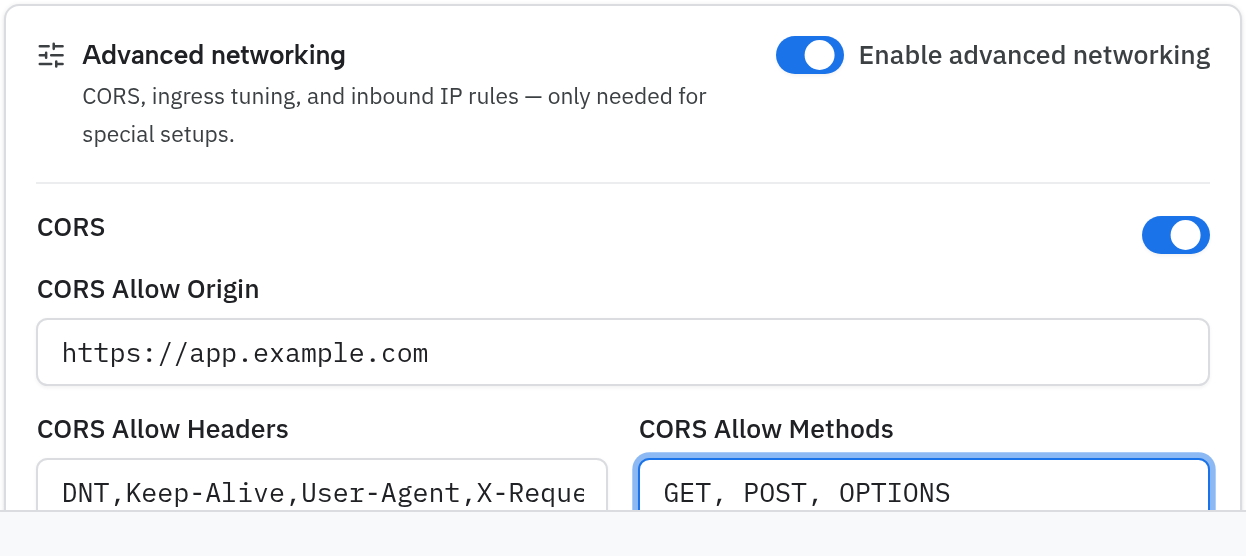
Advanced networking ("CORS, ingress tuning, and inbound IP rules — only needed for special setups.") is in a web service's Settings → Network, below Basic Auth. Switch on Enable advanced networking to see its settings. Like other settings, every change is staged: commit and deploy it.
CORS
Turn on CORS when a website on another domain calls this service from the browser. Three fields appear, filled with defaults:
| Field | Default |
|---|---|
| CORS Allow Origin | * (any website) |
| CORS Allow Headers | DNT,Keep-Alive,User-Agent,X-Requested-With,If-Modified-Since,Cache-Control,Content-Type,Range,Authorization |
| CORS Allow Methods | GET, PUT, POST, DELETE, PATCH, OPTIONS |
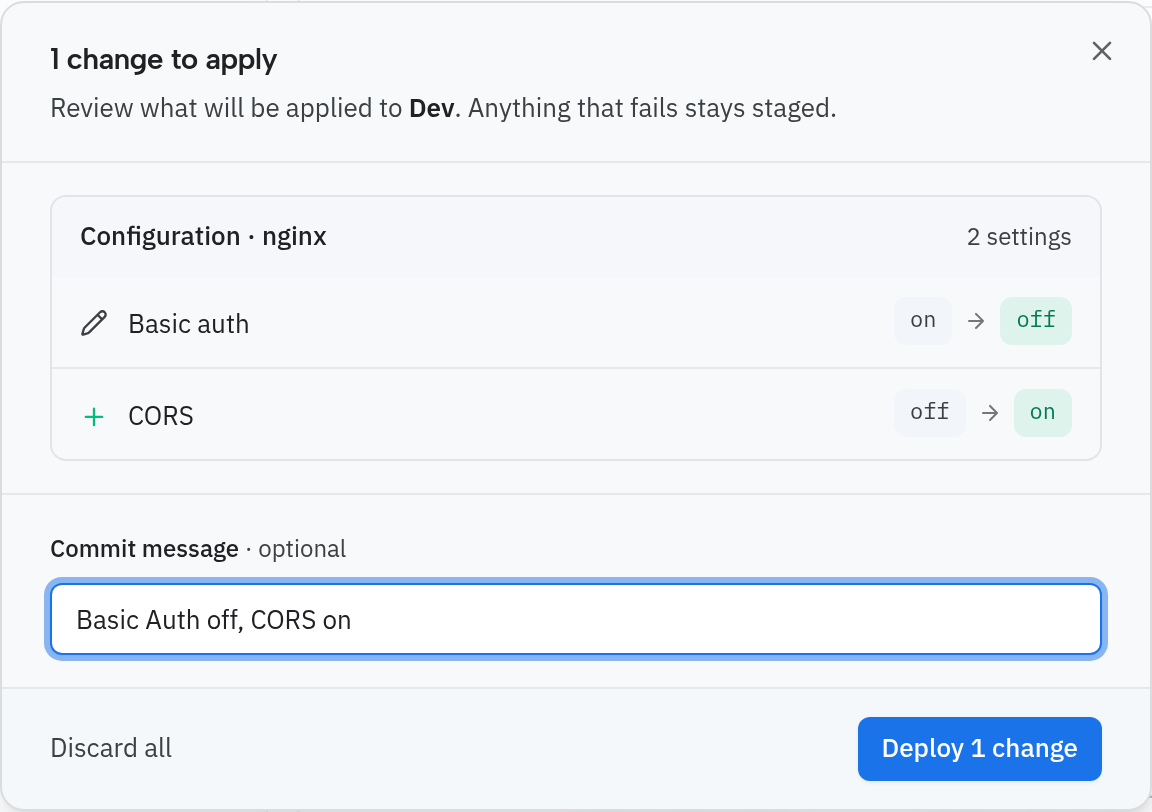
Here only https://app.example.com may call the service, with GET, POST, OPTIONS:
The commit dialog lists CORS going from off to on.
After the deploy, a browser preflight (OPTIONS) from https://app.example.com got 204 with Access-Control-Allow-Origin: https://app.example.com and the allowed methods, and normal requests from that origin carried the same header.
Inbound IP rules
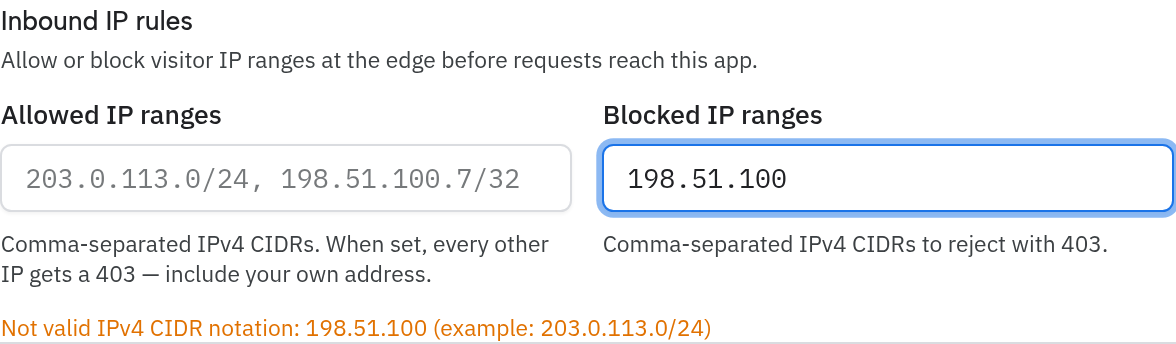
Inbound IP rules ("Allow or block visitor IP ranges before requests reach this app.") take comma-separated IPv4 ranges in CIDR notation:
- Allowed IP ranges: "When set, every other IP gets a 403 — include your own address."
- Blocked IP ranges: ranges to reject with
403.
An address that isn't a valid range is flagged before you commit, for example "Not valid IPv4 CIDR notation: 198.51.100 (example: 203.0.113.0/24)".
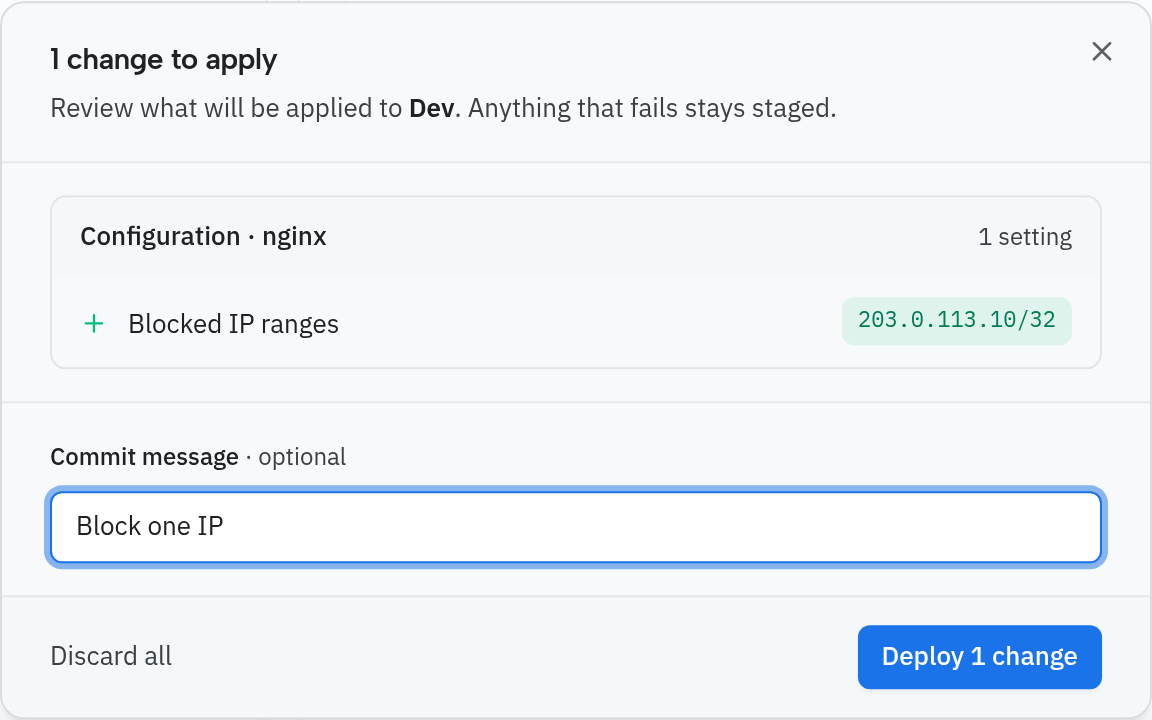
To block a single address, add /32. The commit dialog lists Blocked IP ranges with the new value:
After the deploy, requests from the blocked address got 403 Forbidden ("Request forbidden by administrative rules."), while the service kept running.
What the rules cover
The rules apply to the service's public traffic, on its default URL and on its custom domains, which go through the same entry. We blocked our own address with /32 on a service and then tried from that address:
| Request | Result |
|---|---|
https:// page | 403 Forbidden |
WebSocket (wss://) | Refused |
http:// | 308 redirect to https://, which is then refused |
They don't cover anything else. From the blocked address we kept using the dashboard, the API and the CLI, and committed the change that removed the rule. Calls between your own services over the private network don't go through these rules either.
If your team works through a VPN, put the VPN's outgoing address range in Allowed IP ranges, not each person's own address.
Proxy buffer size
In some regions, Advanced networking also has a Proxy Buffer Size field, the size of the buffer the proxy in front of your service uses for its responses (new services start at 4k). In regions that don't offer it, the field isn't shown.
Turn it off
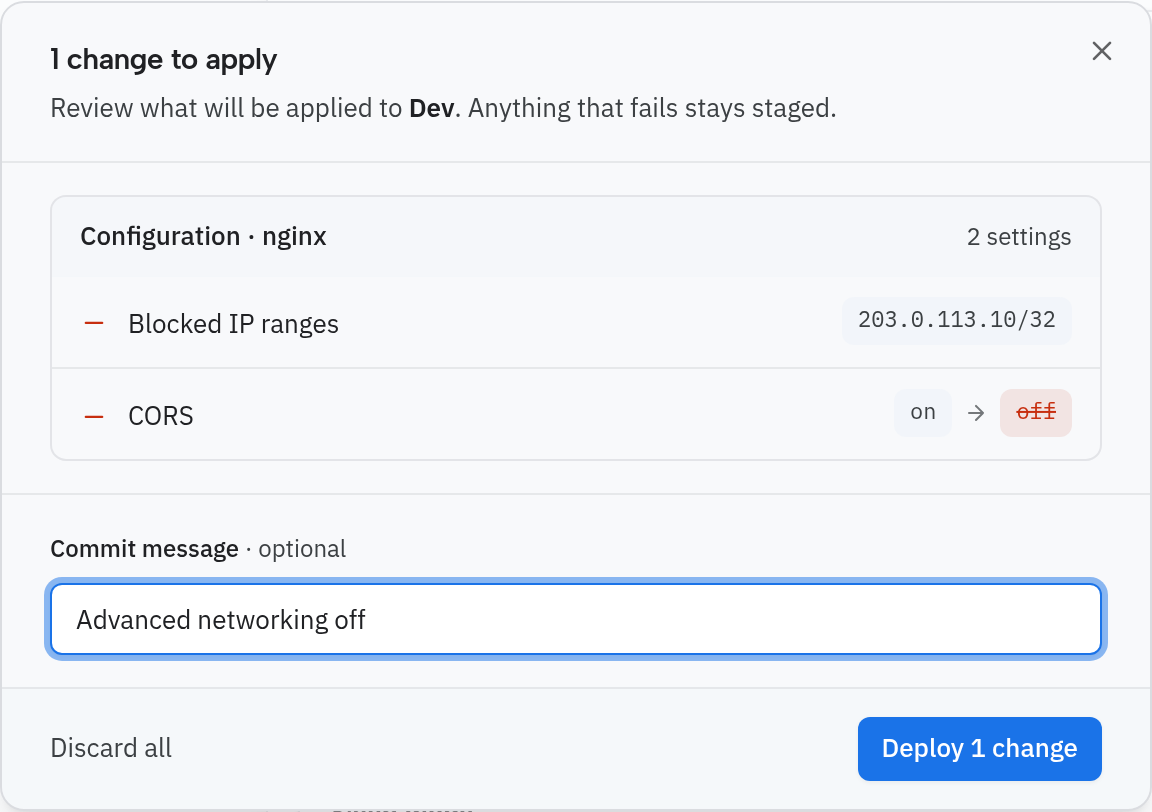
Switch off Enable advanced networking, then commit and deploy. The dialog lists each setting being removed, here Blocked IP ranges and CORS going on → off. Our service answered 200 again from the address we had blocked.
Advanced networking is included in the Business plan.