
Log drains
Forward your apps' logs to your own logging service over HTTP or syslog.
A log drain sends the logs of the apps you pick to a destination of your own, alongside Logs in the dashboard. Drains belong to the organization: one drain can cover apps from several projects and environments.
Open Log drains
Open Settings, then Log drains under Organization. The page lists your drains, with a search box (Search drains…).
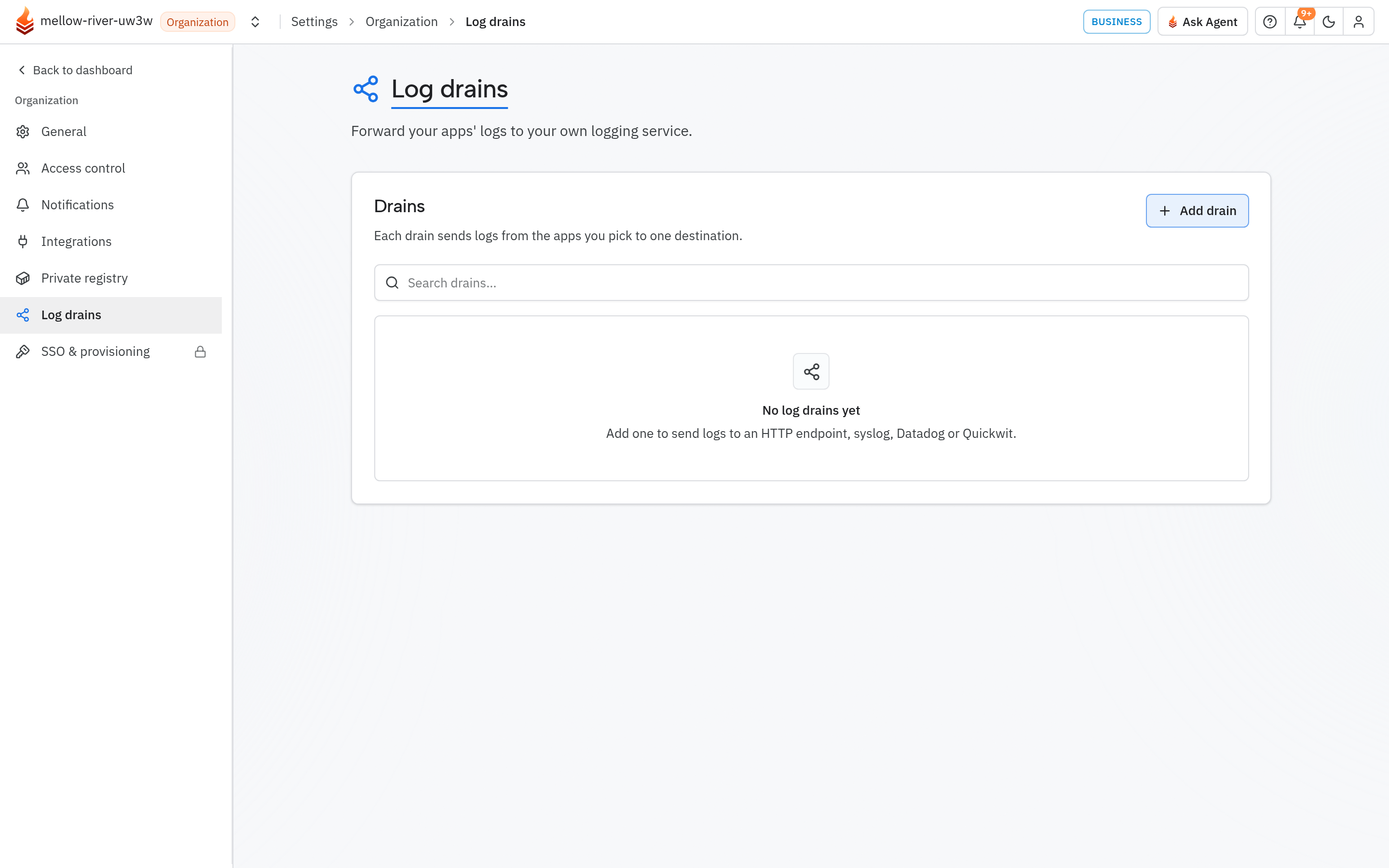
Add a drain
Open the form
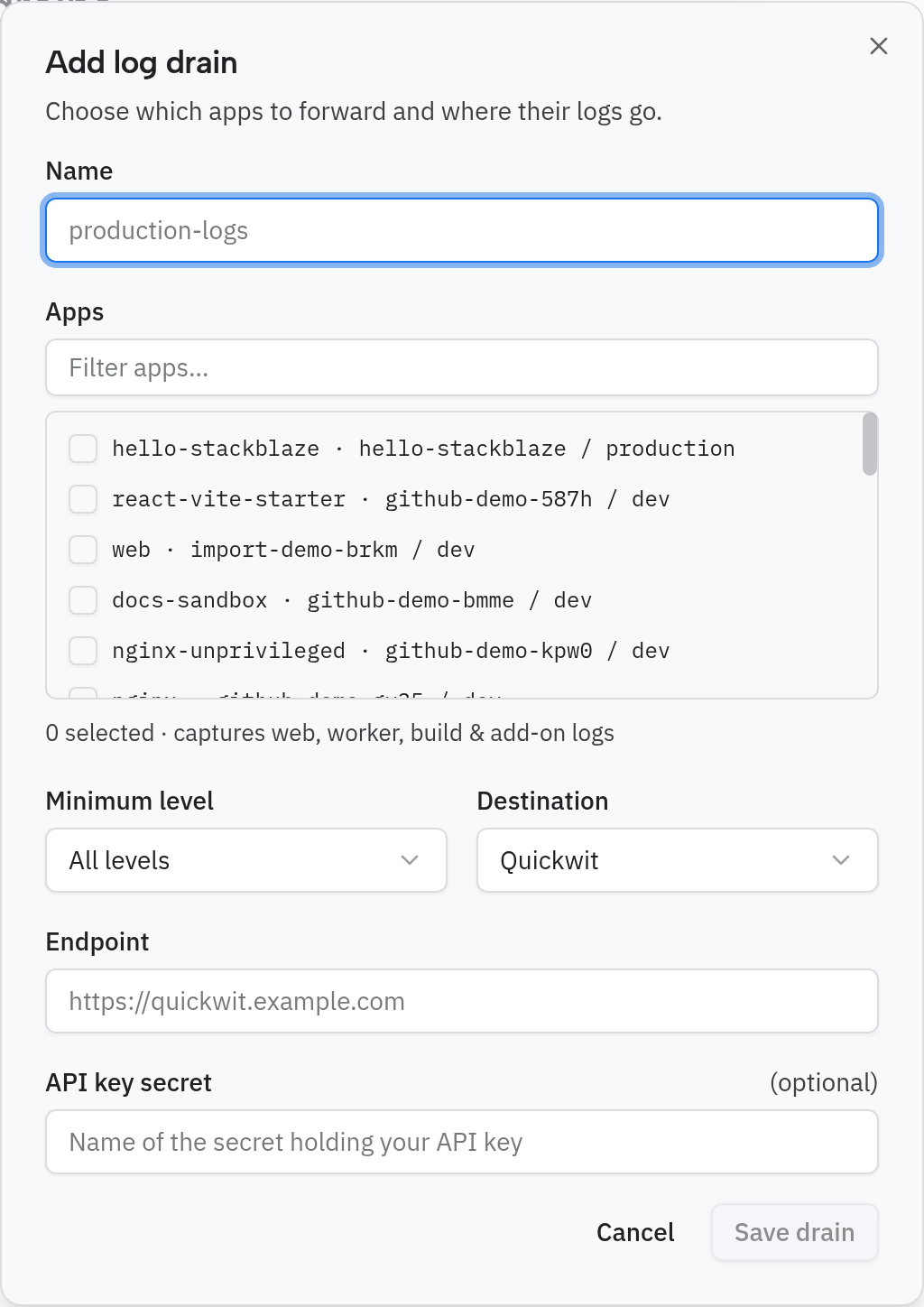
Click Add drain. Add log drain opens: "Choose which apps to forward and where their logs go."
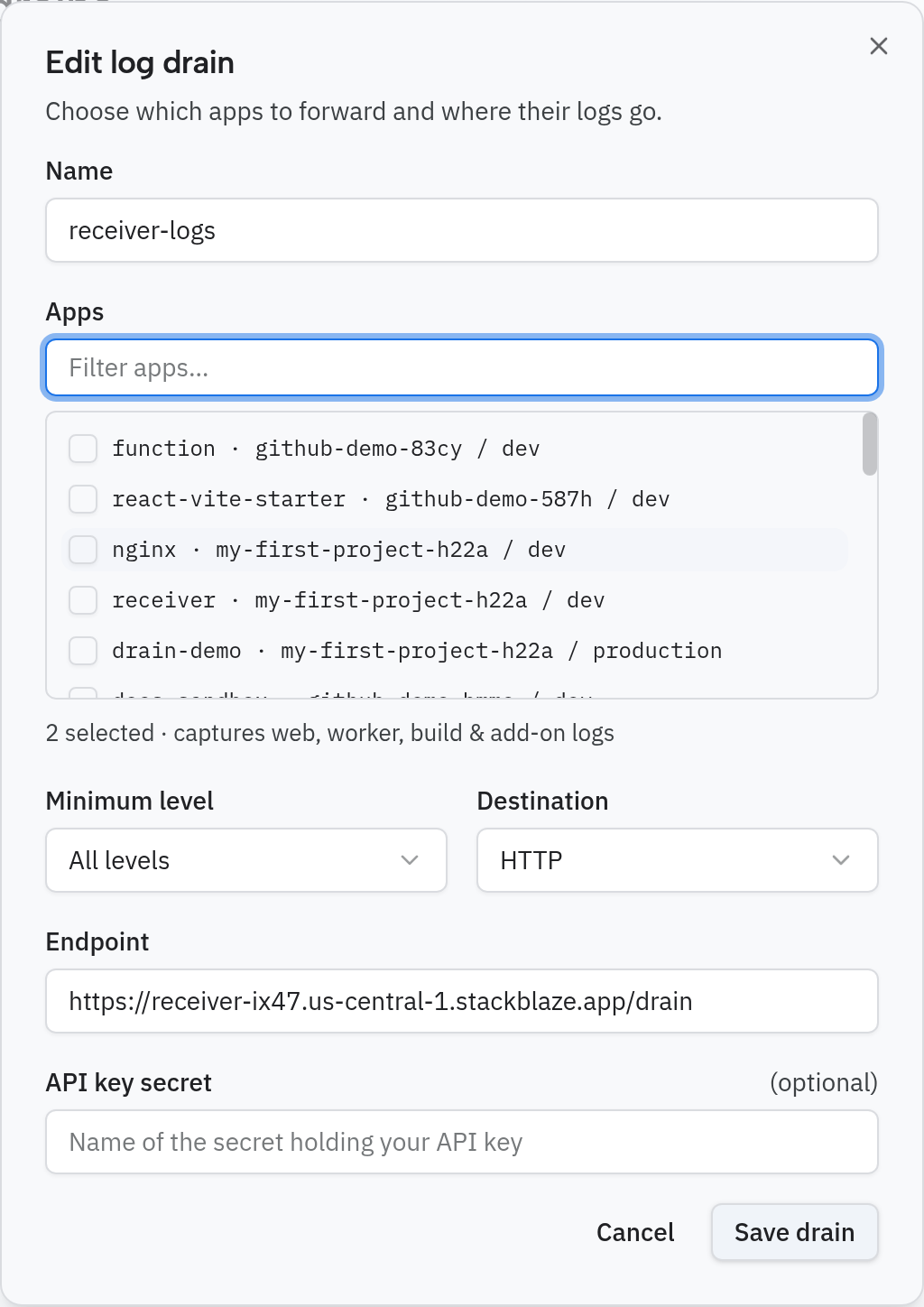
Name it and pick the apps
- Name: how the drain is listed, for example
receiver-logs. - Apps: every app in the organization, as
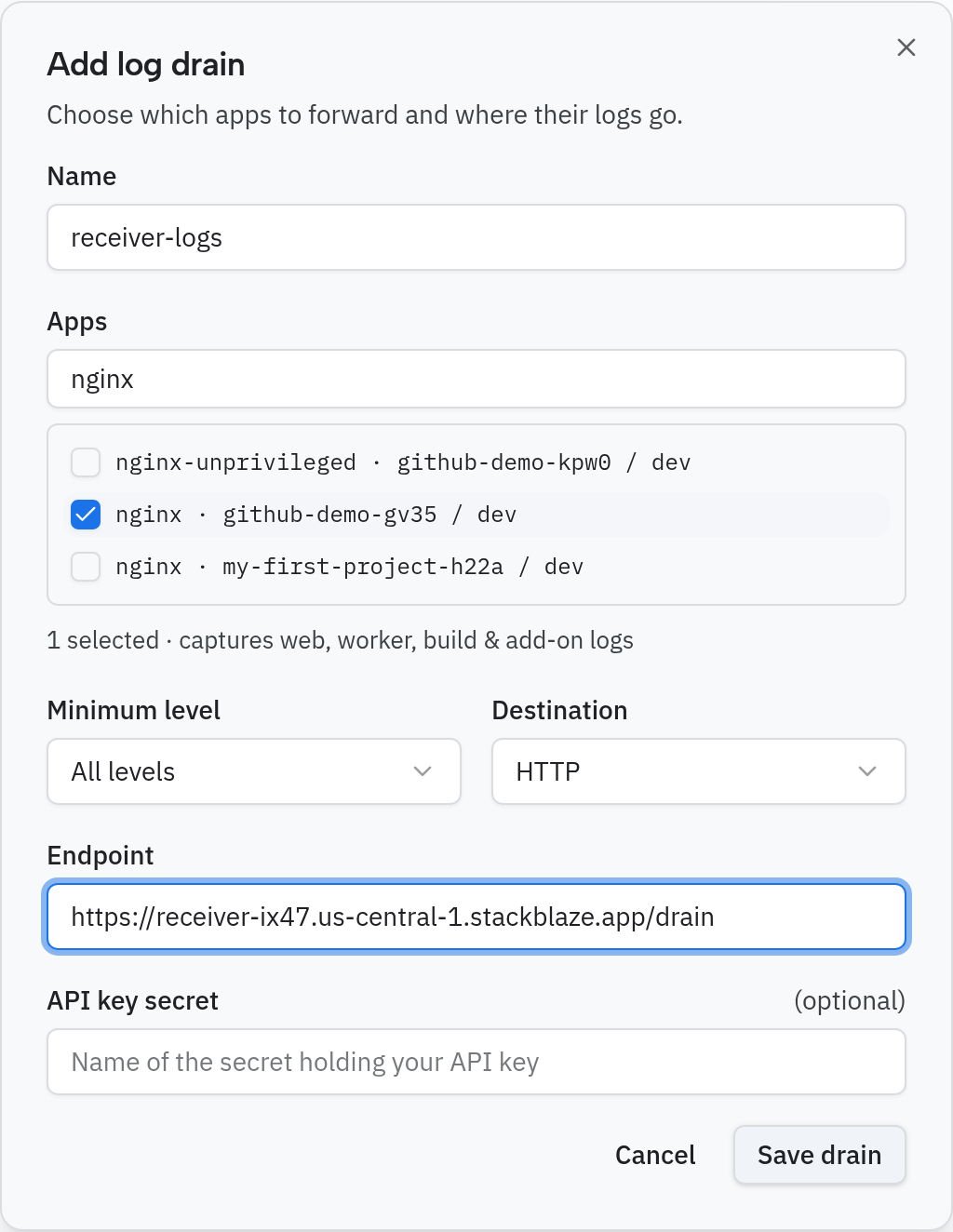
app · project / environment. Type in the box to filter the list, and tick the apps to forward. The line under the list counts them: "1 selected · captures web, worker, build & add-on logs".
Choose the level and the destination
- Minimum level: All levels, Warn and above or Errors only.
- Destination: HTTP, Syslog, or one of two hosted log services, listed by name.
- Endpoint: where the logs go. For HTTP, a URL such as
https://logs.example.com/ingest. For Syslog, a host and port such assyslog.example.com:514. - API key secret (optional): the name of the secret that holds your destination's API key.
Save
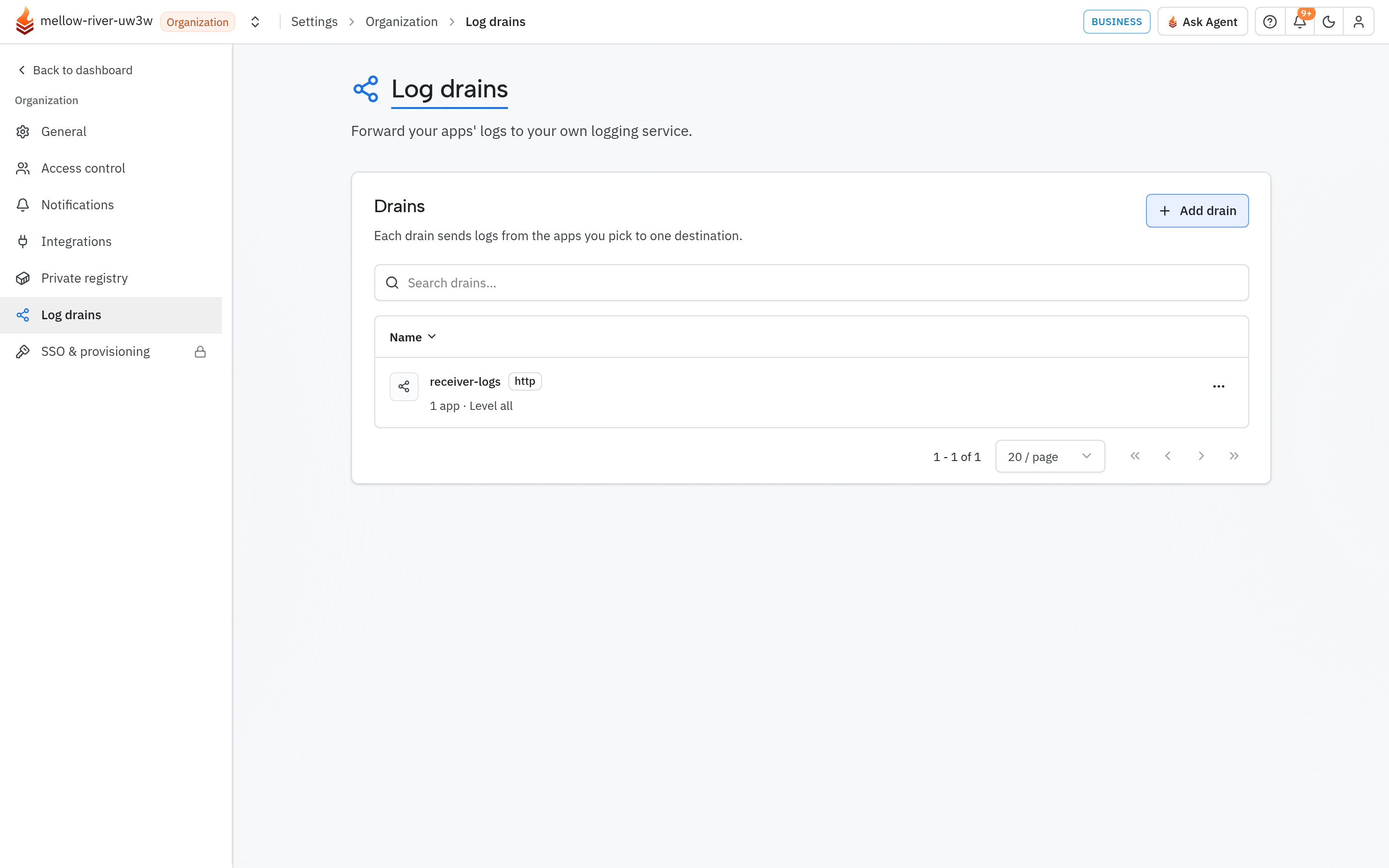
Click Save drain. The drain is listed with its destination type, how many apps it covers and its level, for example receiver-logs · http · 1 app · Level all.
The endpoint must be a public address that resolves. An endpoint whose host doesn't resolve is refused, for example "logDrains[0].sink.endpoint must be a public destination (host logs.example.com does not resolve)". The form stays open with that message under Endpoint, so you can correct it and save again.
Edit or delete a drain
The ⋯ button on a drain has Edit drain and Delete drain.
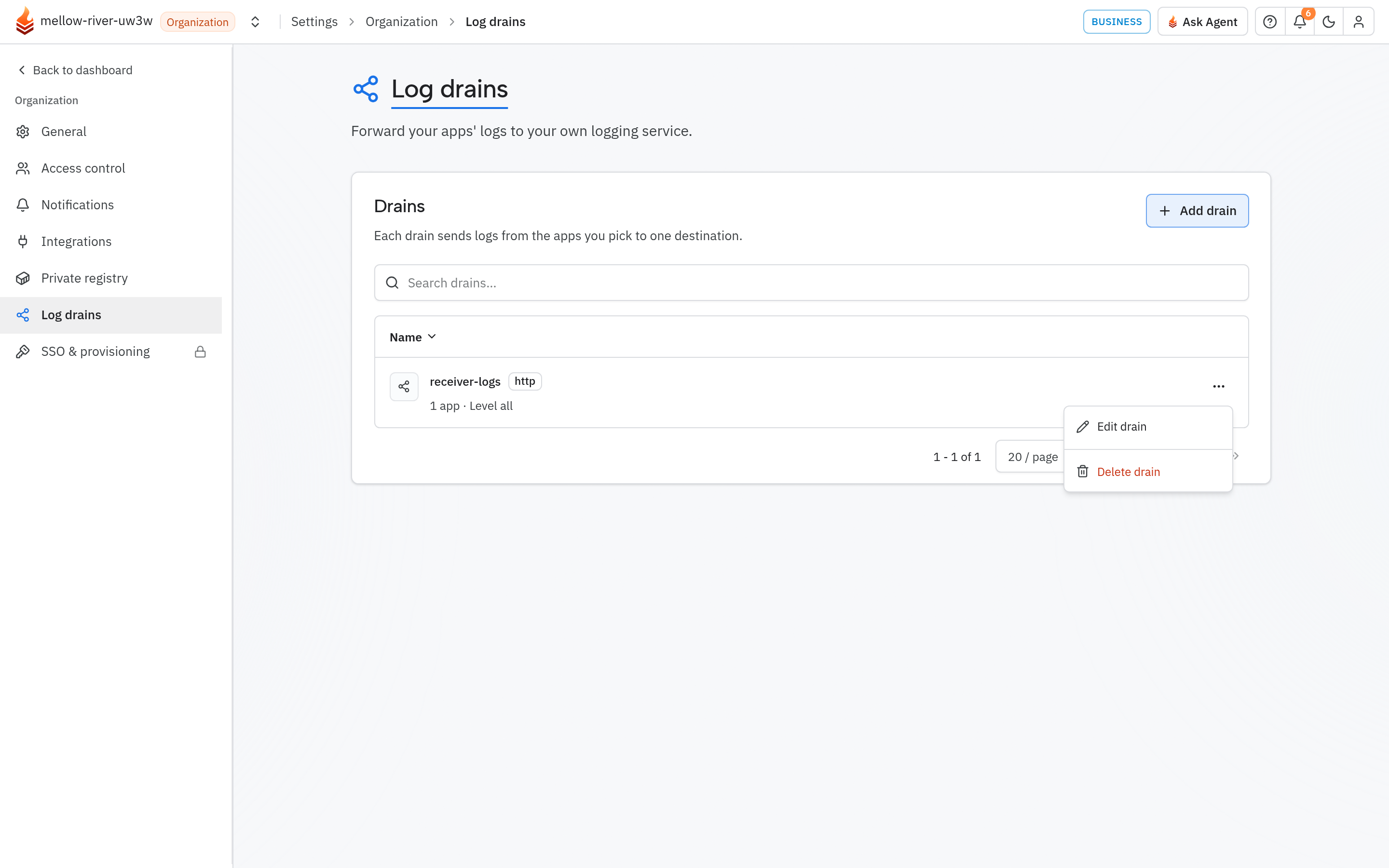
Edit drain opens the same form as Edit log drain. We ticked a second app and clicked Save drain; the drain then read 2 apps.
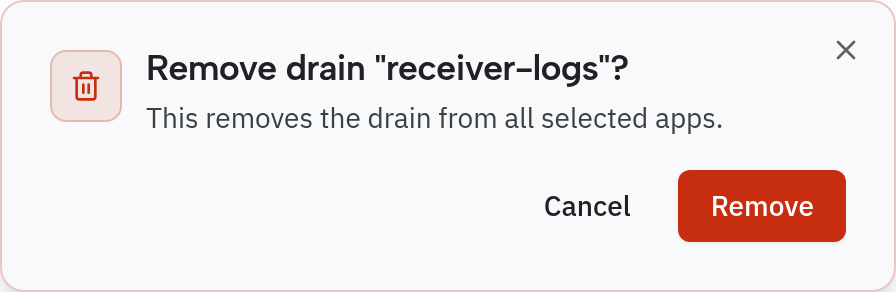
Delete drain asks to confirm: "This removes the drain from all selected apps." Click Remove. The drain is gone from the list and from every app it covered.
From the CLI
stackblaze log-drains manages the same drains. Every option is in the log-drains reference.