
AI Gateway
The service that holds a provider key for your AI agents, gives each agent its own limited key, and records their requests.
An AI Gateway sits between your AI agents and a model provider. It holds the provider's API key. Each agent gets its own gateway key, limited to one model, and never sees yours. The gateway also records every request and its tokens.
Where it comes from
You don't add a gateway from + Service. New AI agent deploys one when you pick a provider (Anthropic, OpenAI, DeepSeek, Qwen, Kimi, GLM) or Another endpoint. The key you paste is saved in the gateway's variables, not on the agent. See Pick the model.
The first one in an environment is named ai-gateway, the next ai-gateway-2, and so on. It gets its own PostgreSQL (ai-gateway-postgresql), which also holds the chats of the agent deployed with it.
Share it between agents
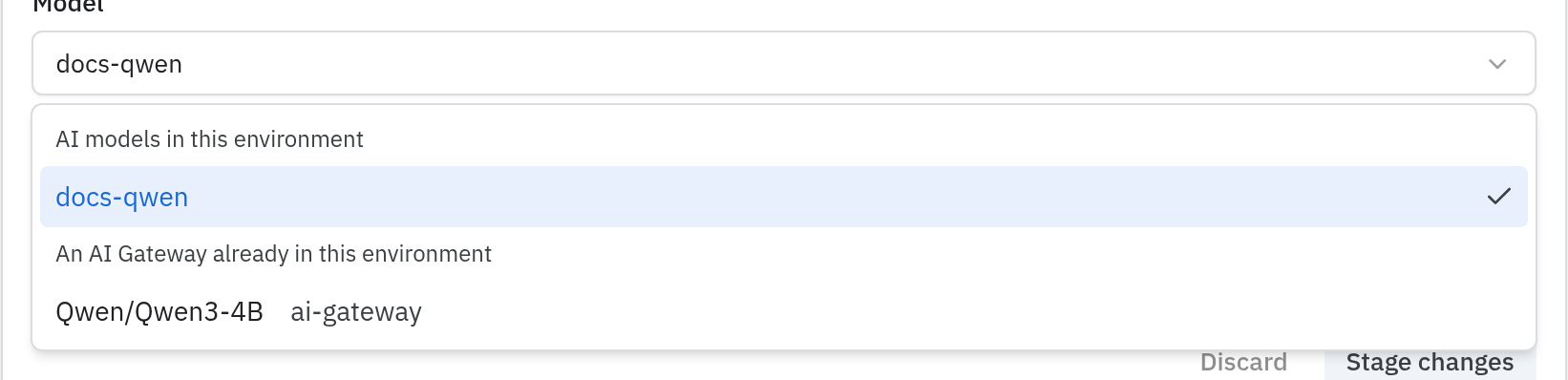
Once a gateway is in the environment, its models show in Model:
- In New AI agent, as AI Gateway ai-gateway, already here, with nothing to paste.
- In a deployed agent's Agent → General, under An AI Gateway already in this environment.
On the canvas, each agent behind the gateway has a line to it, and the gateway has a line to the model it calls.
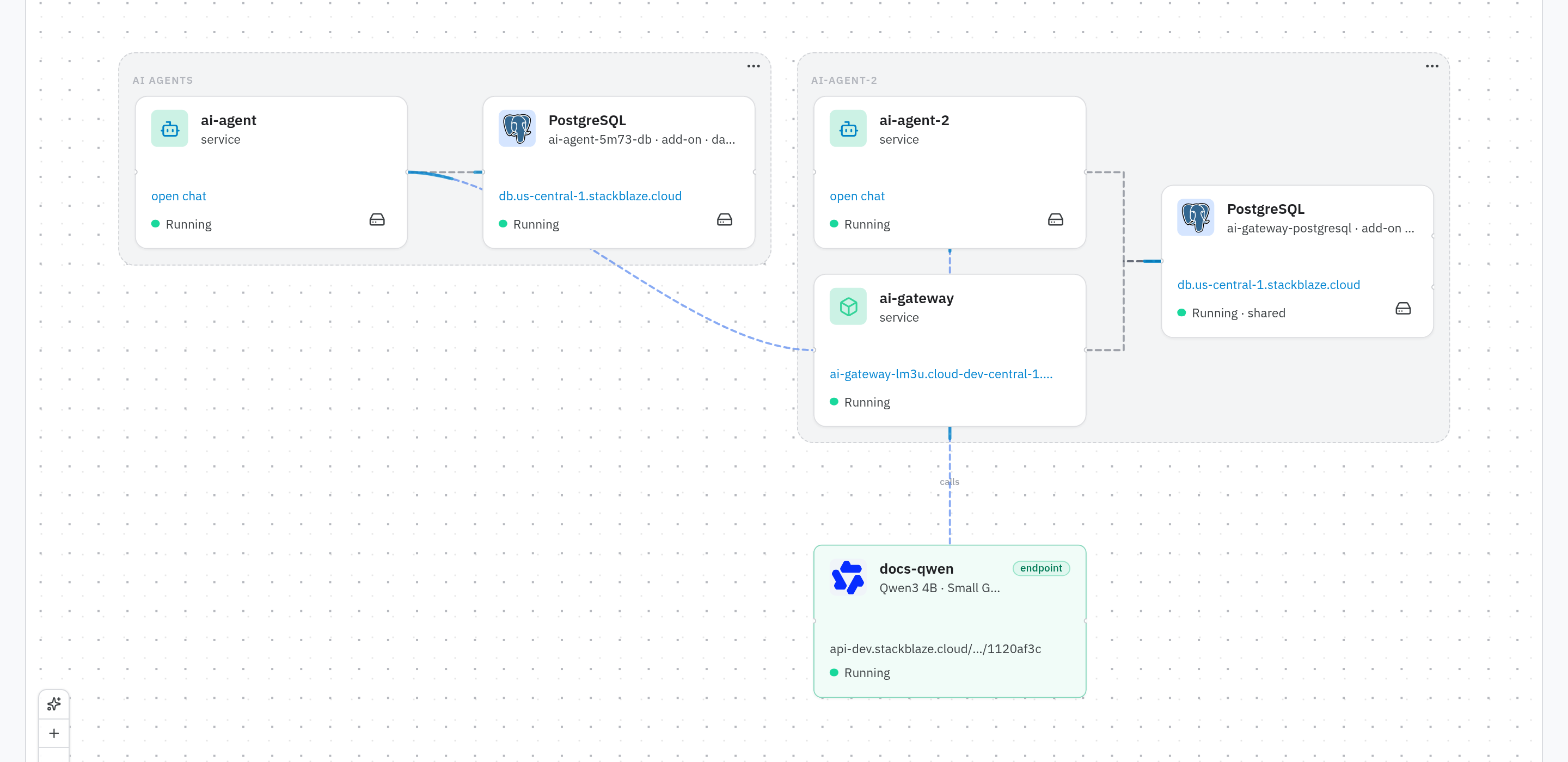
We used one gateway for two agents: the one that created it (Webhook triage) and a second one we moved onto it. Both answered through it.
Its panel
The gateway is a normal service. Its panel has Deployment, Variables, Logs, Metrics, Terminal and Settings, with no Agent tab.
- Variables holds the provider key, the models it serves and its sign-in for the admin page (
UI_USERNAMEandUI_PASSWORD). They're masked like any secret. - Logs shows its start-up and the requests it gets.
- Settings has a health check on
/health/liveliness.
Its card menu has Open app where an agent has Open chat, and no Files.
Its admin page
Open app on the gateway's card opens its admin page in a new tab, on a sign-in screen. Sign in with UI_USERNAME and UI_PASSWORD from its Variables (show them with the eye icon).
We signed in and saw a home page with the total requests and spend, and pages for the keys it has given out, its models, usage and logs. We only looked: to change an agent's model, use its Agent tab.
Delete it
Deleting an agent from the canvas never deletes its gateway, even when no other agent uses it: Delete it covers this and the API, which does remove a gateway no other agent uses. To delete a gateway yourself, right-click its card and choose Delete. Its PostgreSQL is staged with it.
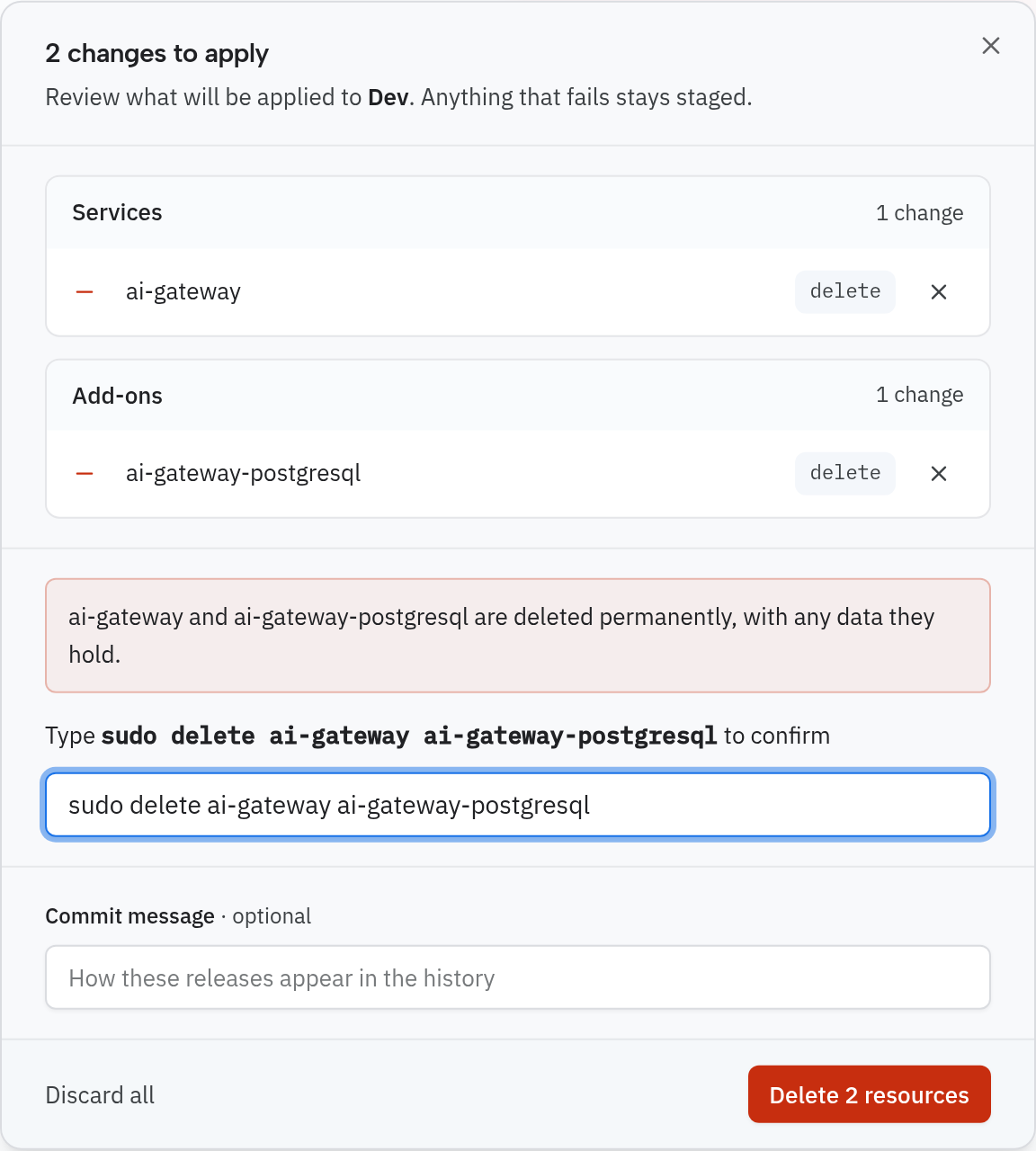
Click Commit 2 changes. The dialog warns ai-gateway and ai-gateway-postgresql are deleted permanently, with any data they hold. Type sudo delete ai-gateway ai-gateway-postgresql and click Delete 2 resources.
The model it called isn't deleted. An AI model of your own keeps running until you delete it.
Security and limits
Who can reach an AI agent, what its tools can reach, where its keys and secrets are kept, and who on your team can change it.
Use StackBlaze from your AI coding tool
Give Cursor, Claude Code, Codex, VS Code (Copilot), Windsurf or OpenCode the StackBlaze skill and MCP server, so your agent can deploy and operate your apps.