
Knowledge, skills and integrations
Give your AI agent documents to answer from, step-by-step skills for particular tasks, and outside services it can use as tools.
Three sections of an AI agent's Agent tab change what it knows and what it can do: Knowledge (its documents), Skills (how to handle particular tasks) and Integrations (outside services it can use as tools). All three are saved at once, without staging.
Click the agent's card on the canvas to open its sheet, then Agent.
Knowledge
Knowledge holds files the agent can read and search with its read, grep and glob tools. New chats use the files; open chats keep what they had.
Upload files
Click Upload files and pick one or more files. The agent takes md, txt, csv, json, html, htm, xml, yaml, yml and pdf files, up to 10 MB each.

Any other file is refused with a toast. For a PNG it says logo.png was not uploaded and Use one of: md, txt, csv, json, html, htm, xml, yaml, yml, pdf.
Each file in the list shows its name, size and date, with Delete.
- A file name has letters, digits, spaces, dots, dashes and underscores, up to 100 characters, and starts with a letter or digit. The folder is flat: there are no subfolders. Other names get A file name is 1-100 letters, digits, spaces, dots, dashes or underscores, starting with a letter or digit.
- Uploading a file with a name that's already there replaces it. We uploaded
faq.mdtwice: the list kept onefaq.md, with the new size. - An agent holds up to 200 files and 200 MB in all.

Check that the agent uses it
The agent reads its files only when it decides to use a tool. Check its answers in Sessions: a chat that used a file shows a used read line before the answer.
In our test, the FAQ bot template on Qwen3 4B got a small FAQ file (faq.md) that says the Night Owl blend is decaf:
- Asked Do you sell decaf?, it called no tool and answered I don't sell decaf. That's wrong.
- Asked Read faq.md in your knowledge folder, then tell me: do you sell decaf?, it used read and answered Yes, I do sell decaf. The Night Owl blend is Swiss Water decaf.
The agent can only read its files with read, grep and glob. With those tools off, it can't see its knowledge at all. Its file tools reach the knowledge folder and nothing else on the service: see Security and limits.
Delete a file
Click Delete next to it and confirm Delete faq.md? New chats will not see it.
Skills
A skill is a step-by-step note for one kind of task, like how to handle a refund. The agent sees each skill's name and description, and reads the steps when a request matches. New chats use them; open chats keep what they had.
Write a skill
Click New skill. A skill has:
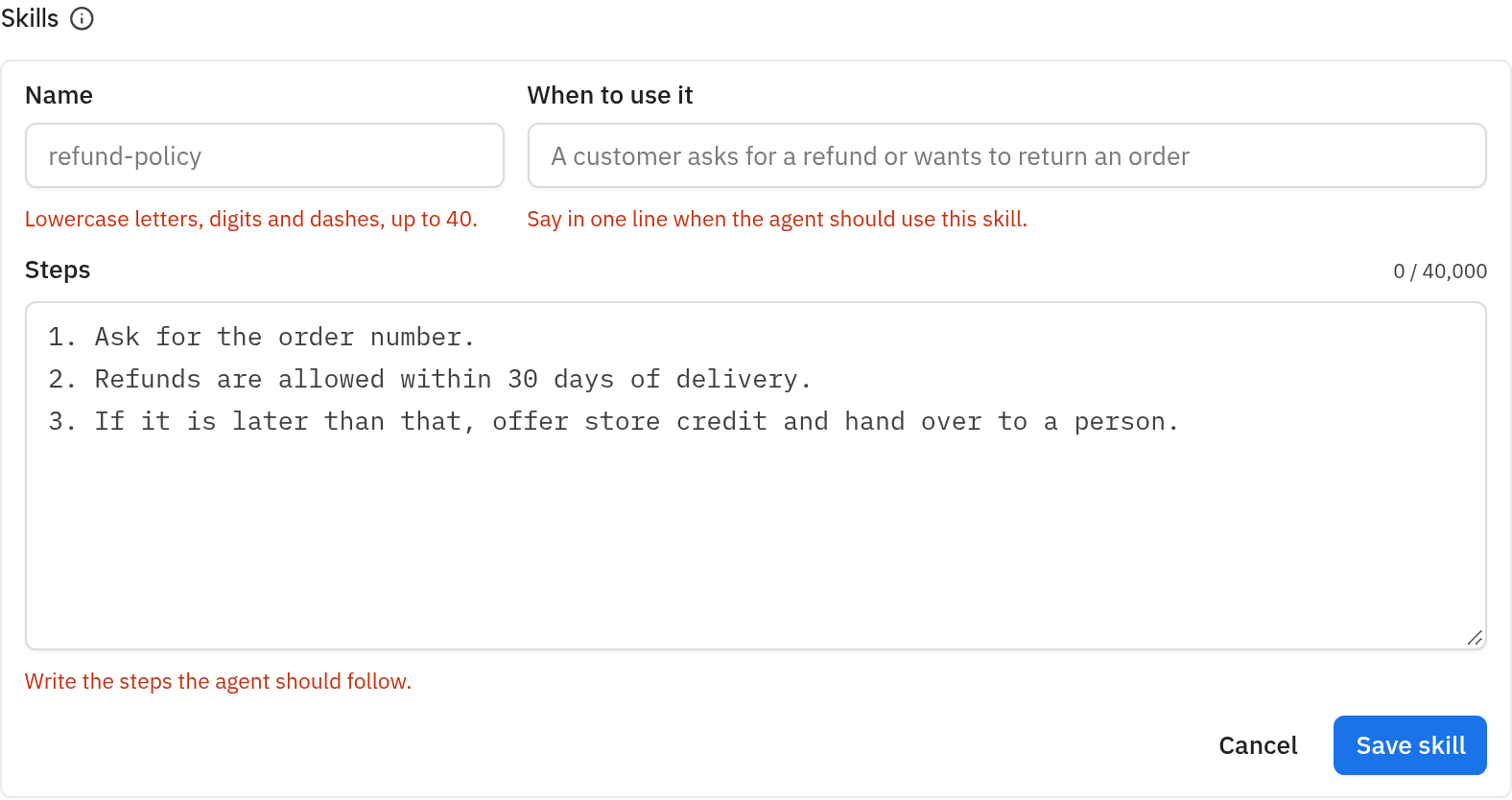
- Name: lowercase letters, digits and dashes, up to 40. What you type is turned into that form as you type:
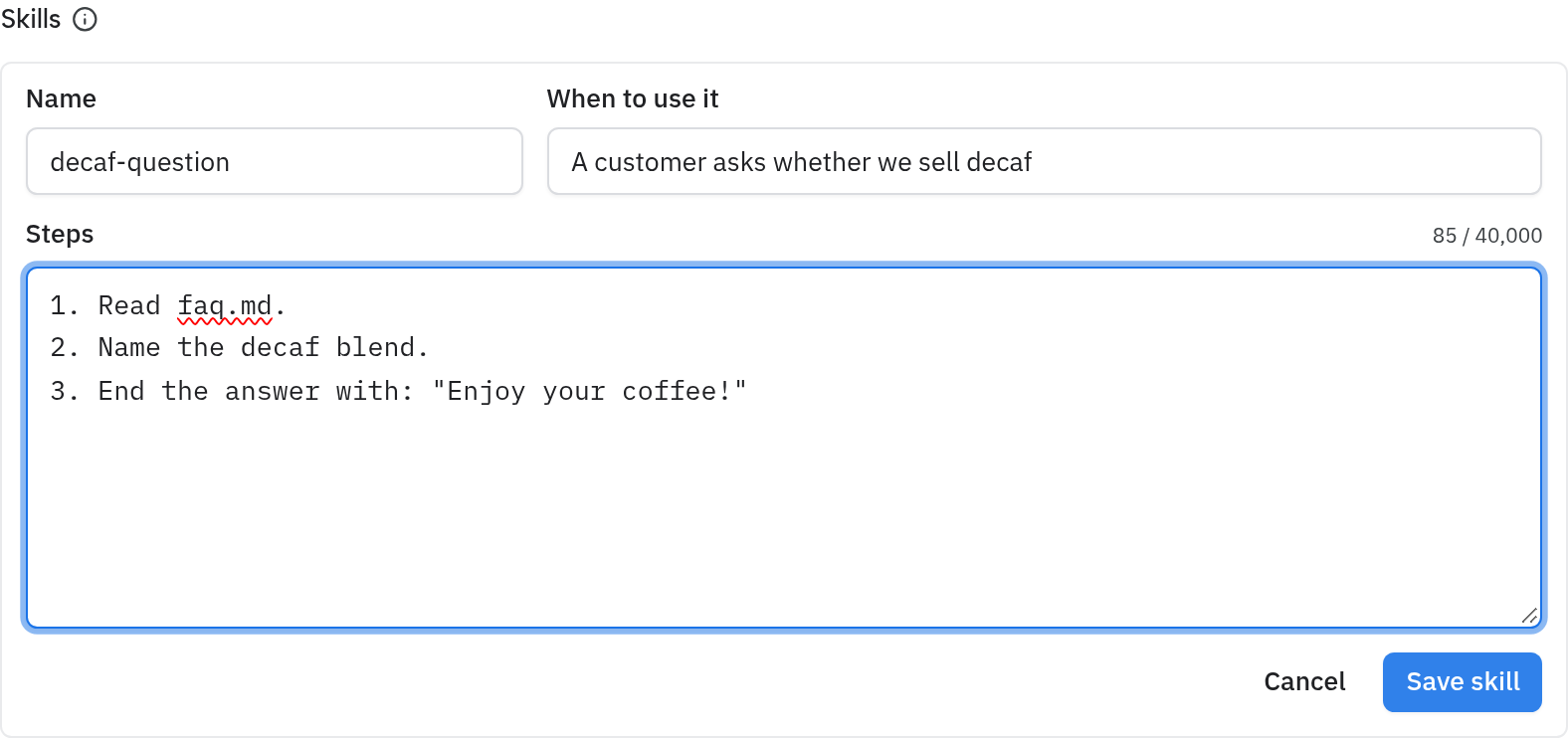
Decaf Orders!becomesdecaf-orders-. - When to use it: one line that says when the agent should use the skill, up to 300 characters.
- Steps: what the agent should do, in Markdown, up to 40,000 characters. The counter shows how many you have used.
An agent has up to 50 skills.
Instructions or a skill? What applies to every chat goes in the instructions. The steps for one kind of request go in a skill: the agent sees only the skill's name and When to use it in every chat, and reads the steps when a request matches. Many skills cost little until they are used.
Save skill with empty fields shows what is missing: Lowercase letters, digits and dashes, up to 40., Say in one line when the agent should use this skill. and Write the steps the agent should follow. Cancel closes the form without saving.
Click Save skill. The toast says Skill decaf-question saved and New chats use it.

Check what it does
In our test, with a skill whose last step said to end with Enjoy your coffee!, a new chat asking Do you sell decaf? used read and answered We sell decaf. The decaf blend is named "Smooth Morning Blend". Enjoy your coffee!
It followed the skill's last step but made up the name of the blend: it didn't read the FAQ file, as the skill's first step said. Check every new skill in Sessions, or with an eval.
Edit or delete it
Edit opens the skill again. You can change When to use it and Steps, but not the name. Delete asks Delete the skill decaf-question? New chats will not have it.
The agent reads its skills with read. With read off, the tab says Skills need the read tool, which is off for this agent. Turn it on in General → Tools. The agent can read its skills but never change them, even with edit or write on.
Integrations
Integrations are outside services the agent can use as tools, like looking up an issue or an order. Each one is a hosted MCP server. Adding or removing one restarts the agent. Integrations are off while the website widget is on: to add one to a widget agent, turn the widget off first. An agent has up to 10 integrations.
Pick a service
Click Add integration, then open Service. It lists GitHub, Stripe, Linear and Another MCP server (any hosted server, by URL).
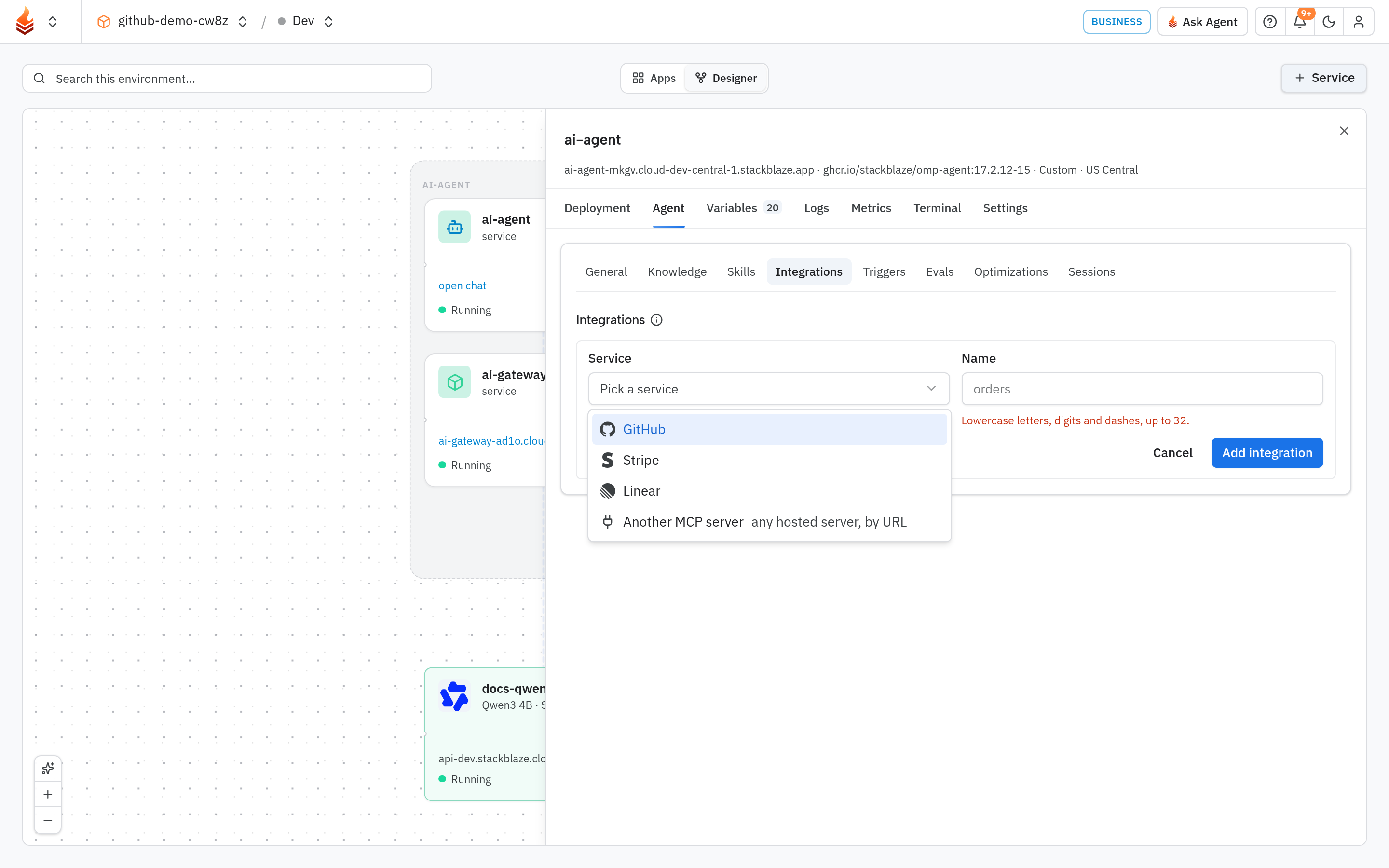
Picking a service fills in the Name: lowercase letters, digits and dashes, up to 32. Add integration without a service shows Pick a service.
Add its token
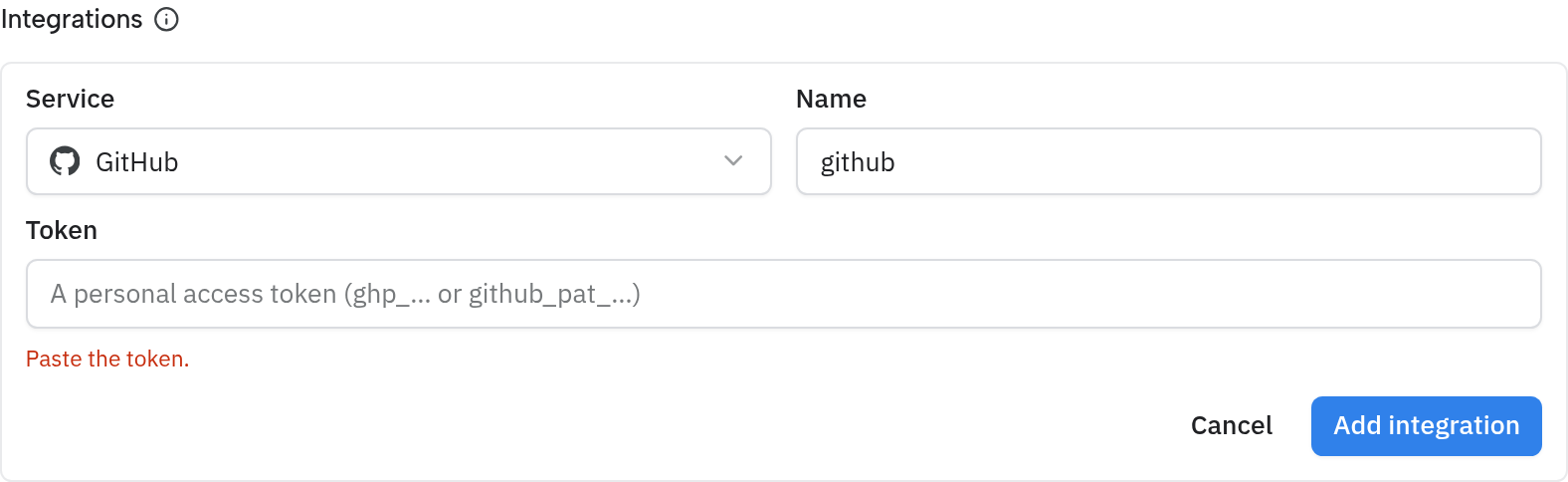
GitHub, Stripe and Linear need a Token. The field says which kind, for example A personal access token (ghp_… or github_pat_…) for GitHub. Without one, the form shows Paste the token.
The token is kept in the agent's variables, masked like any secret, and never shown again. It is sent only to its own server: the agent's settings name the variable, never the token. Use a token limited to what the agent should be able to do.
Or name another server
Another MCP server asks for:
- Server URL:
https, with a host name. A service of this environment can be given ashttp://<service>/mcp. - Token (optional): leave it empty if the server needs none.
- Header (optional): the header that carries the token. Empty sends
Authorization: Bearer.
A bad URL is refused:
http://mcp.example.com/mcp: The URL must be https (http only for a service of this environment).https://10.0.0.5/mcp: Name the server by host name, not by address.- A user and password in the URL: Put the secret in the token field, not in the URL.
- A host name that doesn't point to a public address, like
localhost.localdomain: The server URL does not resolve to a public address.
Add it and check its tools
Click Add integration. StackBlaze first connects to the server with the token and asks it for its tools:
- If the server refuses the token (
401or403), the integration isn't added: <Service> refused the token (401). Check it and paste it again. - If the server can't be reached, or doesn't answer as an MCP server, the integration is added anyway. We added a web address that isn't an MCP server: it was added, and the agent got no tools from it.
The list shows its name, URL, token stored or no token, and Remove. The agent restarts with the new tools.
In our test, we added a public MCP server without a token under the name docs. Asked to list its tools, the agent answered read, grep, glob and three tools named mcp__docs_…. The server's tools are named mcp__<name>_<tool>.
Remove asks Remove docs? The agent loses its tools and its token is deleted. and restarts the agent.
From the API
Knowledge files, skills and integrations each have routes in the StackBlaze API: upload a file with PUT …/knowledge/{file}, write a skill with PUT …/skills/{skill}, add an integration with POST …/integrations. See AI agents API.
Reach your agent
Put your AI agent on a website, call it from your code with an API key, start it from a webhook or on a schedule, and read every conversation in Sessions.
Test your agent
Write an eval for your AI agent, run it, read the results, and turn real chats into test cases. Every check type, the eval's JSON and its limits.