
Shared variables
Keep variables that several services need in one group, and link the group to each service.
A shared group is a named set of environment variables that belongs to a project. Any service in the project can link it from its Variables tab. Change a value in the group, and every service that links it gets the new value.
Use groups for settings that several services share, such as an API key or log settings.
Create a group
Open Project settings → Shared variables
Click the project name at the top left, then Project settings at the bottom of the menu. Open the Shared variables tab.
A project without groups says No shared variables yet.
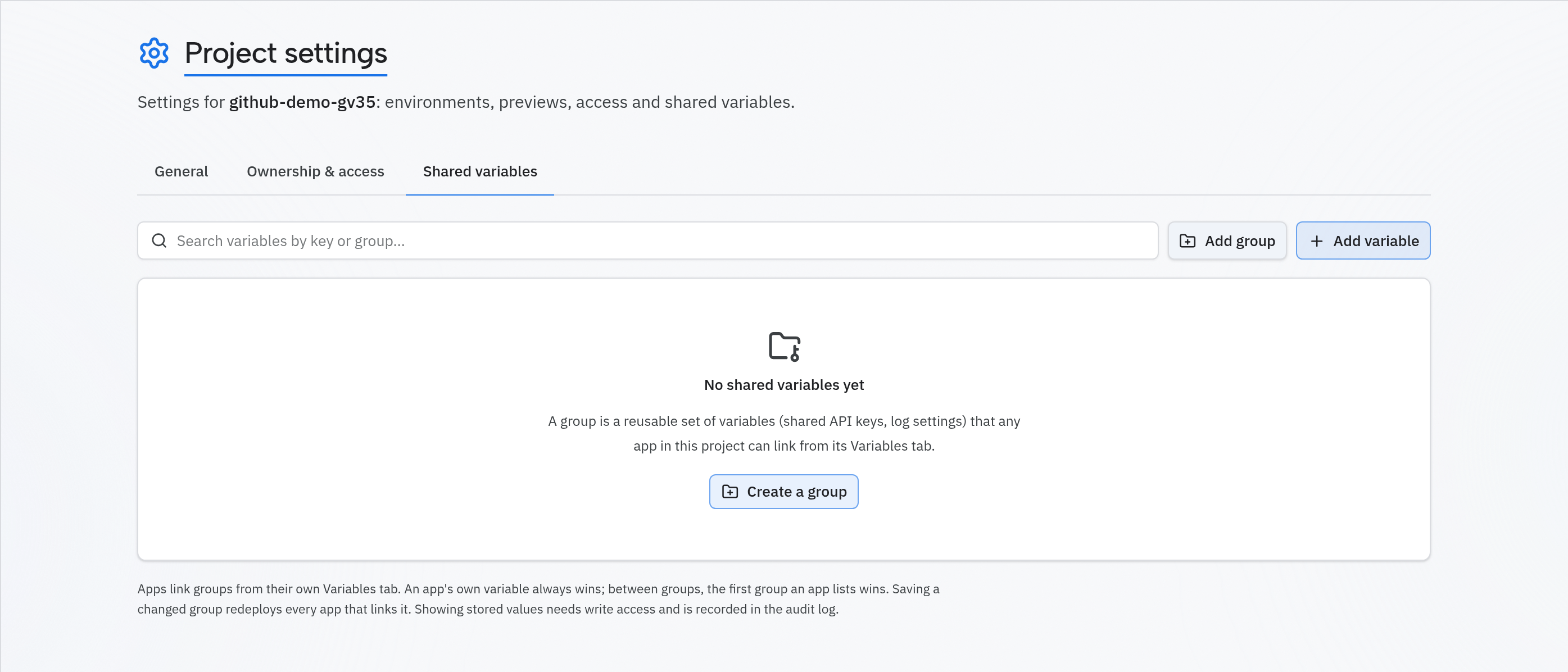
The toolbar has a search box (Search variables by key or group…), Add group and Add variable. Add variable adds a row to the first group, and creates a group if there is none.
Name the group and add variables
Click Create a group (or Add group). The new group is called shared (then shared-2 and so on); click the name to change it. Here it is docs-shared.
Type a KEY and a value in the first row. Click Add variable under the rows for more. New rows are marked New.
Each row has three buttons: show or hide the value, copy it, and delete the row.
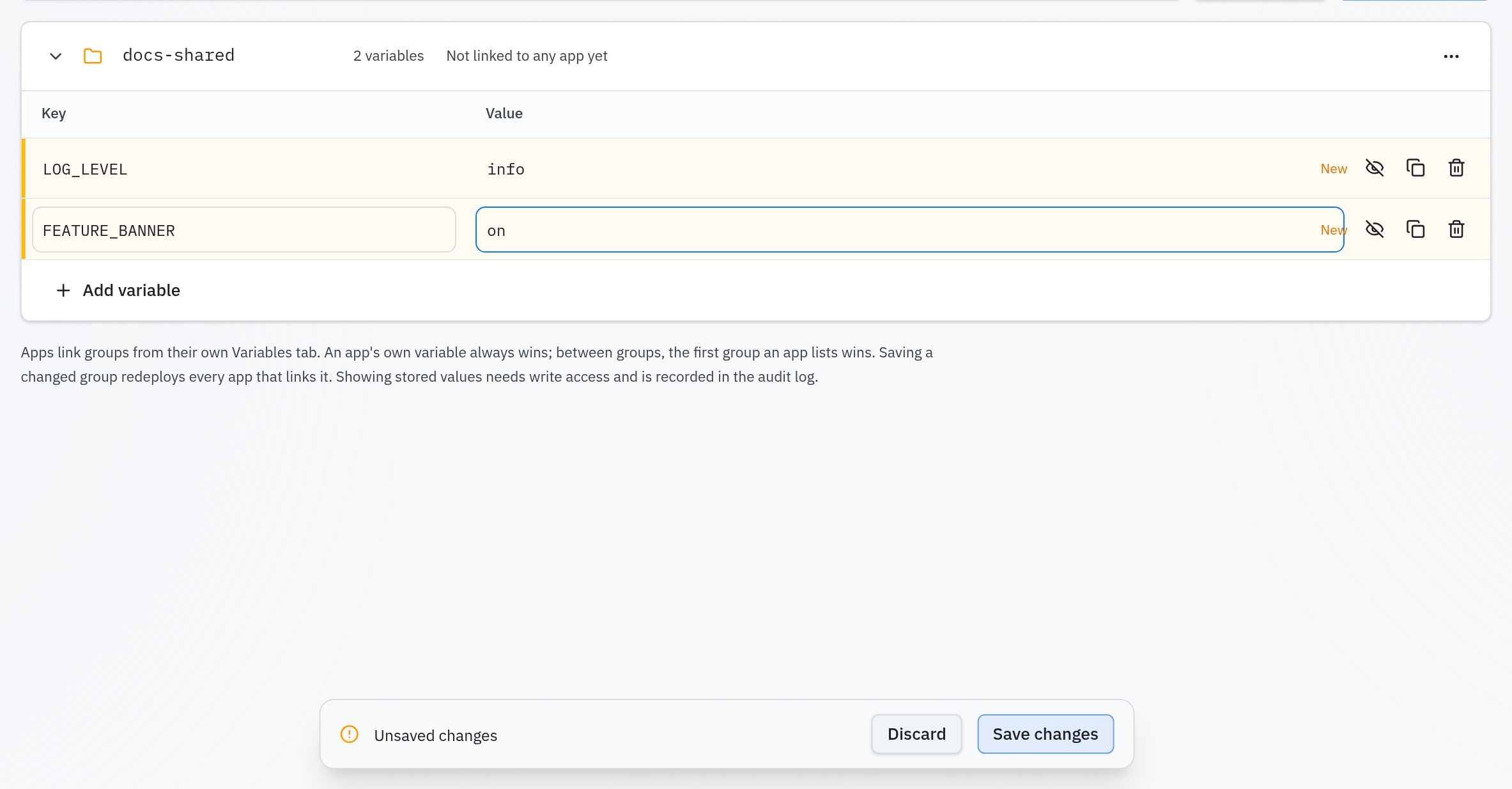
The header shows how many variables the group has and Not linked to any app yet. The chevron on the left collapses the group.
Save
Nothing is stored yet: an Unsaved changes bar shows at the bottom of the window, with Discard and Save changes. Click Save changes. You see "Shared variables saved. Linked apps are redeploying."
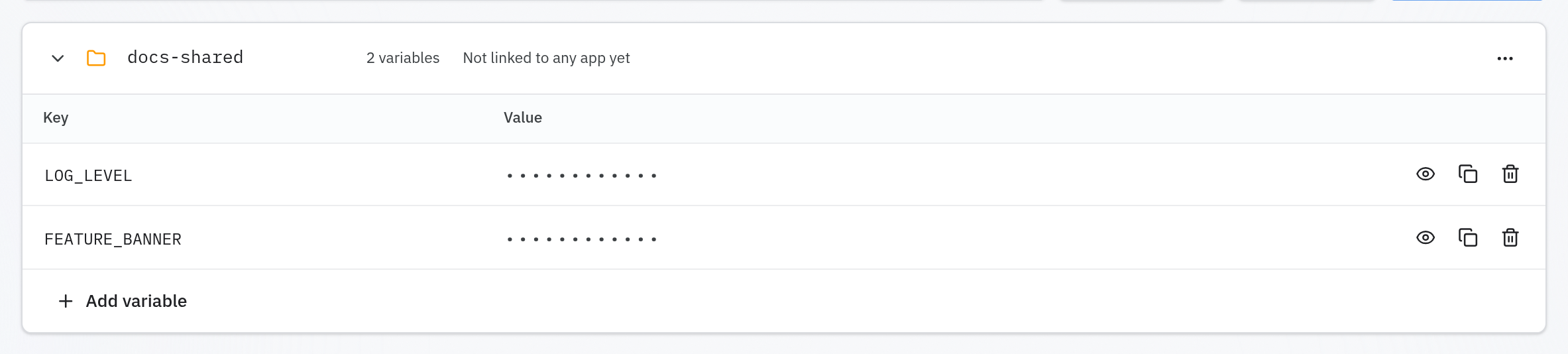
Saved values are hidden. Click a value, or its eye button, to show it. Reveal values in the toolbar shows them all.
The ⋯ menu on a group has Add variable and Delete group.

Link a group to a service
Open Variables → Shared
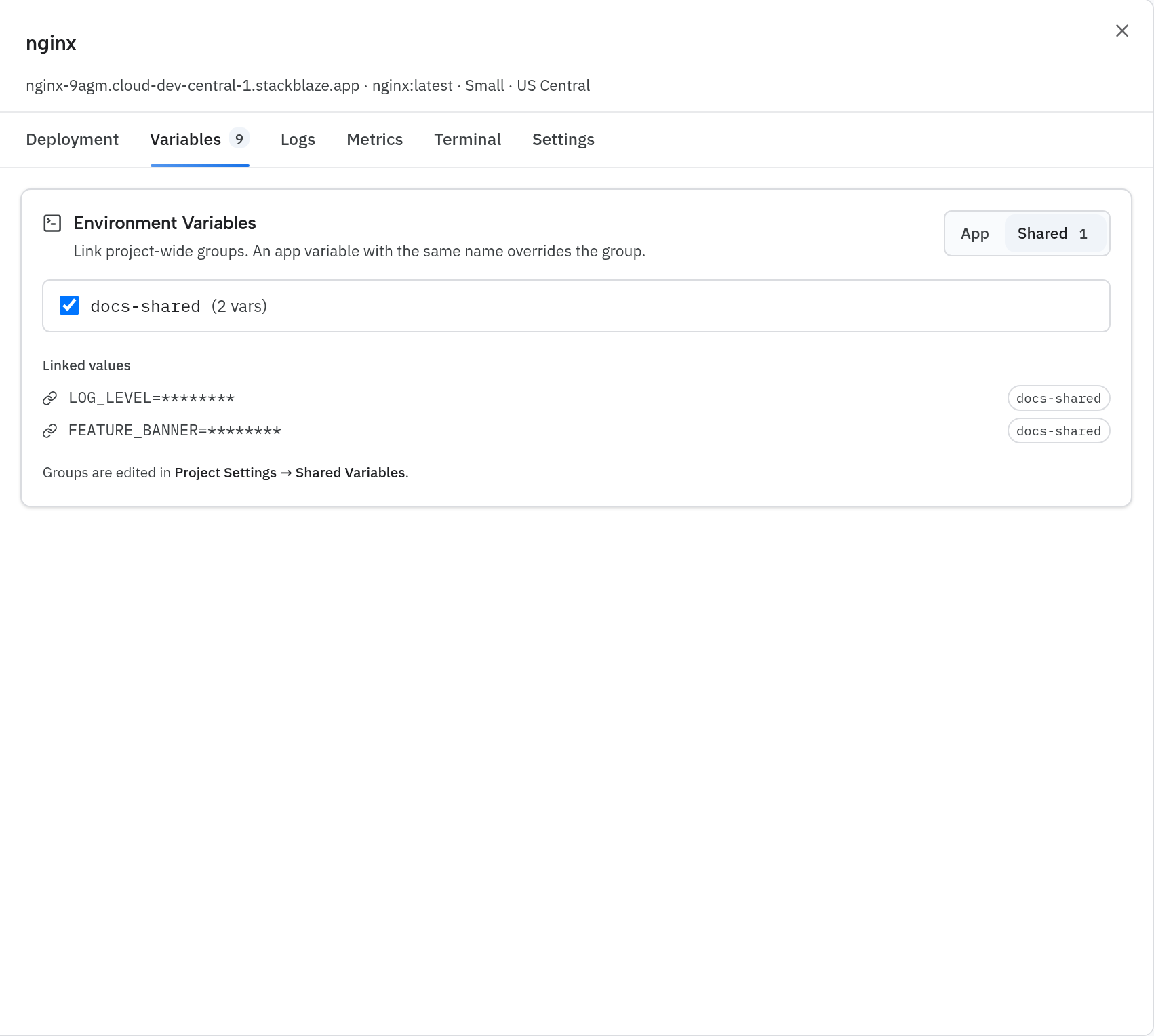
On the project canvas, click the service, open Variables and switch from App to Shared. Every group in the project is listed with its number of variables.
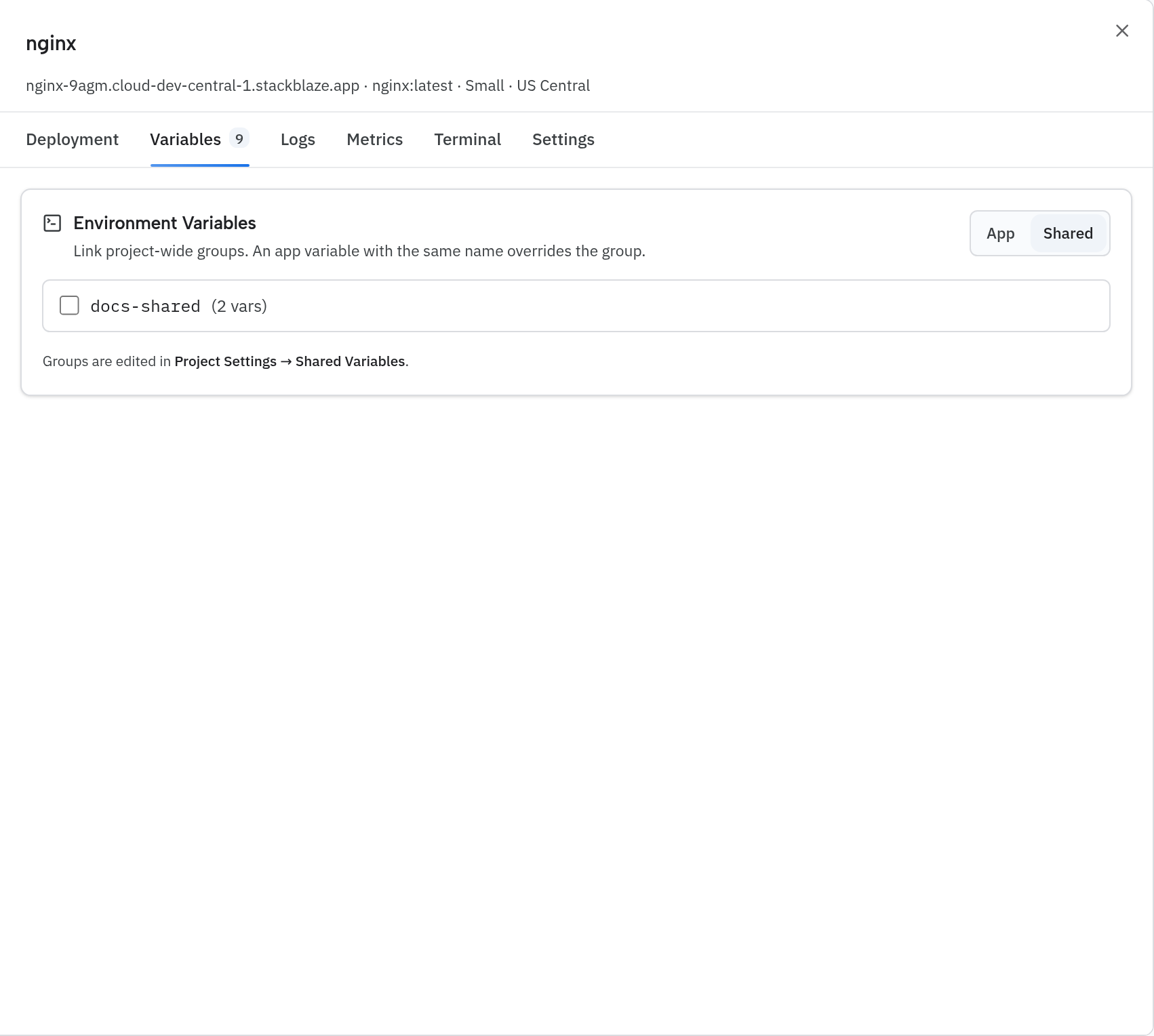
If the project has no groups, the pane says "No shared groups in this project yet" with a link to Create them in Project Settings.
Tick the group
Tick the group. Linked values lists each variable the service now gets, with the group it comes from. Shared shows how many groups are linked, and Commit 1 change appears in the toolbar.
Commit and deploy
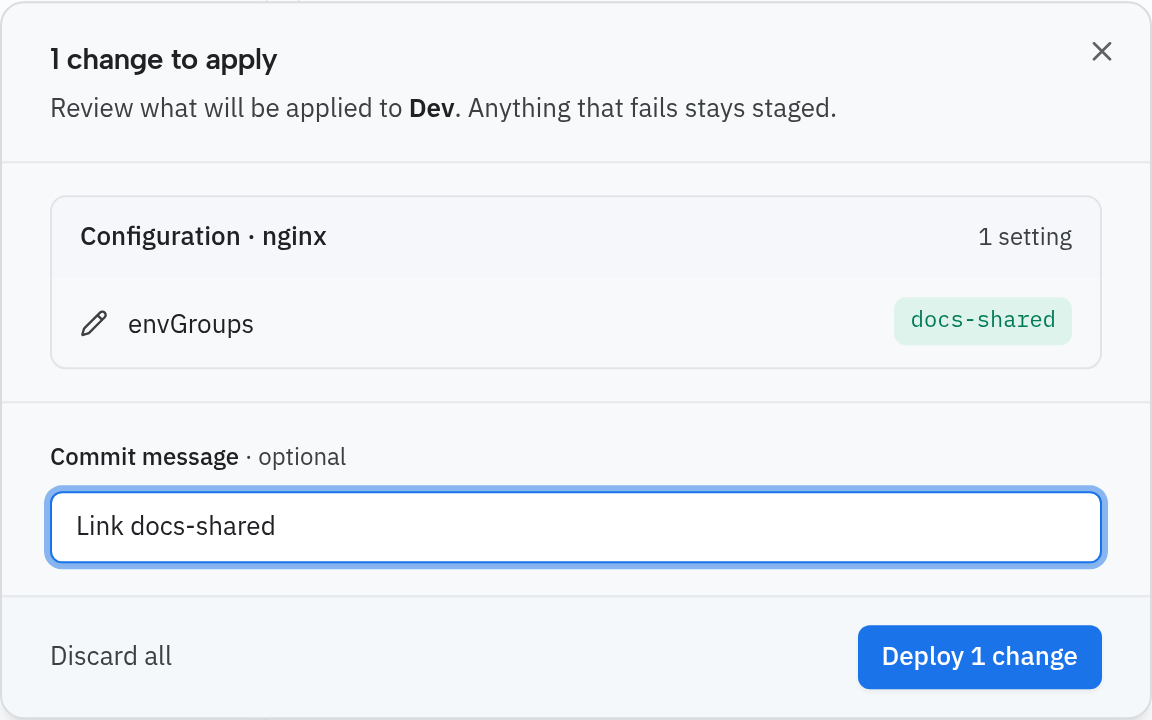
Click Commit 1 change. The dialog lists the change under Configuration · nginx as envGroups docs-shared. Click Deploy 1 change. The service restarts with the group's variables.
Which value wins
- A service's own variable always wins over a group variable with the same name. In Linked values, an overridden variable is struck through.
- Between groups, the first group the service lists wins.
Unlink or delete a group
To unlink a group from a service, untick it in Variables → Shared, then commit and deploy.
Unlink it from every service first: a service that still links a deleted group loses its variables.
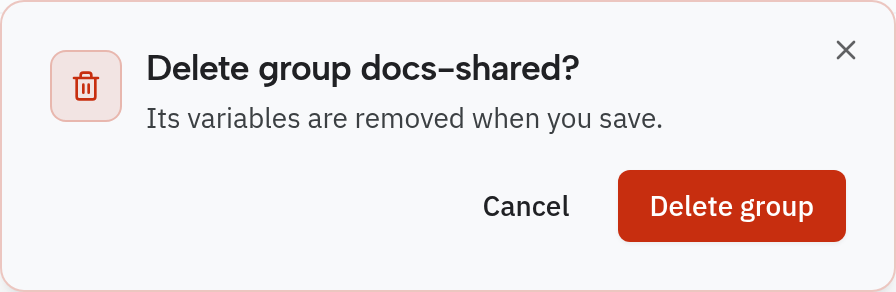
To delete a group, open its ⋯ menu and click Delete group. The dialog says "Its variables are removed when you save". Click Delete group, then Save changes.
Saving a changed group redeploys every service that links it. Showing stored values needs write access to the project and is recorded in the audit log.