
Health checks
The HTTP check a new version of a web service must pass before it gets traffic.
Settings → Health holds Health checks: "HTTP probe we run before sending traffic to a new version." Only web services (Public or Internal) have it; a worker has no HTTP port.
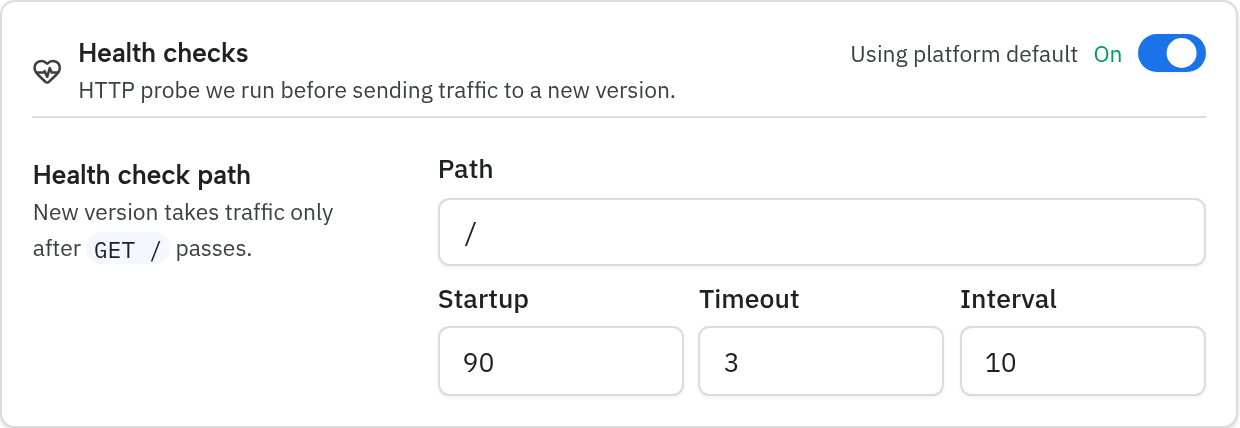
The settings
| Field | Default | What it is |
|---|---|---|
| On / Off switch | On | Whether rollouts wait for the check. |
| Path | / | The path that is requested. The text above it reads "New version takes traffic only after GET / passes." |
| Startup | 90 | Seconds a new instance has to start answering. The commit dialog calls it Startup grace (s). |
| Timeout | 3 | Seconds each request may take. |
| Interval | 10 | Seconds between two checks. |
Next to the switch, Using platform default means this service uses the platform's setting. Once you change the switch, a Reset link takes its place.
Change the path
Type the path
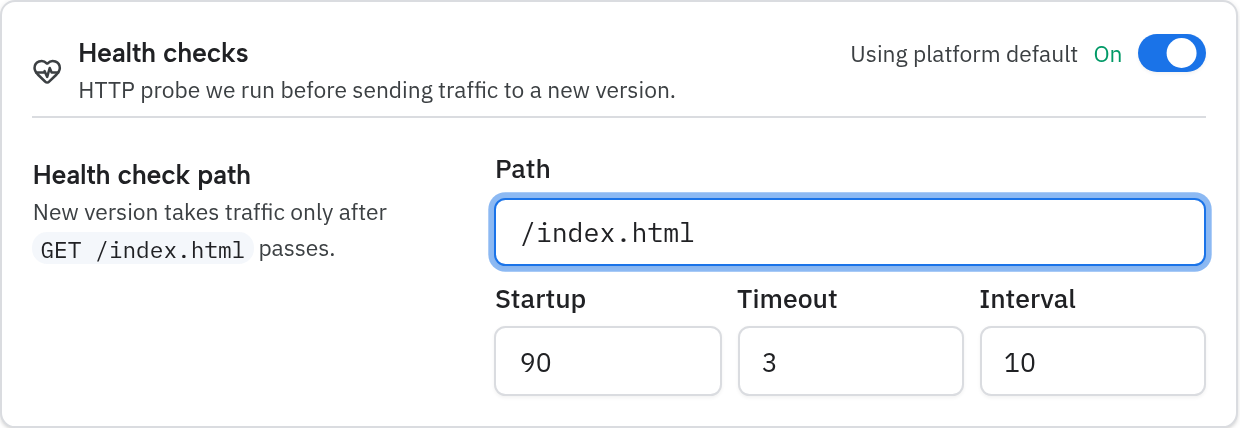
Type the new path in Path, here /index.html. The text above changes to "New version takes traffic only after GET /index.html passes."
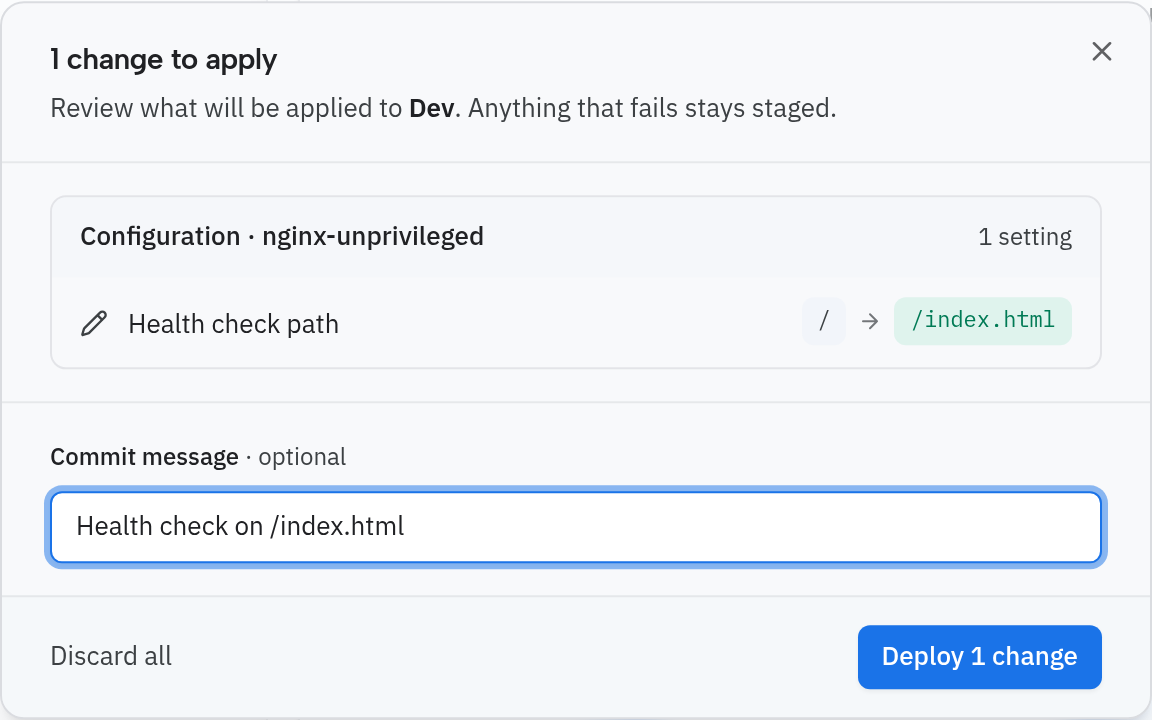
Commit and deploy
Click Commit 1 change. The dialog lists Health check path / → /index.html. Click Deploy 1 change.
The new version passes the check on /index.html and takes over.
When the check fails
To see what happens, we deployed a path the app doesn't serve, /does-not-exist, with Startup at 30. The commit dialog listed Health check path /index.html → /does-not-exist and Startup grace (s) 90 → 30.
- The new instance started but never became ready. After the startup time it was restarted, again and again.
- The old instance kept serving: the site answered
200the whole time. - On the Deployment tab the deploy stayed rolling out, with Cancel next to it.
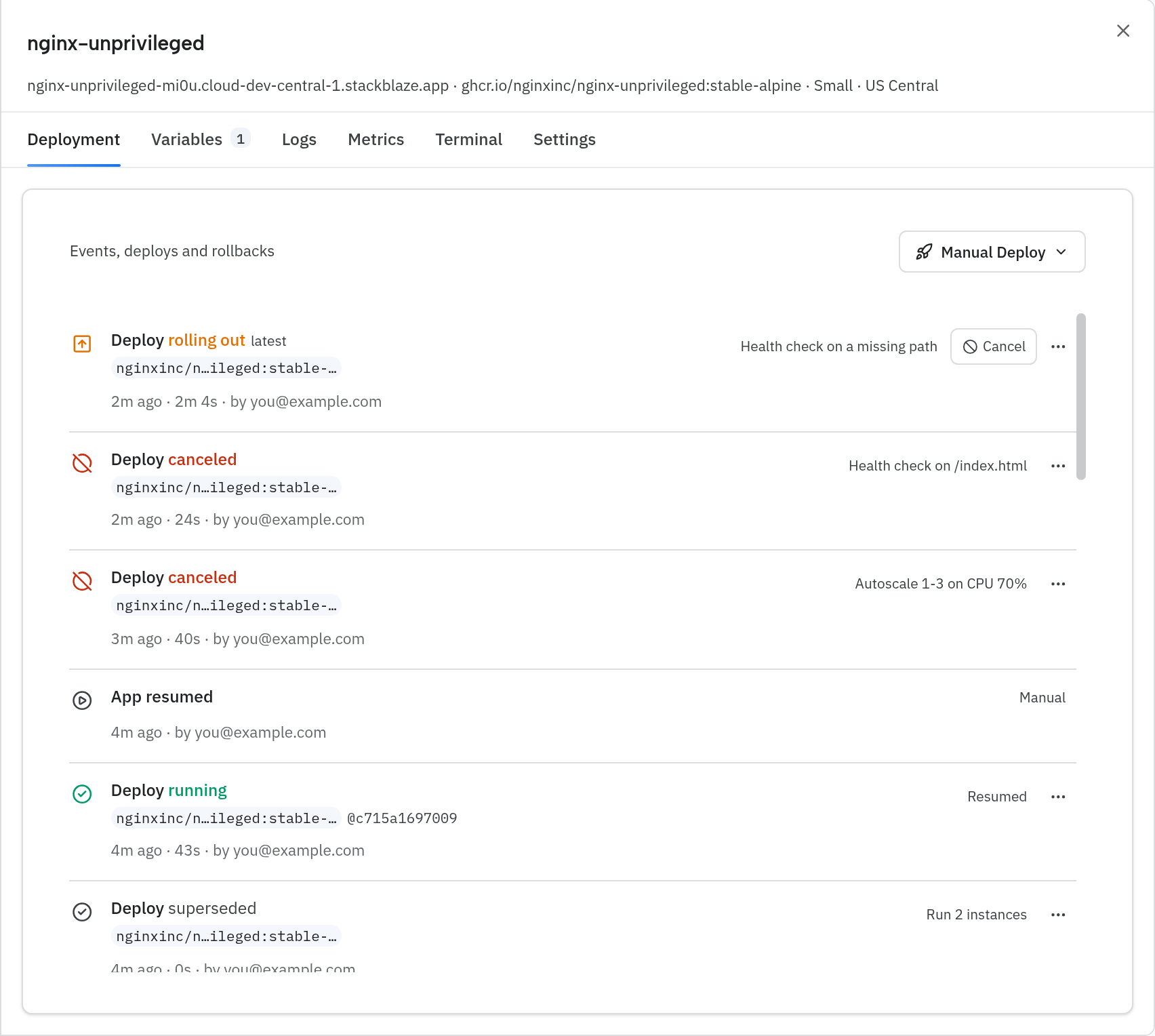
Fixing the path and deploying again replaces the stuck version. Here, the path went back to / and Startup to 90, and the new version went live.
Turn health checks off
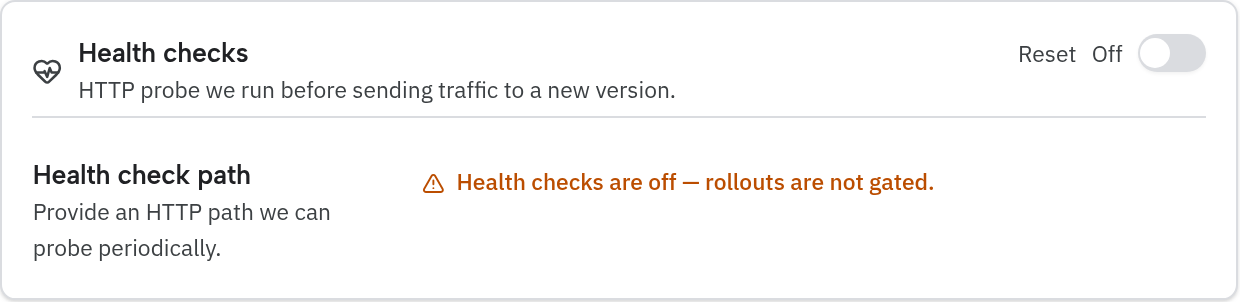
Turn the switch off. The card shows "Health checks are off — rollouts are not gated." and Reset appears next to the switch. The path and timing fields are hidden while it is off.
What counts as healthy
The check is an HTTP GET on Path, sent straight to the instance on the service's port. Any status from 200 to 399 passes: a redirect counts as healthy, 404 or 500 doesn't. The request carries the service's first public hostname in its Host header.
The same path is used three ways:
| Check | When | What a failure does |
|---|---|---|
| Startup | Every second, for up to Startup seconds after the instance starts | Past the startup time, the instance is restarted. |
| Ready | Every Interval seconds | Decides when a new instance gets traffic during a deploy. |
| Alive | Every 3 seconds, once started | After 3 failures in a row the instance is restarted. |
So a check that starts failing on a running instance gets it restarted within about ten seconds.
A good health path
- Answer fast, within Timeout. Don't query the database or call other services on every check: a slow database would get every instance restarted at once.
- Don't put it behind a login. The check goes to the instance directly, so Basic Auth and IP rules don't apply to it, but your app's own login does.
- Return
200once the app can serve requests, for example from a/healthroute.
In stackblaze.yaml
A service with healthCheckPath in stackblaze.yaml gets health checks turned on with that path, Startup 30, Timeout 5 and Interval 10.
See Start command for how a deploy replaces instances.