
Terminal and SSH
Open a shell in a running service from the dashboard, the CLI, or your own ssh client.
You can open a shell inside a running instance of a service. This is the same container that serves your traffic, so you can run one-off commands such as migrations, consoles or curl, and you can look at files, processes and environment variables.
The shell runs in the live instance. Commands affect real traffic and data. Files you change there are lost on the next deploy or restart.
There are three ways in:
| Way | Needs |
|---|---|
| The Terminal tab in the dashboard | Nothing extra |
stackblaze ssh | The CLI, signed in |
stackblaze ssh --native, or your own ssh, scp or sftp | An SSH key on your account |
The Terminal tab
Open the Terminal tab
On the project canvas, click the service's name on its card, then open Terminal. You can also right-click the card and choose Terminal.
The tab shows the short id of the instance it will connect to (here fg9rv) and Ready. When more than one instance is running, as here, the id is a picker so you can choose one. You don't choose the container or the shell: you get the app's own container, with bash if the image has it and sh otherwise.
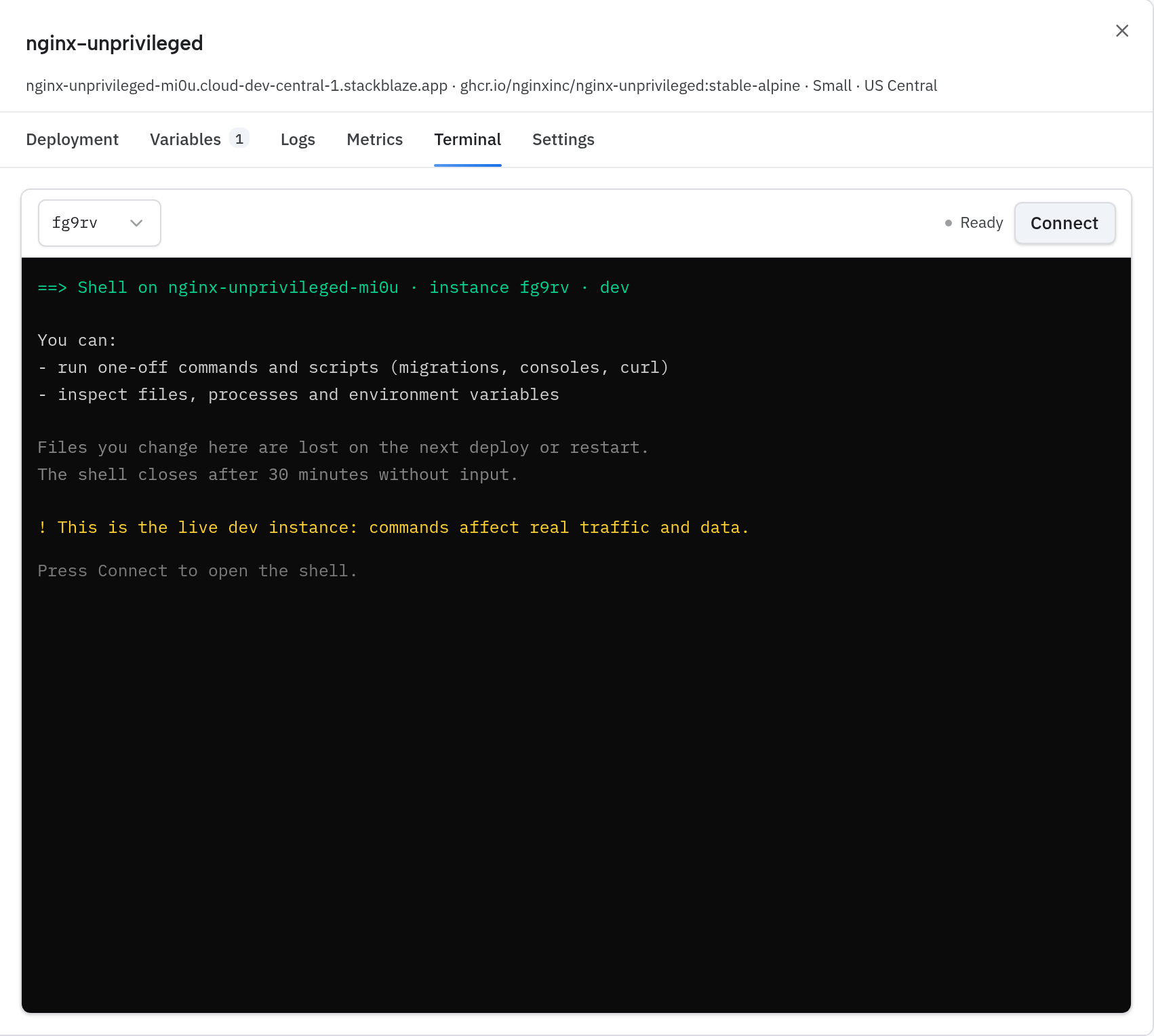
Connect and run a command
Click Connect. The status changes to Connected with a running timer, and you get a prompt. Type a command, for example ls /.
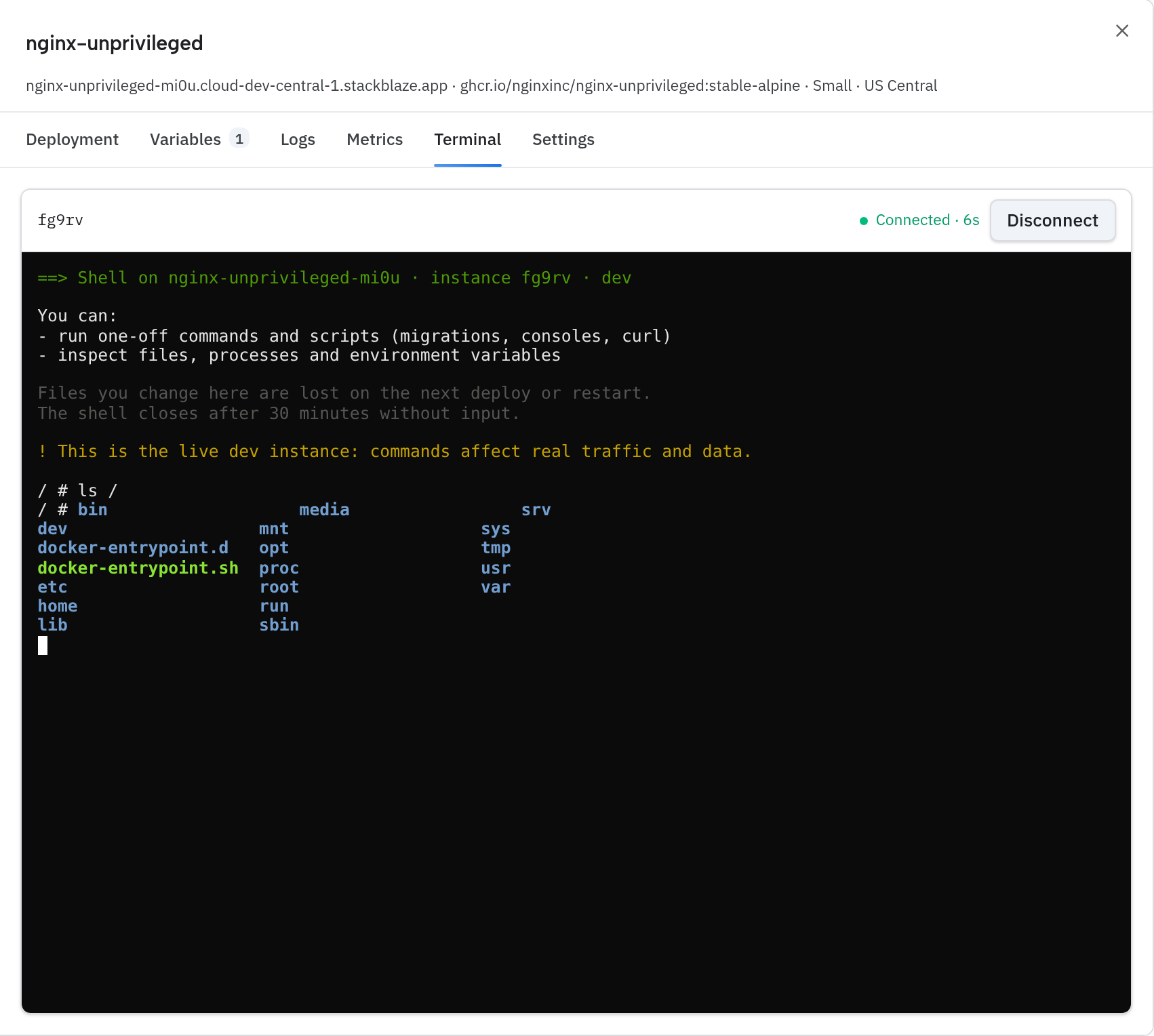
Disconnect
Click Disconnect when you're done. The status goes back to Ready. The shell also closes on its own after 30 minutes without input.
If the service has no running instance yet (the first deploy is still building, or it is paused), the tab says No running instance yet and offers Check again.
stackblaze ssh
stackblaze ssh opens the same shell from your terminal, through the StackBlaze API. It needs no SSH keys, only a signed-in CLI (see Install the CLI).
stackblaze ssh -p github-demo-kpw0 -e dev -a nginx-unprivilegedInside a folder linked with stackblaze link, plain stackblaze ssh is enough.
To run one command and exit with its exit code, pass --command:
stackblaze ssh -p github-demo-kpw0 -e dev -a nginx-unprivileged --command 'ls /'bin media srv
dev mnt sys
docker-entrypoint.d opt tmp
docker-entrypoint.sh proc usr
etc root var
home run
lib sbinOther options:
--pod <name>picks the instance (default: the app's first web instance).--container <name>picks the container, such asweborworker(default:web, else the first).--timeout <seconds>gives up on--commandafter that many seconds. Without it there is no limit, but a session that sends nothing at all fails after 20 seconds.
Your own ssh client
With an SSH key on your account you can use the real ssh client, and with it scp, sftp, rsync and -L port forwards.
Add an SSH key
Add your public key to your account. See SSH keys, or use the CLI:
stackblaze ssh-keys add ~/.ssh/id_ed25519.pub --name docs-terminal-testOK Added SSH key docs-terminal-test (SHA256:…)
Connect with: stackblaze ssh --nativeWith no file, ssh-keys add picks ~/.ssh/id_ed25519.pub, id_ecdsa.pub or id_rsa.pub. --name sets the key's name. stackblaze ssh-keys list shows your keys, and stackblaze ssh-keys remove <name> removes one.
Get the ssh command
--native --print prints the command for the service instead of running it:
stackblaze ssh -p github-demo-kpw0 -e dev -a nginx-unprivileged --native --printFor a service in US Central, the output has this shape:
US Central: host key SHA256:BLPHXSd404l6QjYuKC8yHMMJeRZNYSxBMwO5hcqpEvU (ssh.us-central-1.stackblaze.cloud)
ssh -p 2202 my-project.production.web-ab12@ssh.us-central-1.stackblaze.cloud
The user is the service, written project.environment.service. Each region has its own SSH address and host key; the command uses the one of the service's region, and the first line gives the host key so you can check it on first connect. The addresses, ports and host keys of every region are listed on SSH keys.
Connect
Run the printed command, or let the CLI run it for you with stackblaze ssh --native. Your key signs you in.
ssh -p 2202 my-project.production.web-ab12@ssh.us-central-1.stackblaze.cloud 'ls / | head -3'bin
dev
docker-entrypoint.dWith stackblaze ssh --native, -i <file> picks the private key, and anything after -- goes to ssh, for example stackblaze ssh --native -- -L 8080:localhost:8080. scp and sftp take the same user and host, with -P for the port.
stackblaze shell is local
stackblaze shell does not open a shell in the service. It starts a subshell on your own machine with the service's environment variables set, so local tools can use them. Type exit to leave it.
stackblaze shell -p github-demo-kpw0 -e dev -a nginx-unprivileged
echo ${PORT:+PORT is set}