
Deployments
Every release of a service, what it changed and who made it. Redeploy, restart, cancel a rollout, or roll the configuration back to an earlier release.
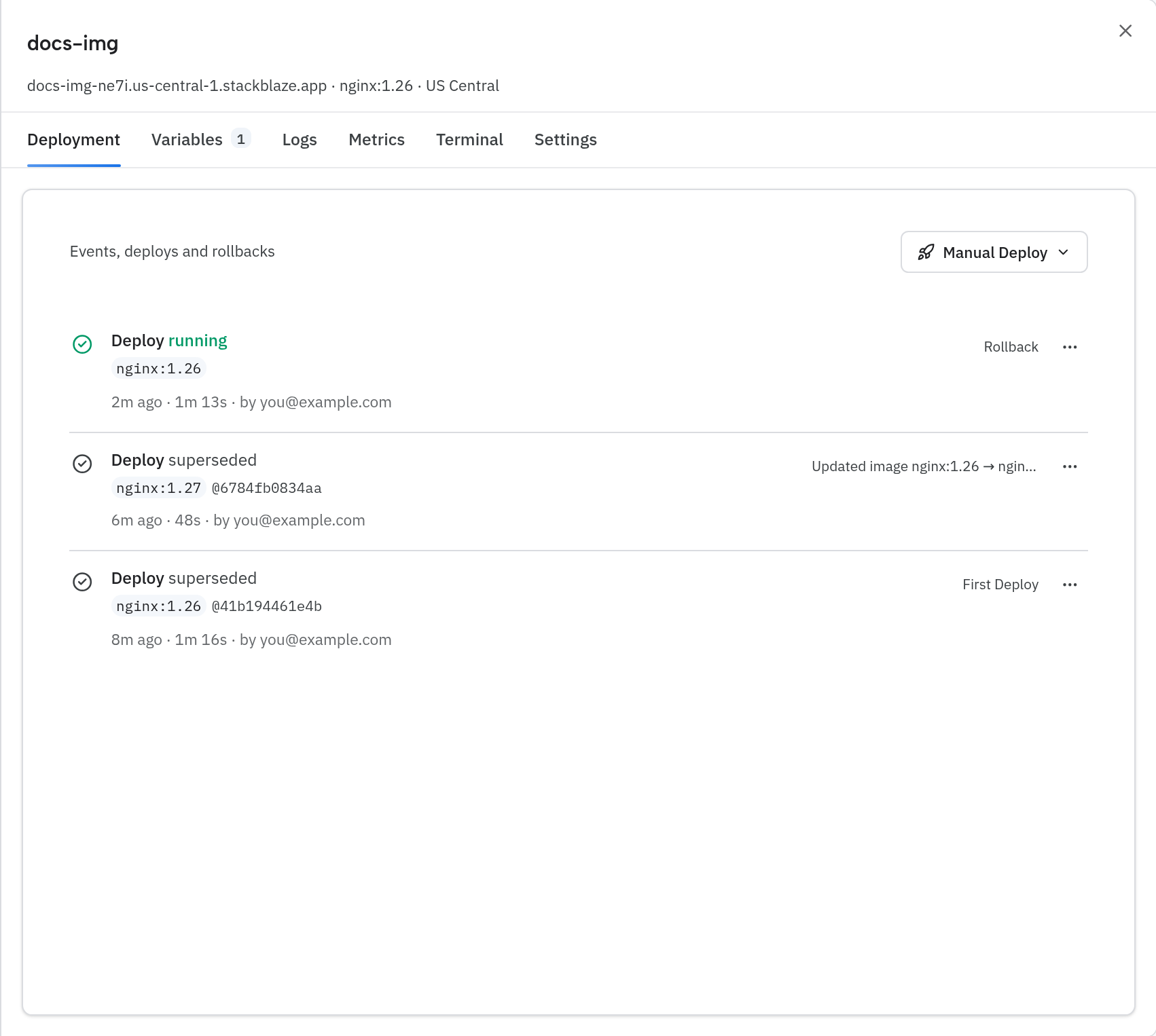
Each time a service's configuration changes, or it is restarted or deployed again, StackBlaze makes a new release. Open a service on the canvas and click Deployment to see them: Events, deploys and rollbacks, newest first.
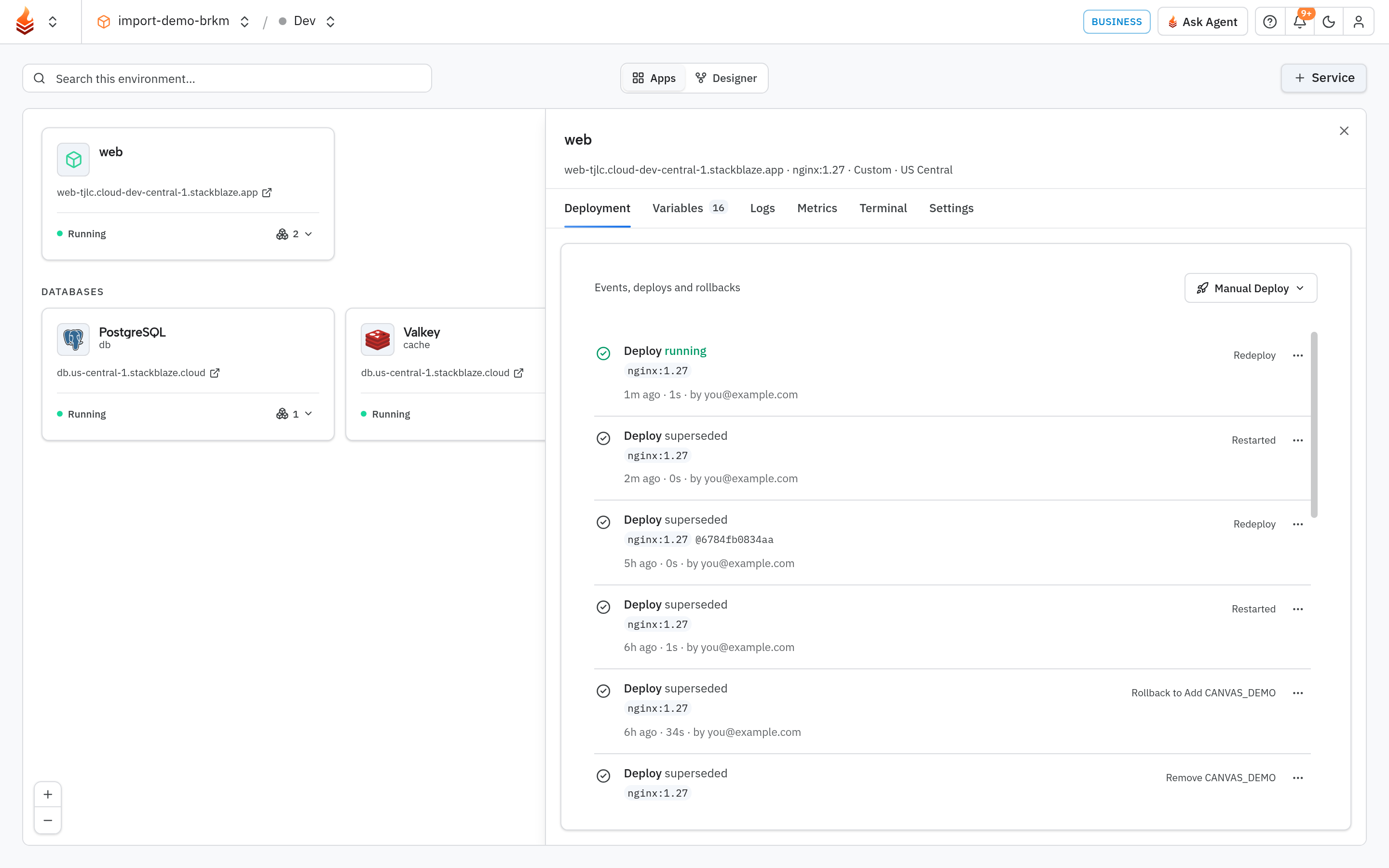
Each row shows:
- the status (see below), for example rolling out while the new version starts, running for the one serving now, superseded for older ones;
- the image (for example
nginx:1.27), with its digest when one was recorded; - when it started, how long the rollout took, and who made it;
- on the right, its title.
Name a release
When you commit staged changes, the Commit message you type becomes the release's title in the history. Here a new variable is committed as Add CANVAS_DEMO:
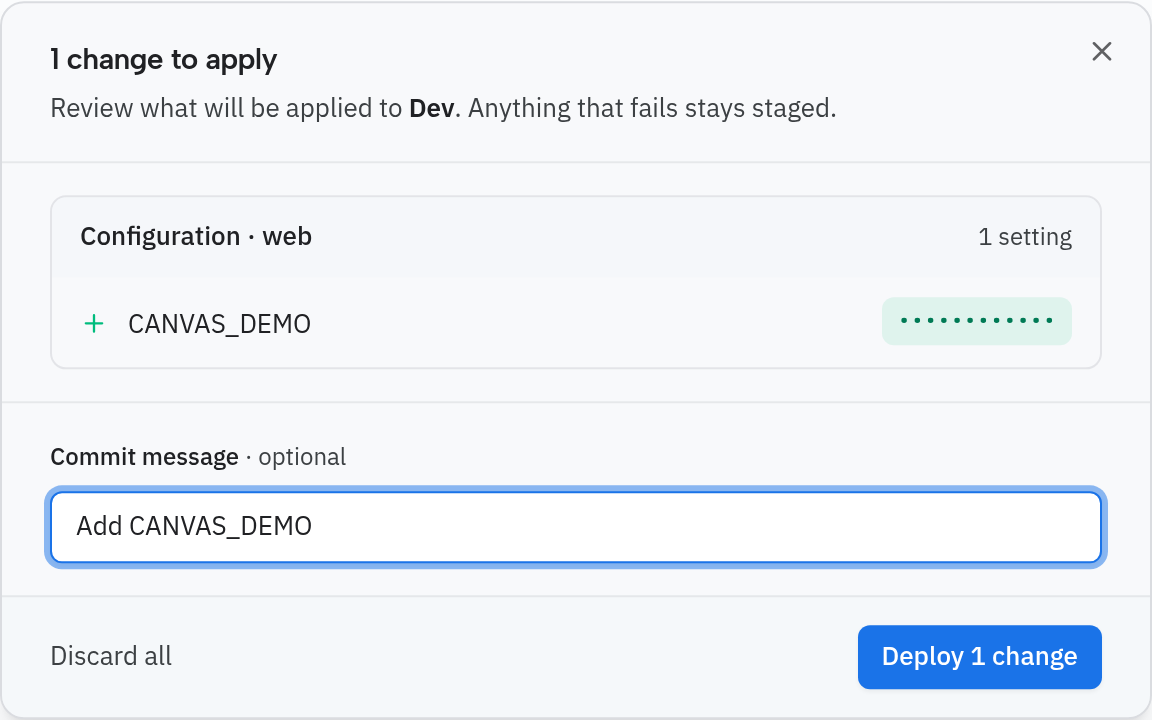
The message is optional. Without one, the release is titled Configuration updated. A service's first release is First Deploy.
Deploy again
Manual Deploy, at the top right of the list, offers two actions for a service that runs a Docker image:
- Deploy latest reference pulls the image reference again and deploys it, so a tag like
latestpicks up a newer image. - Restart service restarts what is running, with the same configuration.
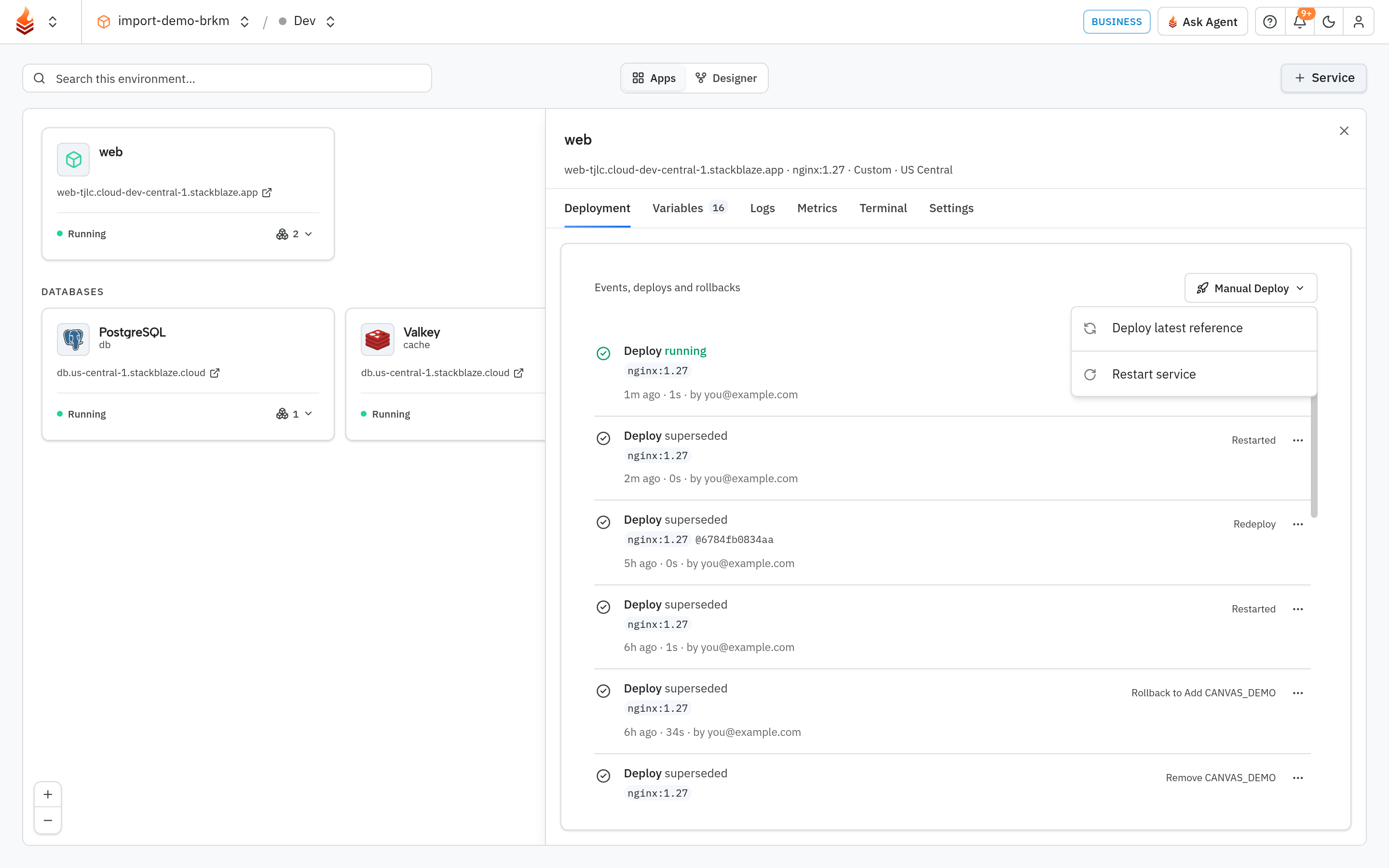
Restart service adds a release titled Restarted, and Deploy latest reference one titled Redeploy.
Services built from git
For a service built from a git repository, each release row shows the commit it was built from: its short hash and message, for example 92fdae6 Remove build artifacts…. A release that is still building reads Deploy building, with Cancel.
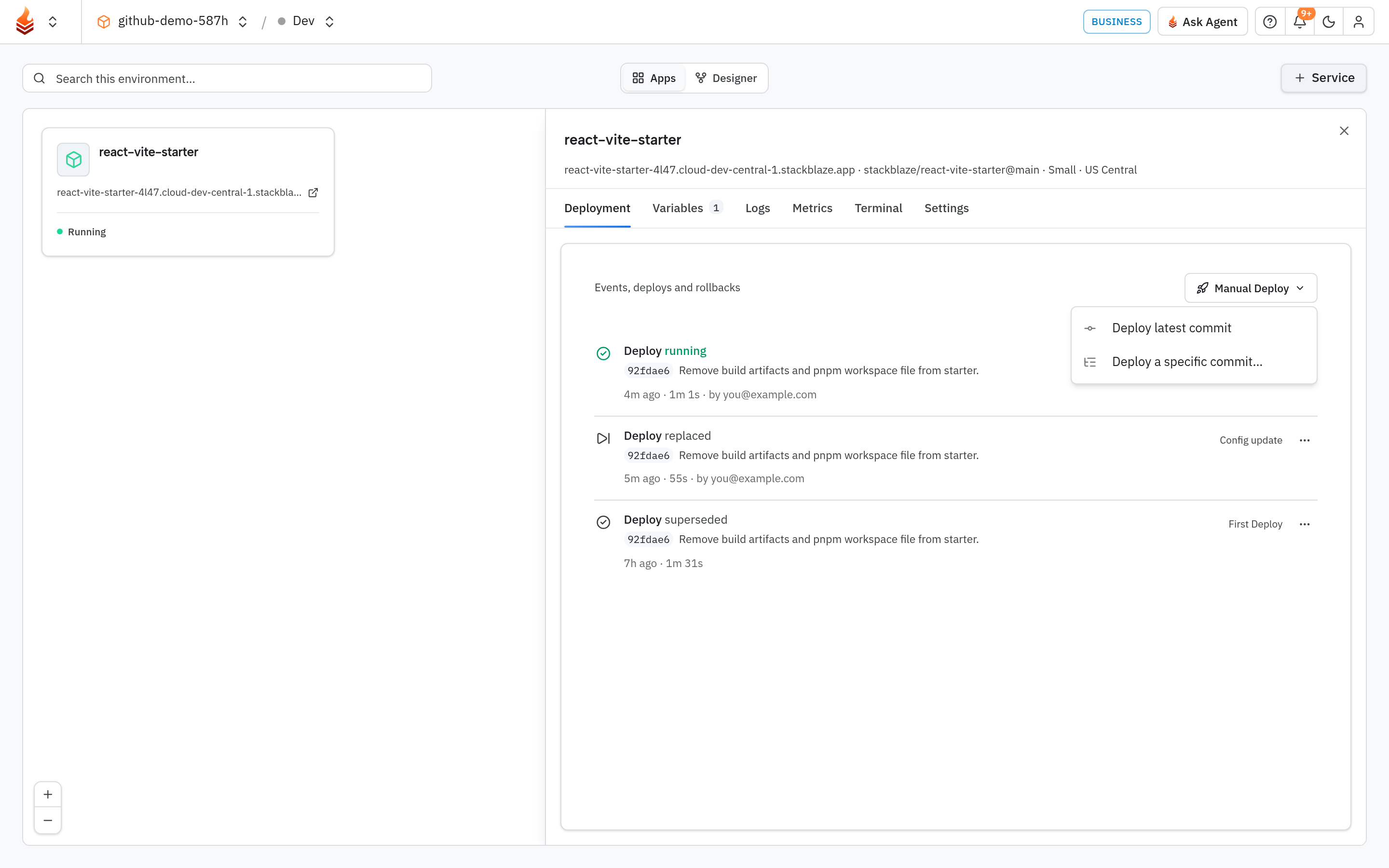
Manual Deploy offers different actions:
- Deploy latest commit builds the newest commit of the branch and deploys it. Ours added a release titled Manual; its build Succeeded and the new version went live.
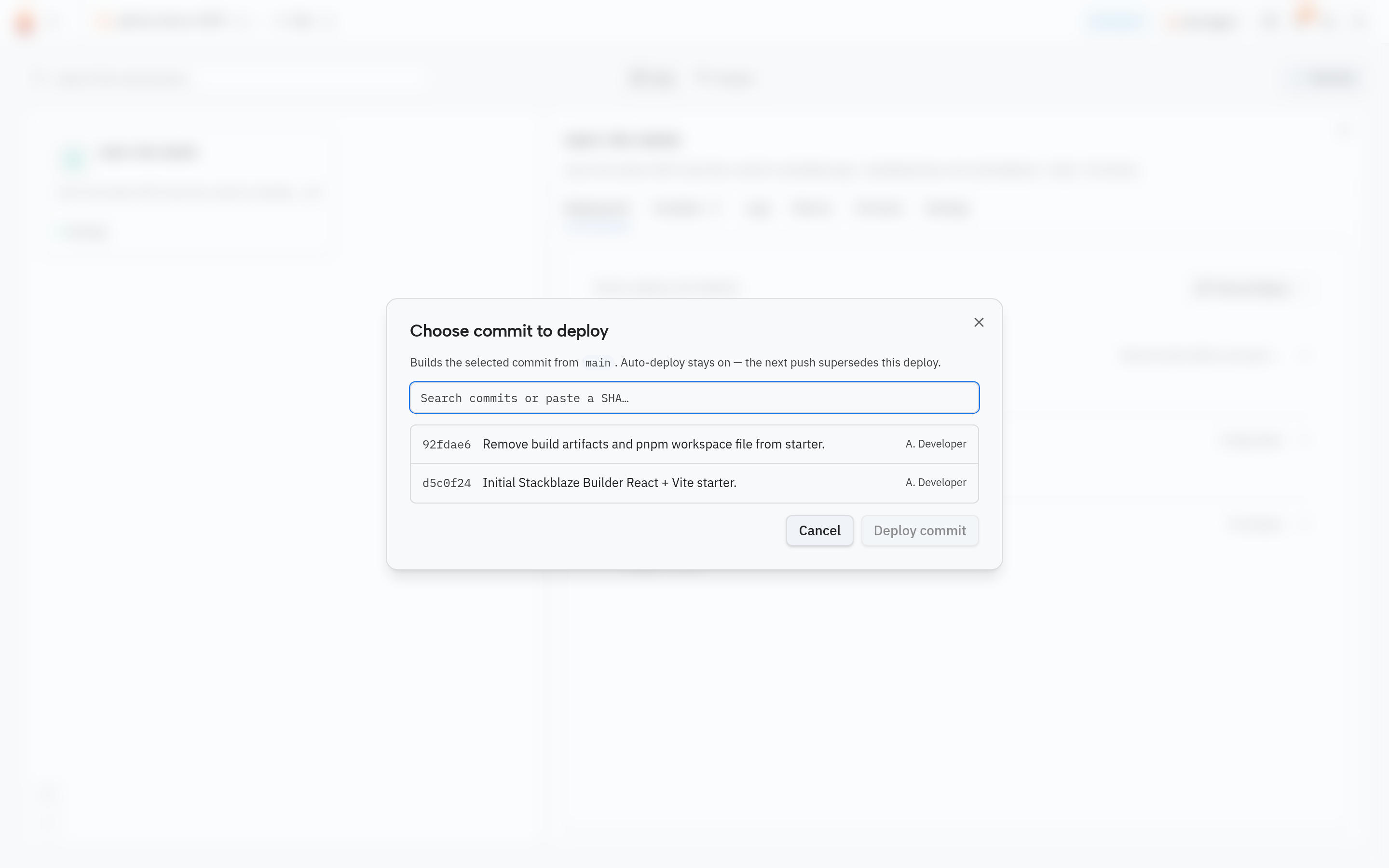
- Deploy a specific commit… opens Choose commit to deploy: "Builds the selected commit from main. Auto-deploy stays on — the next push supersedes this deploy." Pick a commit from the list or paste a SHA, then click Deploy commit.
Actions on a release
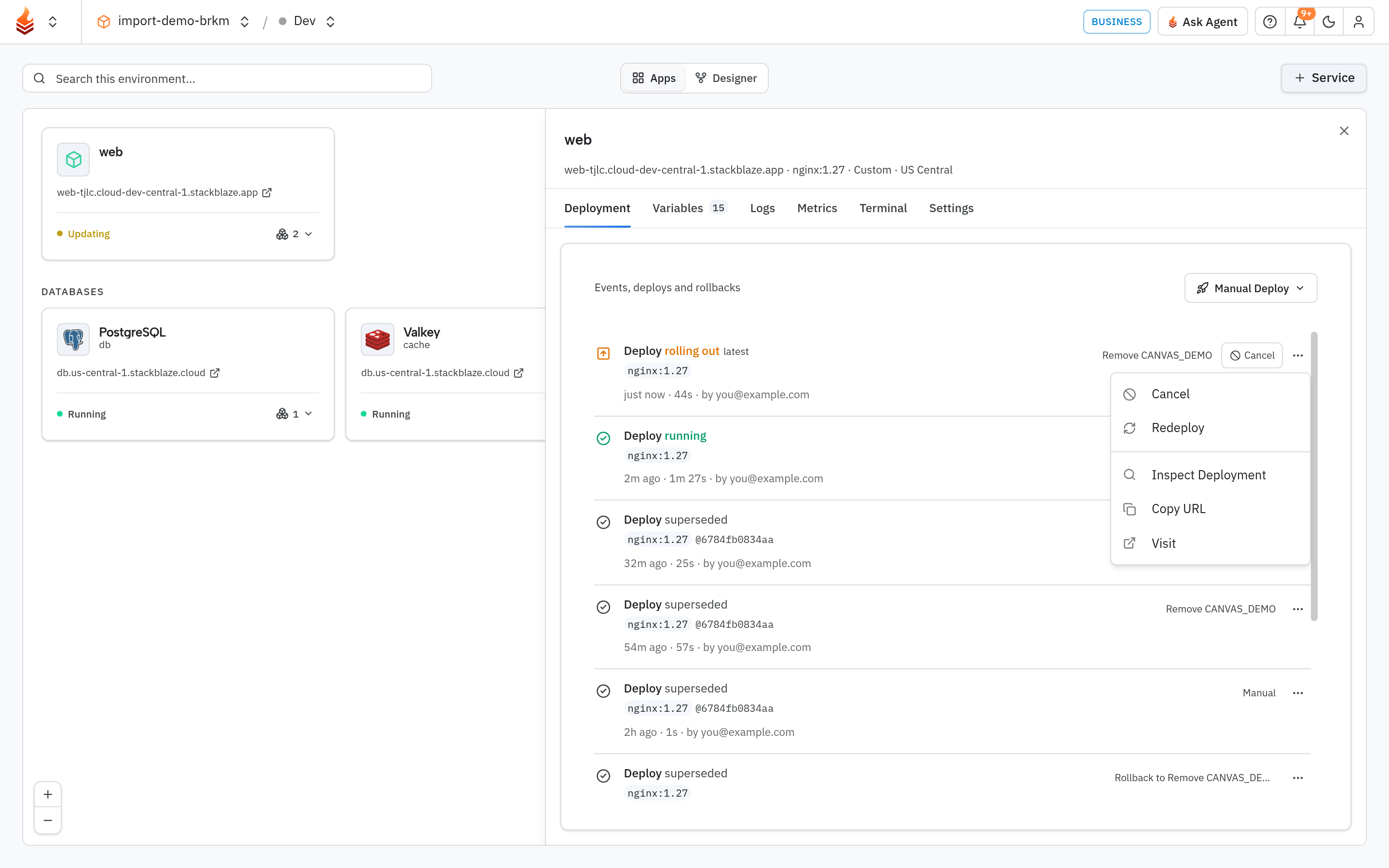
Every row has a ⋯ menu:
- Redeploy runs the service again. For a Docker image service, it restarts the service with its current configuration, adding a release titled Restarted; it doesn't bring back that release's settings. To do that, use Rollback Config. For a service built from git, it asks "Redeploy commit?" and rebuilds that release's commit, not the newest one: "Rebuild and deploy commit … with the exact same configuration."
- Instant Rollback, on earlier releases of a service in Production. See below.
- Promote, on the releases of a preview environment. See below.
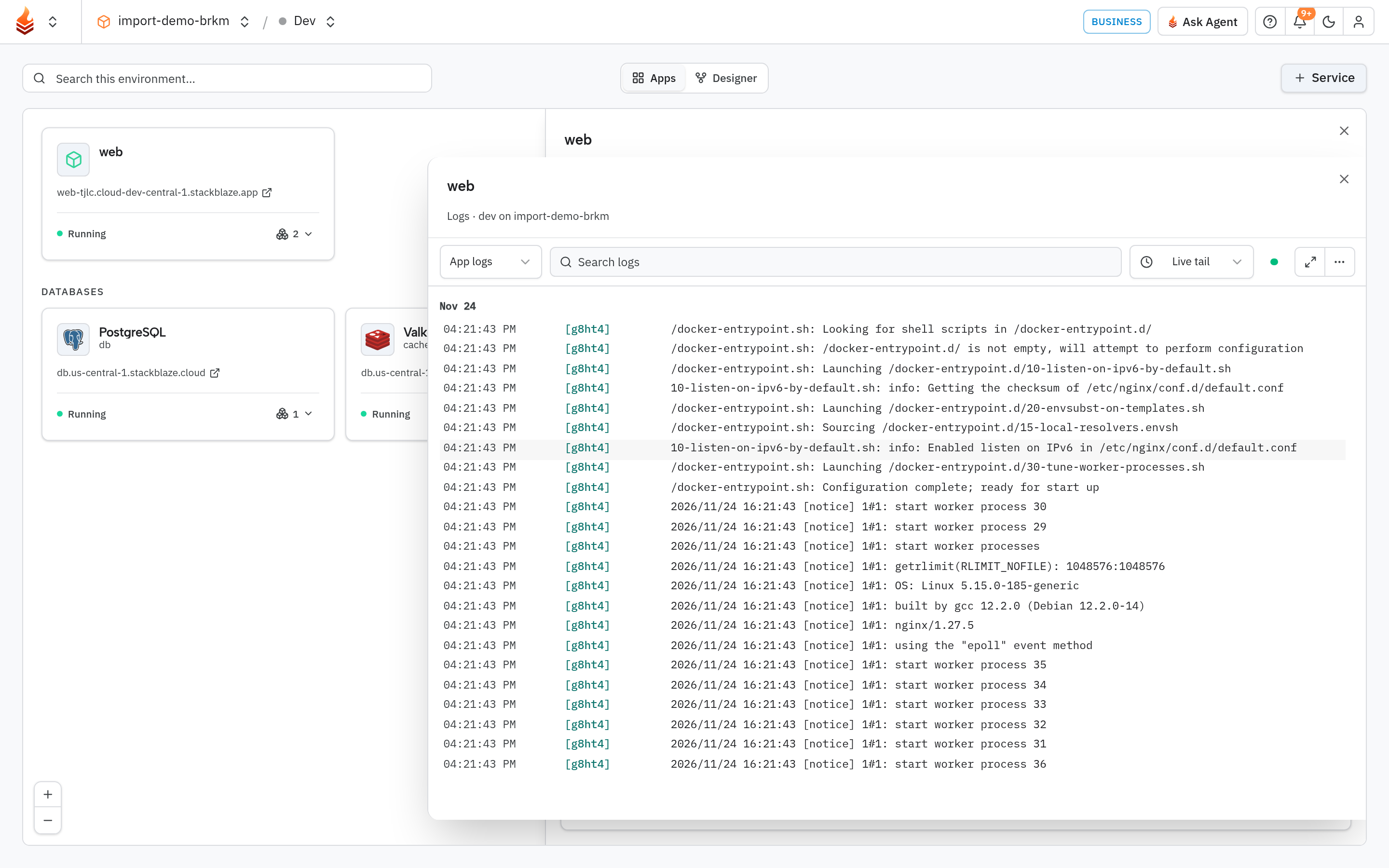
- Inspect Deployment opens the service's logs.
- Copy URL and Visit.
- Cancel, only while a release is rolling out. The row also has a Cancel button then.
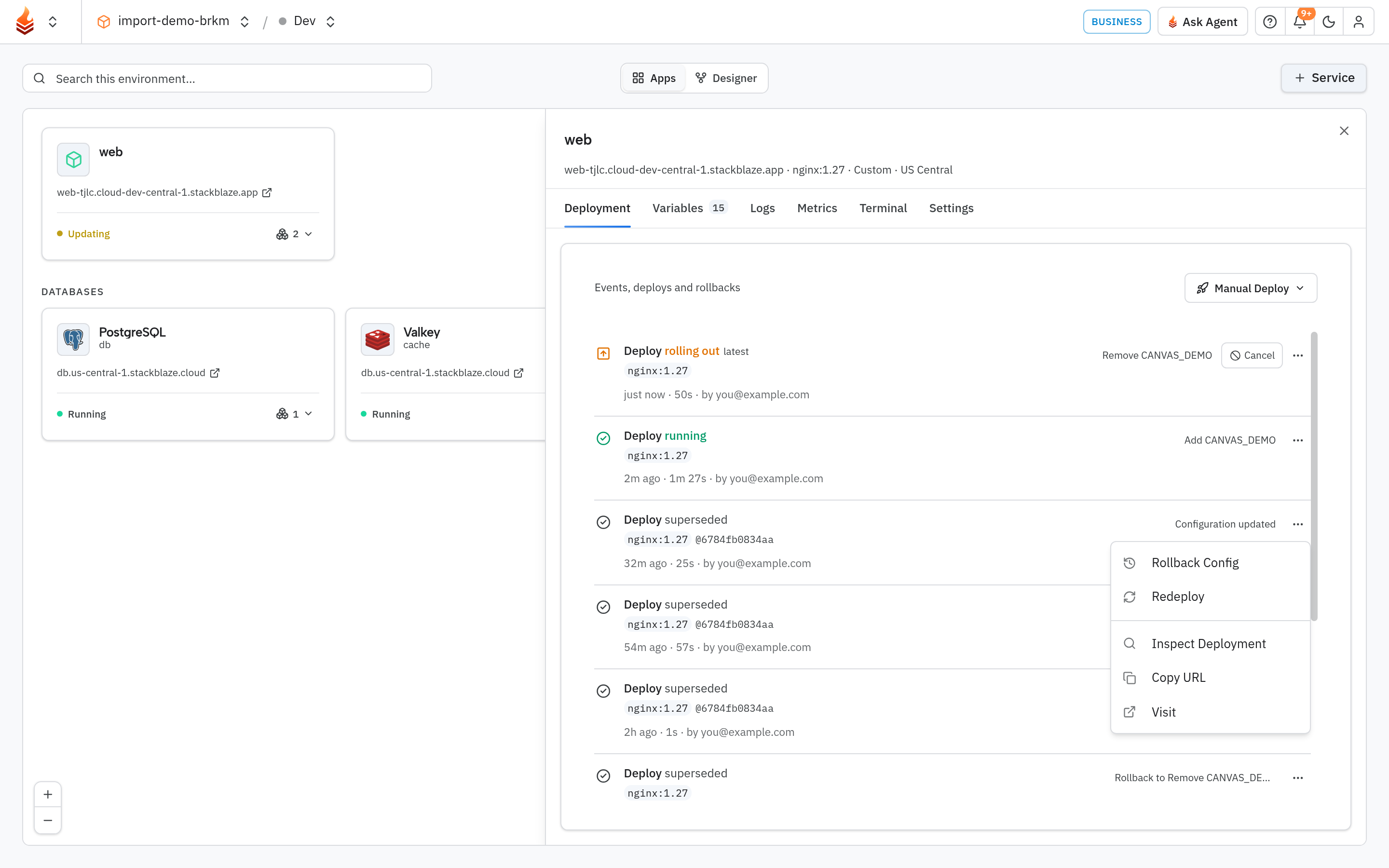
Earlier releases also have Rollback Config:
Inspect Deployment opens the logs over the panel:
Roll back the configuration
Rollback Config puts the service's configuration back to how it was in that release.
Review it
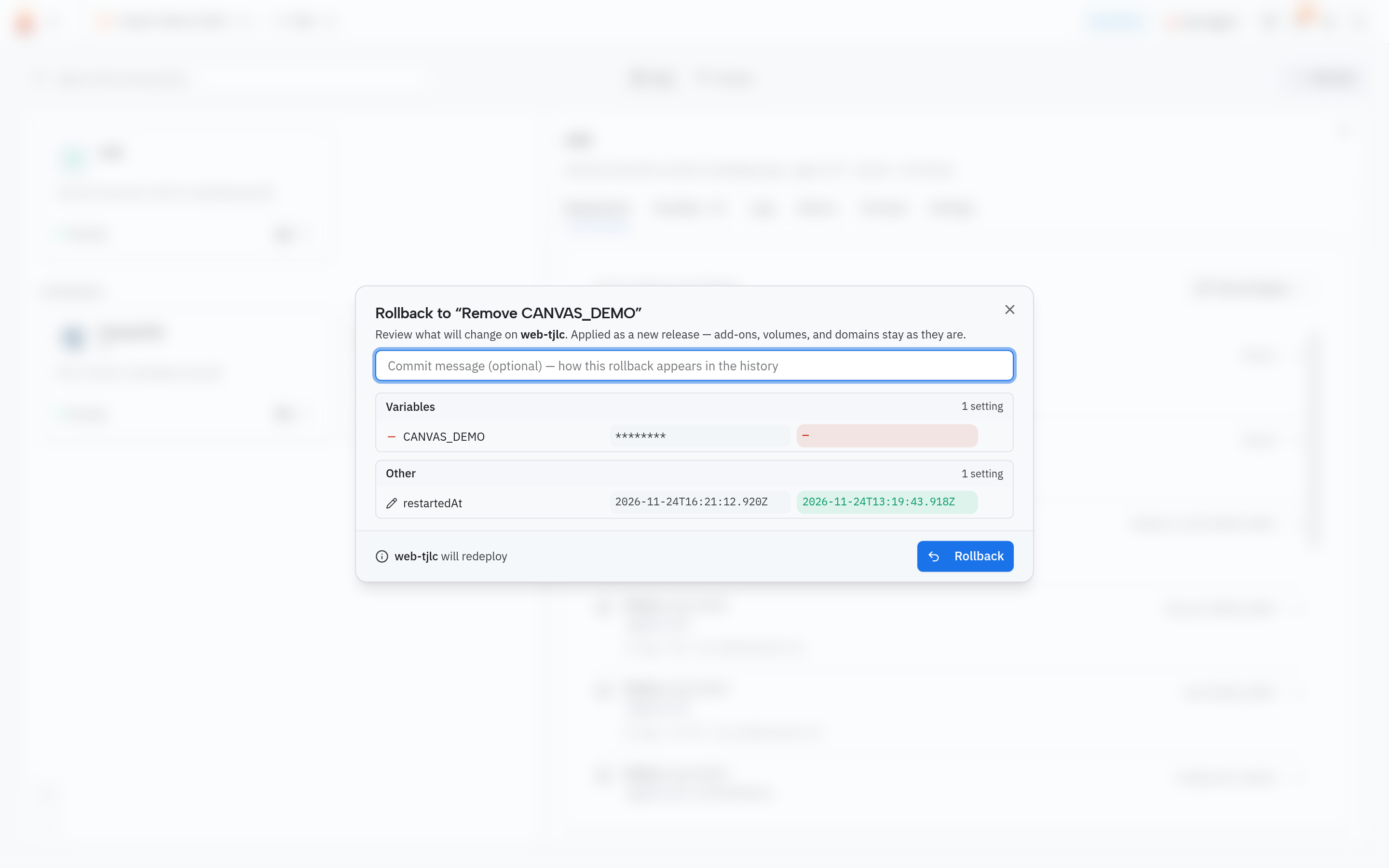
In the release's ⋯ menu, choose Rollback Config. The review, titled after the release (here Rollback to "Remove CANVAS_DEMO"), lists every setting that will change, from its current value to the one it had then. It says the rollback is "Applied as a new release — add-ons, volumes, and domains stay as they are", and which service will redeploy.
You can type a Commit message for the history. Without one, the release is titled after the one you rolled back to.
Roll back
Click Rollback. The service redeploys, and a new release appears at the top. Ours, rolling back to Add CANVAS_DEMO, brought the CANVAS_DEMO variable back and is titled Rollback to Add CANVAS_DEMO.
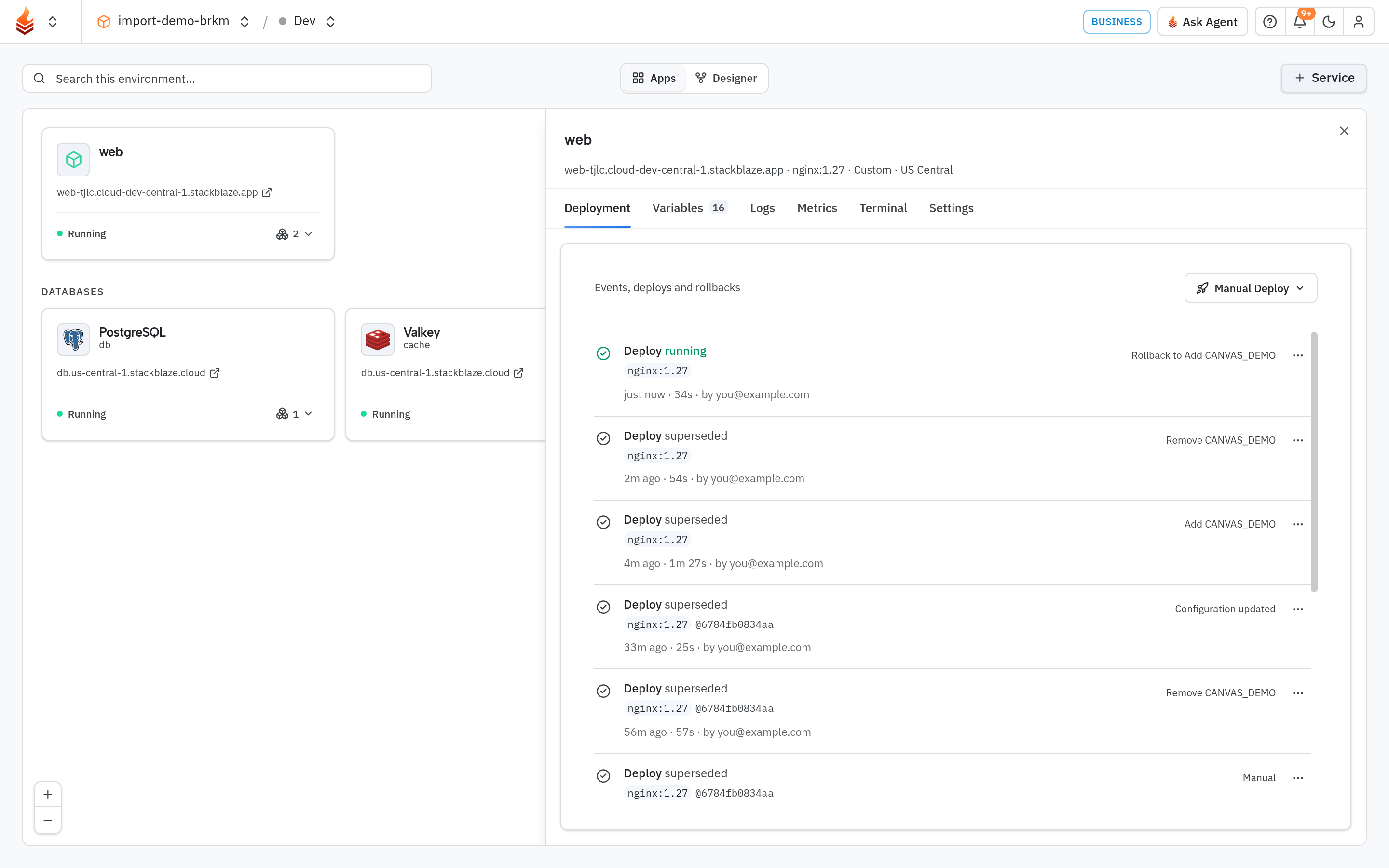
Rolling back never deletes releases. The ones in between stay in the history, so you can roll forward again the same way.
Instant Rollback
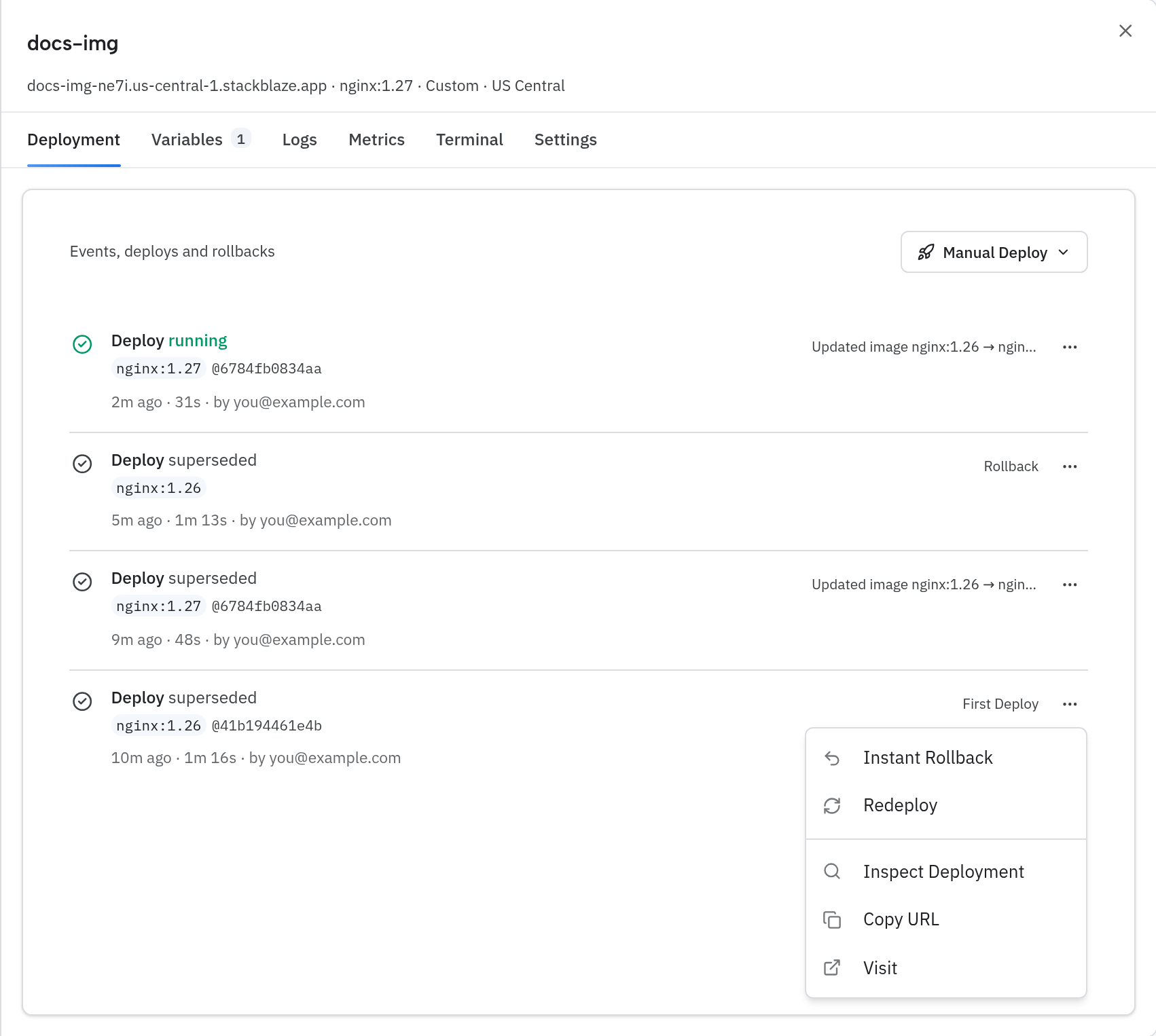
In the Production environment, the ⋯ menu of an earlier release that went live can also have Instant Rollback. It puts back that release's image (or code) and the variables and settings it ran with, in one step, with no new build. Which of the two an earlier release offers depends on how it was made: on our test service, the first deploy offered Instant Rollback and the later image updates offered Rollback Config. The release that is running now has neither.
We deployed nginx:1.26, then nginx:1.27, in Production, and rolled back to the first release:
Pick the release
Open the ⋯ menu of the release to go back to and choose Instant Rollback.
Confirm
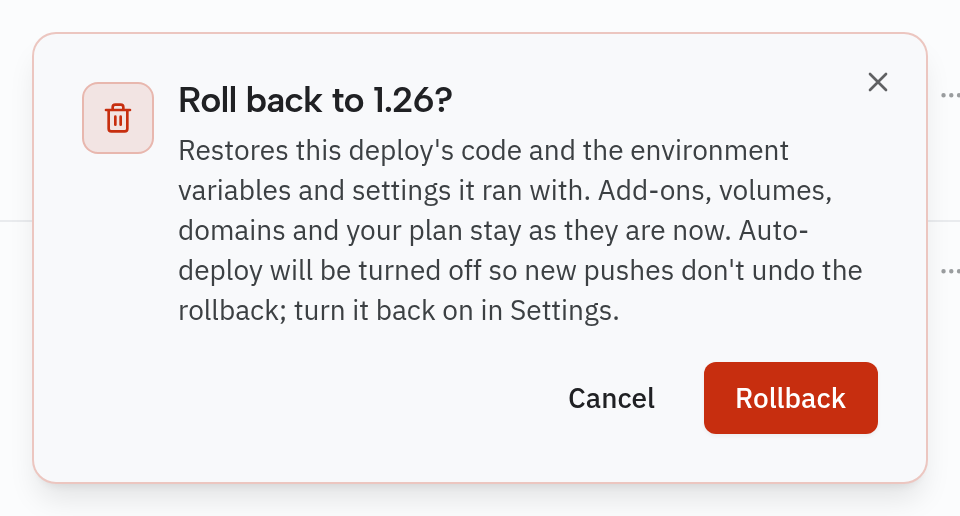
The dialog, here Roll back to 1.26?, says what is restored: "Restores this deploy's code and the environment variables and settings it ran with. Add-ons, volumes, domains and your plan stay as they are now." It also warns that Autodeploy is turned off, "so new pushes don't undo the rollback". Click Rollback, or Cancel.
Check the result
A new release titled Rollback rolls out with nginx:1.26, and then it's running. The releases before it stay in the history.
After the rollback our service had Autodeploy off. For a service built from git, turn it back on in Settings → Deploy once the fix is pushed; until then, pushes are listed as skipped and nothing deploys.
No rollback touches your data. A database migration that ran with a newer release stays in place when you roll the code back. Write migrations so the release before them still works with the new schema (add columns and tables; drop them in a later release).
Promote a preview
In a preview environment, a release's ⋯ menu has Promote. It asks "Promote to production?" and rebuilds the service the preview was copied from (in the environment it came from) from the preview's commit. The service's address stays the same. For a Docker image service, the source service is rolled onto the preview's image tag instead.
Release states
A release's status reads, from start to finish:
| Status | Meaning |
|---|---|
| queued | Accepted, waiting to start. |
| building | The image is being built. |
| running pre-deploy | The pre-deploy command runs in the new image. |
| rolling out | The new version is starting; the old one still serves. |
| running | This release is serving now. |
| superseded | It went live, then a newer release took over. |
| failed | The build, the pre-deploy command or the rollout failed. The release before it keeps serving. |
| canceled | Canceled, or replaced by a newer deploy before it went live. |
Events that aren't deploys are listed too, such as Skipped (a push that didn't deploy, see Which pushes build), Crashed, Out of memory, Paused and Resumed.
From the CLI
stackblaze deployments list -p my-shop -e production -a weblists the releases with their ID, status (live, superseded, rolling_out …), trigger, image or commit, and message.
stackblaze deployments rollback <id> -p my-shop -e production -a web --waitrolls back to a release in full, like Instant Rollback: image and configuration, with auto-deploy turned off. Without an ID it picks the previous successful release. --image-only puts back only the image and keeps today's configuration and auto-deploy; -y skips the question.
From the API
All of these need an API token allowed to change the service:
| Call | What it does |
|---|---|
GET /api/deployments/{project}/{environment}/{service} | The release history. |
POST /api/deployments/build/{project}/{environment}/{service} | Build and deploy, optionally a given commitSha. |
POST /api/deployments/rollback-deploy/{project}/{environment}/{service}/{id} | Instant Rollback to a release. |
GET /api/deployments/rollback/{project}/{environment}/{service}/{revision} | Preview a Rollback Config: the current and earlier configuration. |
POST /api/deployments/rollback/{project}/{environment}/{service}/{revision} | Apply the Rollback Config, with an optional message. |
POST /api/deployments/promote/{project}/{environment}/{service} | Promote a preview's service. |
Developer sandbox
An isolated Debian VM with VS Code in the browser, a shell, coding agents and a persistent /workspace disk you can checkpoint and fork.
Preview environments
Every pull request gets its own temporary copy of your app, with its own address, rebuilt on every push and removed when the pull request is closed.