
Billing
Your current plan, GPU credit, how you pay, billing details, support plans and invoices.
The Billing page holds your organization's plan, its prepaid GPU credit, the card you pay with, the details printed on your invoices, your support plan and every invoice. What you have used this period is on Usage.
Open Billing
In the sidebar, under Administration, click Billing.
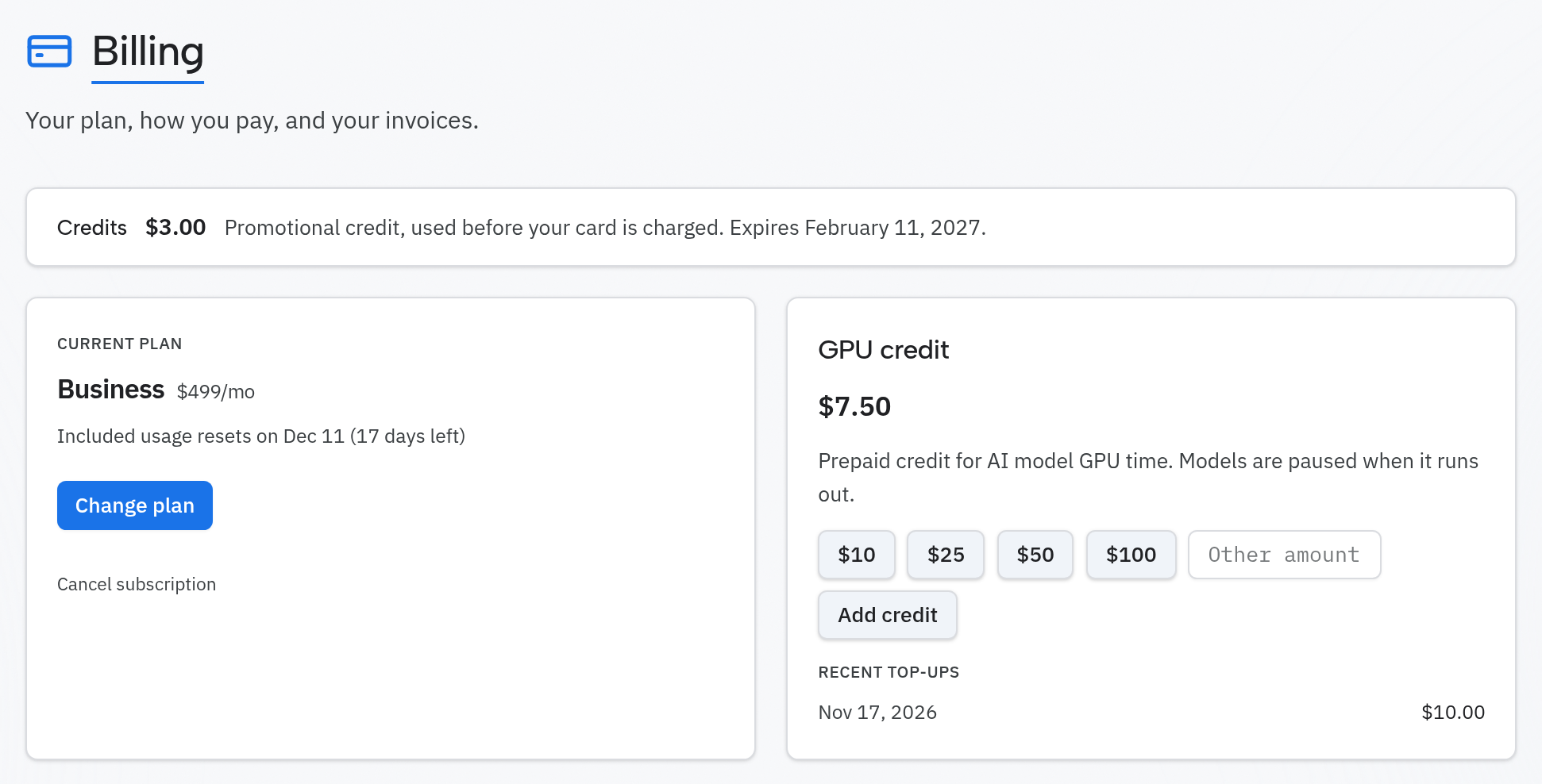
Credits
When your organization has promotional credit, a Credits row at the top shows the balance: "Promotional credit, used before your card is charged." The expiry date follows, for example "Expires February 11, 2027."
Current plan
The Current plan card shows the plan's name and price, for example Business $499/mo, and when the included usage starts again: "Included usage resets on Dec 11 (17 days left)". From it you can change plan, upgrade, downgrade or cancel: see Plans.
GPU credit
GPU credit is prepaid credit for AI model GPU time. Models are paused when it runs out. The card shows the balance and your Recent top-ups.
To add credit, pick $10, $25, $50 or $100, or type an amount in Other amount, then click Add credit. Add credit goes on to checkout, where you pay.
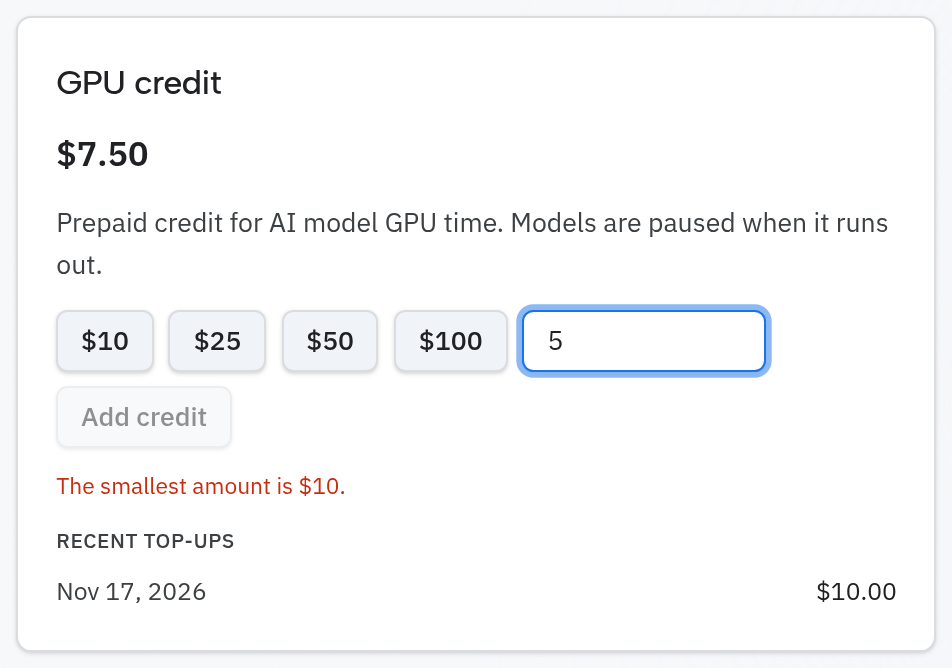
A typed amount is checked as you type:
| You type | You see |
|---|---|
| Something that isn't an amount | Enter an amount in dollars, such as 25 or 12.50. |
| Less than $10 | The smallest amount is $10. |
| More than $2,000 | The largest amount is $2000. |
Add credit stays greyed out until the amount is valid.
Payment method
Payment method shows the card on file: its brand, the last four digits and when it expires, with "Charged for renewals."
Update card opens the billing portal in the same tab, where you change the card.

Billing details
Billing details is the company, address and tax ID printed on your invoices. Click Edit to change them.
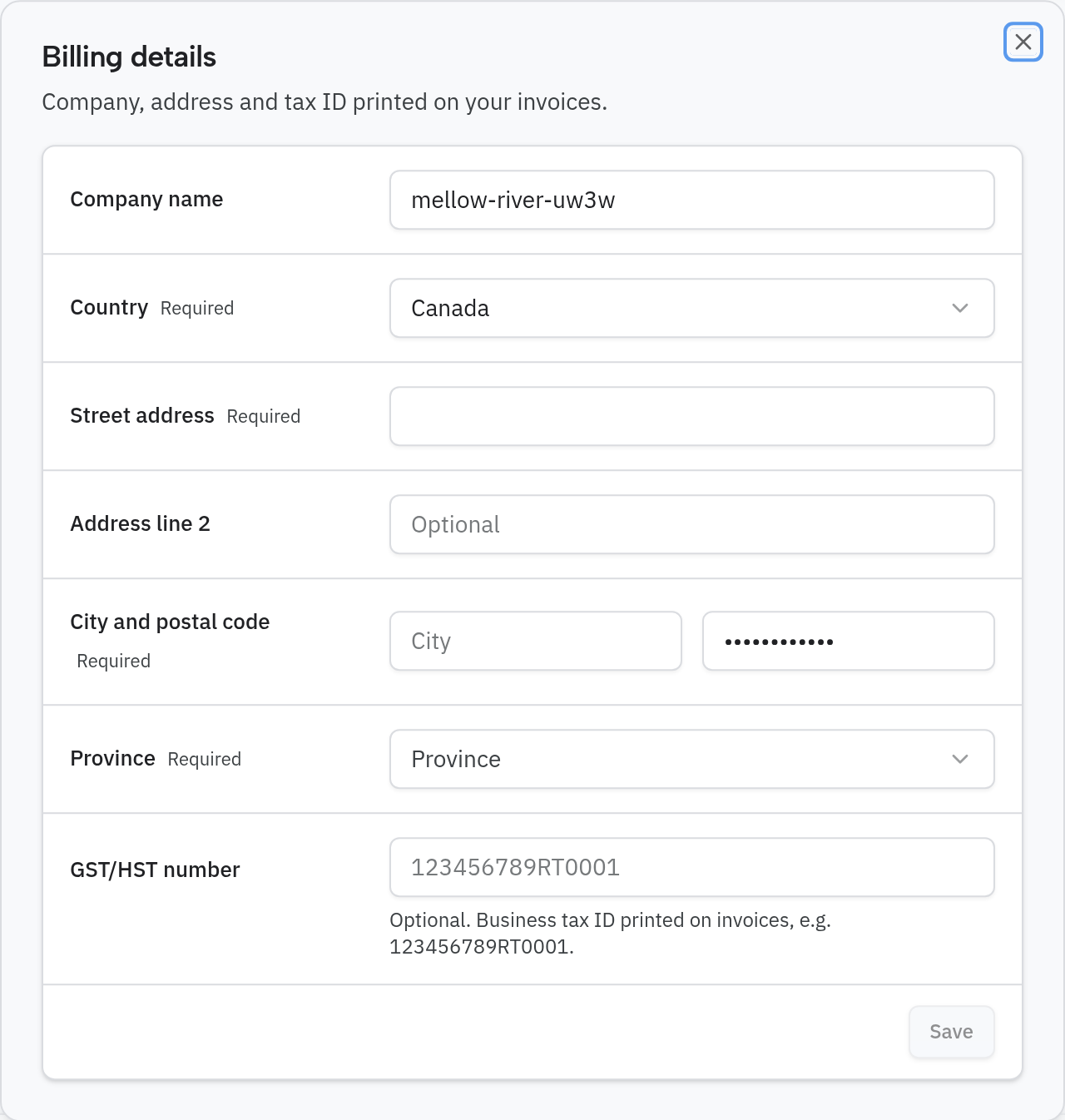
| Field | |
|---|---|
| Company name | Optional. |
| Country | Required. |
| Street address | Required. |
| Address line 2 | Optional. |
| City and postal code | Required. |
| Province | Required (a list, for Canada). |
| GST/HST number | Optional. The business tax ID printed on invoices, for example 123456789RT0001. |
The tax ID field is named for the country; the window above is for Canada. Save stays greyed out until you change something. To leave without saving, close the window with ×.
Support plans
The Support card says which support plan you're on. Click Compare support plans to see them side by side.
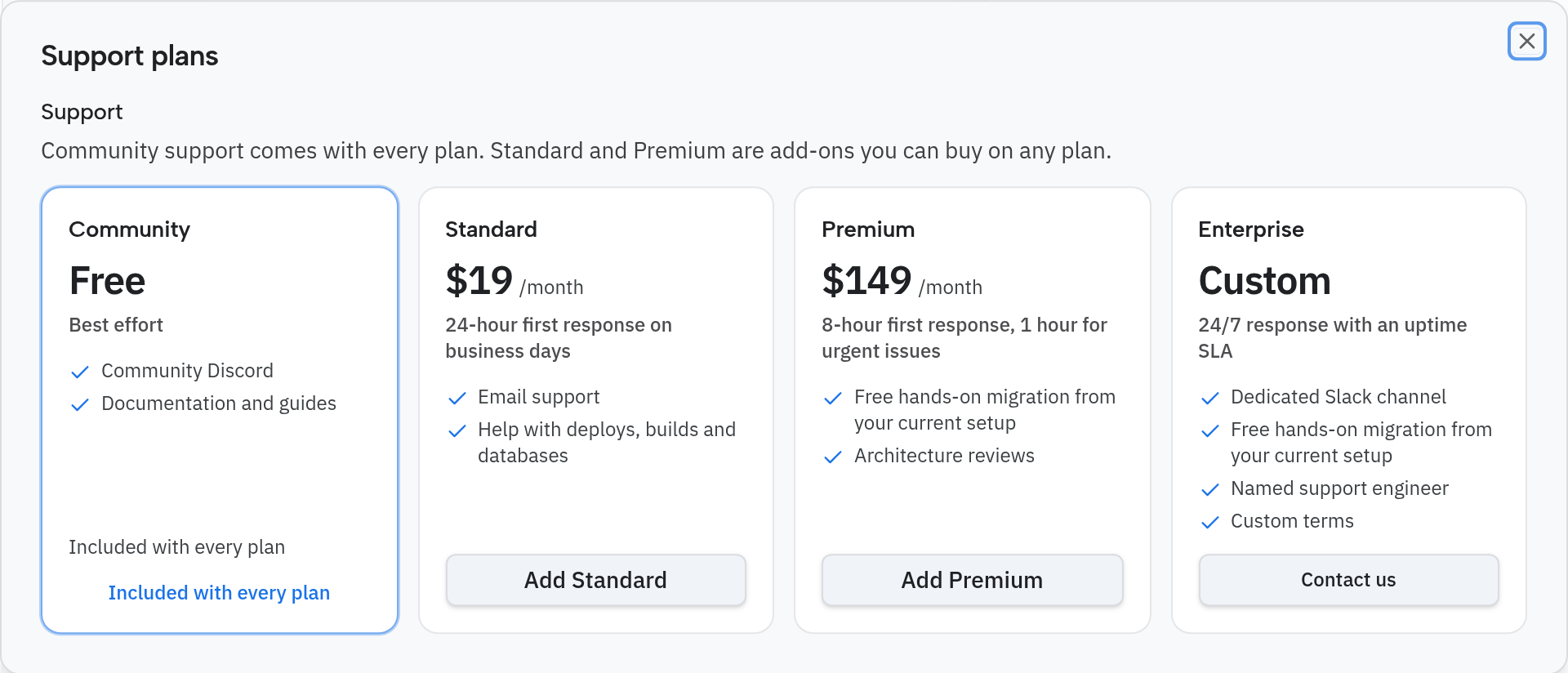
| Plan | Price | Response | Includes |
|---|---|---|---|
| Community | Free | Best effort | The community chat, documentation and guides |
| Standard | $19/month | 24-hour first response on business days | Email support, help with deploys, builds and databases |
| Premium | $149/month | 8-hour first response, 1 hour for urgent issues | Free hands-on migration from your current setup, architecture reviews |
| Enterprise | Custom | 24/7 response with an uptime SLA | A dedicated chat channel, free hands-on migration, a named support engineer, custom terms |
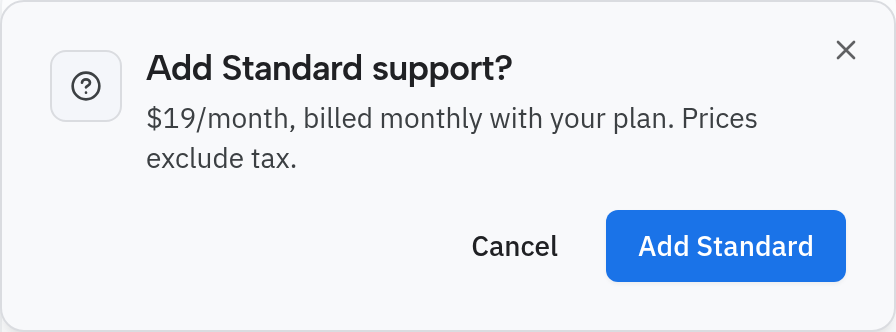
Community comes with every plan. Standard and Premium are add-ons you can buy on any plan. Click Add Standard or Add Premium and the dashboard asks first, for example "Add Standard support? $19/month, billed monthly with your plan. Prices exclude tax." Click Cancel to back out.
For Enterprise, Contact us opens the StackBlaze contact page. To leave the comparison, close the window with ×.
Invoices
Invoices lists every invoice for this organization, newest first, 10 to a page (change it with 10 / page). Each row has the Date, the Invoice number, the Amount, the Status (for example Paid) and a PDF link that opens the invoice. Click a column heading to sort by it, or search with Search invoices….
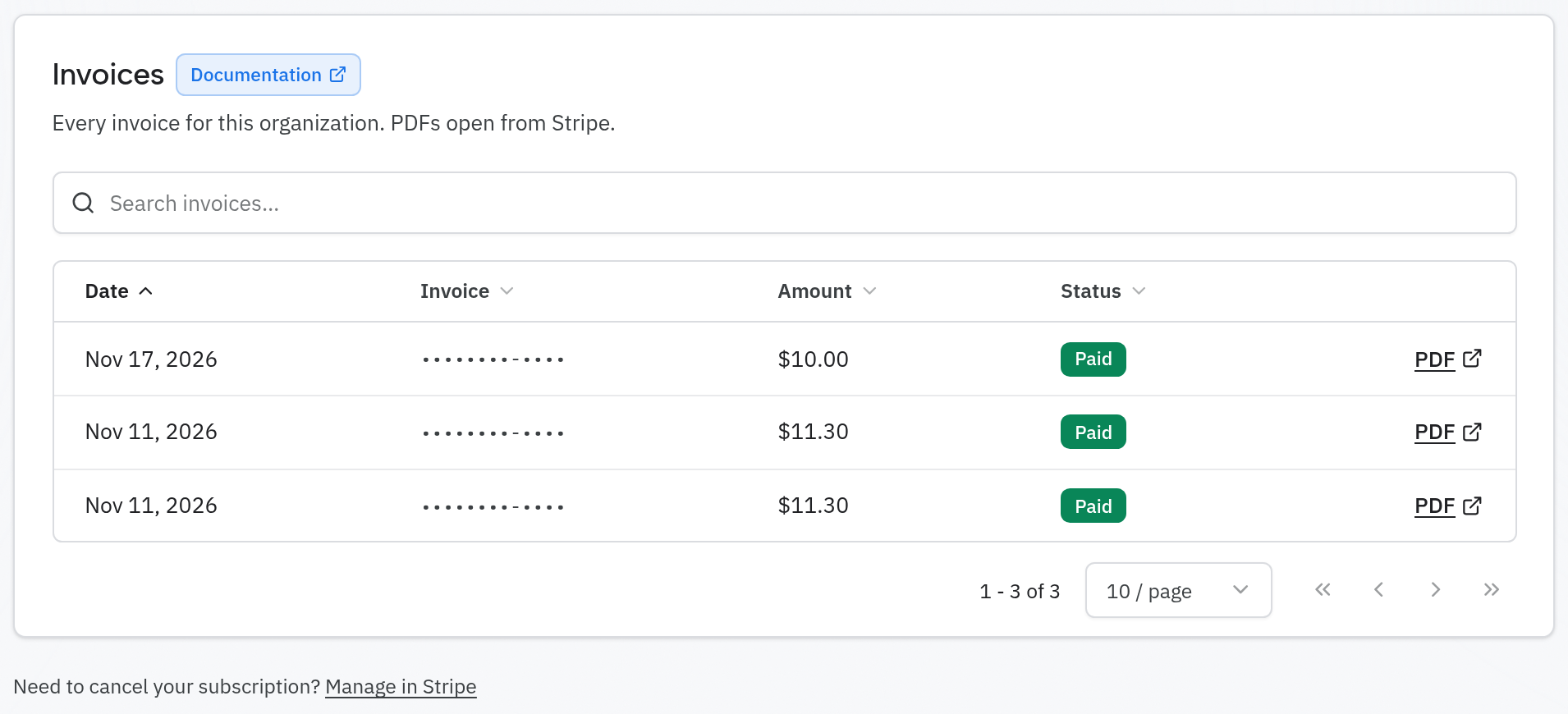
Below the list, Manage in Stripe opens the same billing portal as Update card, where you can also manage your subscription.