
Integrations
See which GitHub and Hugging Face accounts your organization works with.
Integrations lists the accounts on other services that your organization works with: GitHub and Hugging Face. Open it from the sidebar: click Settings, then Integrations.
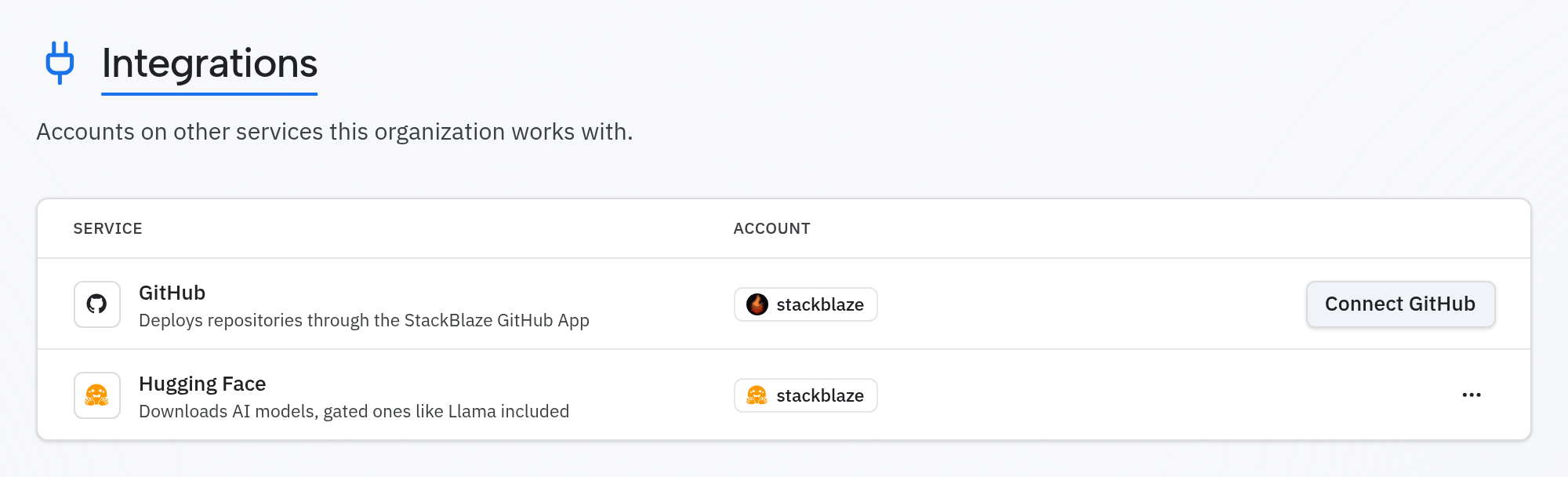
Each row shows the service, what it's for, the Account it uses, and an action on the right.
GitHub
GitHub deploys your repositories through the StackBlaze GitHub App. Account lists the GitHub accounts and organizations the App is installed on for this organization. Click one to open it on GitHub. With none, it reads Not connected.
The action depends on whether your GitHub account is linked:
- Connect GitHub: your GitHub account isn't linked yet. Clicking it opens GitHub in a new window to link your account. If your browser blocks the window, allow popups for the dashboard and try again.
- ⋯: your account is linked. The menu has Add GitHub account (install the App on another account or organization) and Disconnect.
Disconnect asks you to confirm. It unlinks your GitHub account, so new GitHub organizations are no longer found automatically. Accounts the App is installed on stay connected, and apps keep deploying. To remove one of those, uninstall the App on GitHub.
For deploying a repository, see Deploy from GitHub.
Hugging Face
Hugging Face is where AI models are downloaded from, including gated ones. When it's connected, Account shows the Hugging Face user. If gated models use it, the description says how many.
- Connect Hugging Face: shown when nothing is connected.
- ⋯ → Disconnect: shown when it's connected.

Disconnect asks you to confirm. Without an account, AI models download anonymously, and gated models can't be deployed until Hugging Face is connected again. A gated model that's already running keeps running, but its next start can't download it. See AI models.